
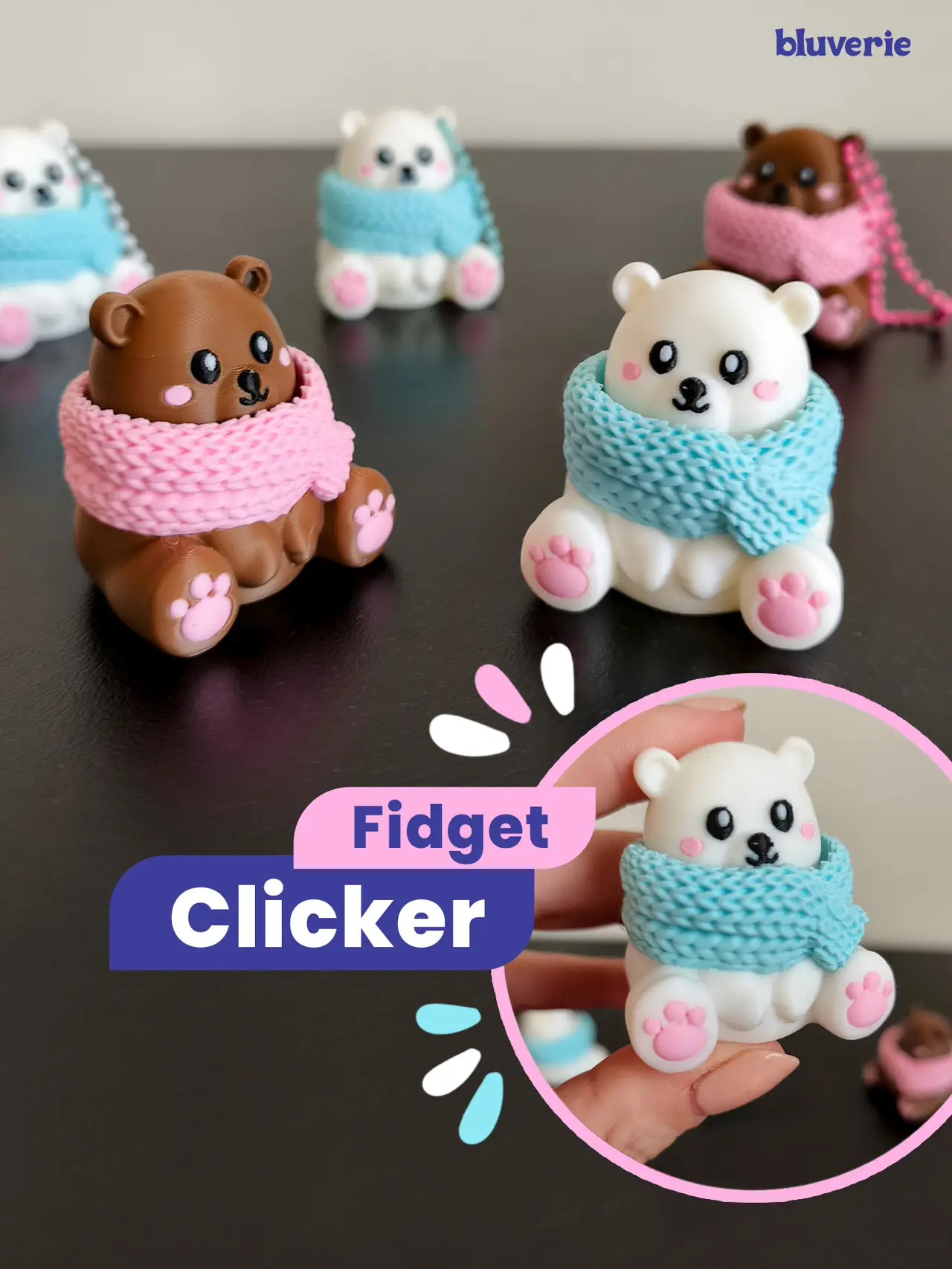
Winter Bear Fidget Clicker
por Bluverie S en Thangs
🌸 License Notice
Thangs entrega los archivos a usuarios con cuenta gratuita
Licencia
Revisa las condicionesPERSONAL USE ONLY — PLEASE READ - Bluverie Studio
El autor usa su propia licencia. Revisa sus condiciones en la página original antes de compartir, modificar o vender.
Al descargar aceptas respetar la licencia y dar crédito a Bluverie S.
Archivos (2)
- Winter Bear Fidget Clicker by Bluverie Studio.3mf 3MF · 59,6 MB
- Winter Polar Bear Fidget Clicker by Bluverie Studio.3mf 3MF · 59,6 MB
- Categoría
- Juguetes y juegos
- Formatos
- 3MF
- Descargas
- 32
- Publicado
Sobre este modelo
🌸 License Notice
Personal use only!!! A Commercial License is required for any commercial use, including selling physical products, giveaways, freebies, subscriber rewards, or promotional use. Interested in selling your prints of this model? Purchase a Commercial License through the link:** https://bluveriestudio.gumroad.com/
------------------
A little bear has joined the collection, all wrapped up and ready for winter and I love that you can make him either a polar bear or a brown bear just by changing the colors! ❄️🐻
I’ve included two print profiles, one for each bear, and you can play around with different scarf colors to create your own combinations. 🎄
✨ This model is printed in two main parts and requires a Cherry MX style mechanical keyboard switch (see details below). - Bear Body (Base)
The body and scarf form the base of the clicker. - Bear Head (Top)
The head attaches to the mechanical switch using the cross shaped stem and moves up and down inside the scarf when pressed. There are two versions of the head included:
With a keychain hole: A small hole in the bear's ear lets you attach a keychain chain.
Without a hole: Perfect if you'd rather keep your bear as a desk clicker!
This model is designed for multicolor AMS printing. I’ve included two print profiles, one for the polar bear and one for the brown bear, so you can easily choose your favorite! ❤️
⚠️You will need a Cherry MX style mechanical keyboard switch. I used a square edged switch like in the photo, but I also tested with a smooth edged one and it worked fine. Make sure to check your switch model before printing and assembling!
⌨️ ✨ For those who aren’t sure which switch to get: I use a Cherry MX–style mechanical keyboard switch. It has a small cross-shaped stem on top where my models attach. You can find these switches in mechanical keyboard stores, electronics shops, or DIY keyboard sites. I can’t include a link here, but I’ve added a photo for reference.
🐻 Assembly: - Print the bear body and your chosen head version. - Insert the Cherry-style switch (cross-shaped stem) into the cross-shaped hole on the underside of the bear's head. - Once the switch is firmly attached to the head, press it into the slot inside the bear's body. - If you chose the keychain version, attach your keychain chain through the hole in the bear's ear. Tip: Add a tiny drop of glue to the switch to help keep it securely attached to the bear. Make sure to use only a small amount!
I hope you enjoy this little bear clicker as much as I enjoyed designing him!
Descripción original del autor, publicada en Thangs.



