
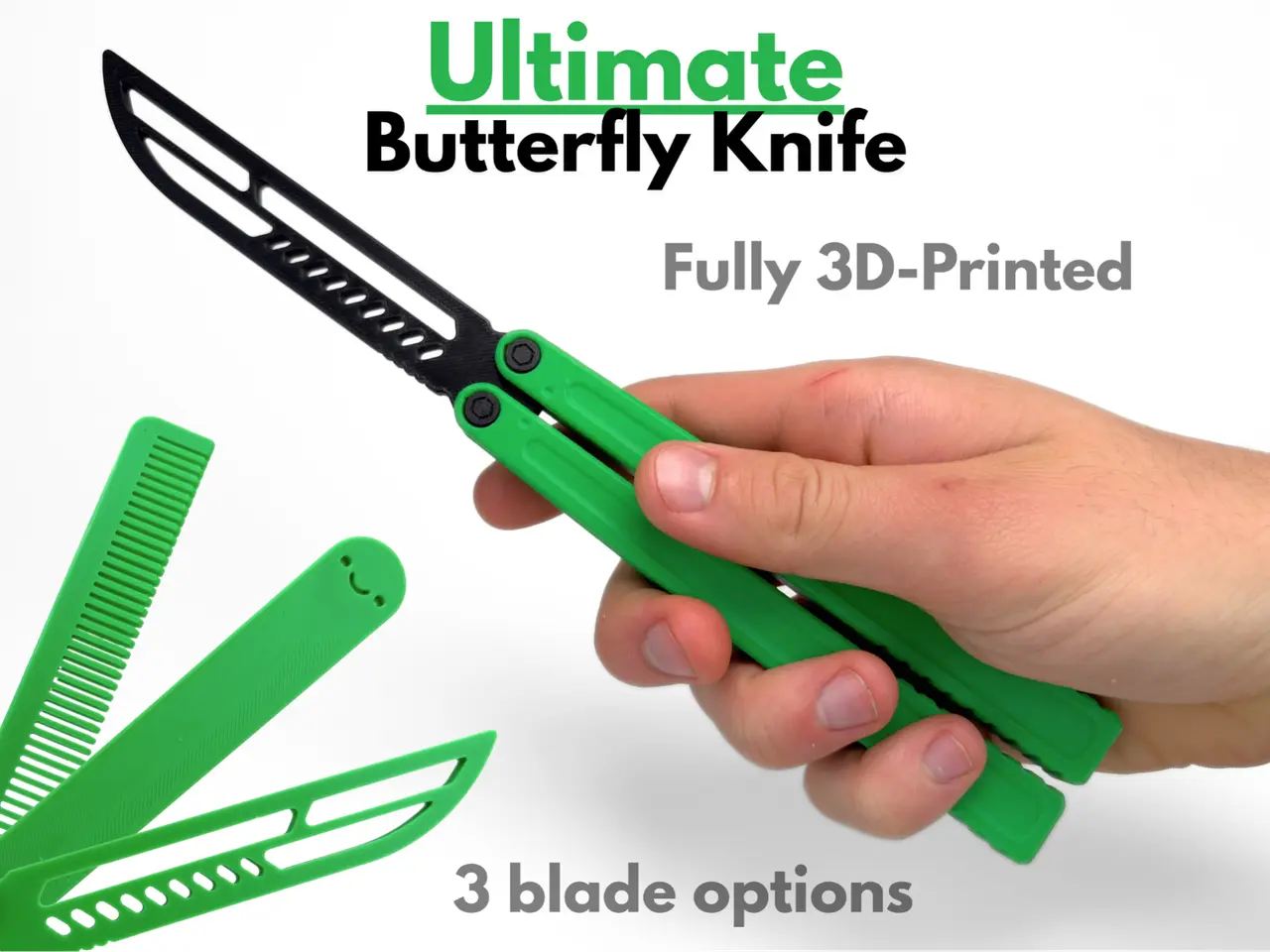
Ultimate Butterfly Knife (Fully 3D Printed)
por AbyssalCactus en MakerWorld
Assembly instructions are in a short video above along with the photos of this model
MakerWorld entrega los archivos a usuarios con cuenta gratuita
Licencia
Solo uso personalStandard Digital File License
Licencia estándar de archivos digitales: solo uso personal. No se permite compartir, revender ni subir el archivo a otros sitios, ni vender las impresiones.
Al descargar aceptas respetar la licencia y dar crédito a AbyssalCactus.
Archivos (3)
- Butterfly Knife Fidget Toy SINGLE-COLOR.stl STL · 5,3 MB
- Butterfly Knife Fidget Toy MULTI-COLOR.3mf 3MF · 634 KB
- Butterfly Knife Fidget Toy SINGLE-COLOR.3mf 3MF · 636 KB
- Categoría
- Juguetes y juegos
- Formatos
- STL, 3MF
- Descargas
- 1,910
- Publicado
Sobre este modelo
Assembly instructions are in a short video above along with the photos of this model
This Ultimate Butterfly Knife is a fully 3D-printed balisong trainer, built without a single piece of metal hardware. Every pivot uses a carefully prototyped printed barrel and screw, and a printed hex key is included in the file set so you can tighten everything up yourself. Pick from 3 blade options: a knife-shaped trainer blade with vented slots and a serrated spine, a comb blade, or a smiley face blade for the least threatening look of the bunch. All three are blunt, so this is a safe way to learn flips and tricks. The handles have a raised inset panel and a ribbed grip at the tail for a secure hold while you flip. There's no latch, so the blade just nests between the handles when closed. Inspired by a real butterfly knife, this design was carefully tuned over countless versions to create the best experience possible. It prints with no supports and PLA works great. Print the parts, assemble the pivots, and start flipping, which makes this a perfect project for anyone who wants to learn butterfly knife tricks but doesn't want to pay for a real one. Boost MeIf you like this model, please consider boosting it! It helps out a ton :)MembershipWant to sell my 3D printed fidget toys? Become part of my Commercial License Membership program!Printing Instructions:
- Prepare the Print Bed - Clean the print bed thoroughly with isopropyl alcohol to ensure proper adhesion.
- Additional adhesive for the print bed is highly recommended! I suggest using 3D-Lac spray or a glue stick.
- Download the Print Profile - Send the pre-configured print profile to your Bambu Lab printer through the Bambu Handy app or Download and open the pre-configured print profile in Bambu Studio.
- Select Your Printing Options - Choose your filament type and color.
- Select your print bed type (e.g., textured or smooth).
- Confirm your printer settings, ideally for a Bambu Lab printer.
- Start Printing - Begin the print job. No supports are necessary.
Descripción original del autor, publicada en MakerWorld.



