
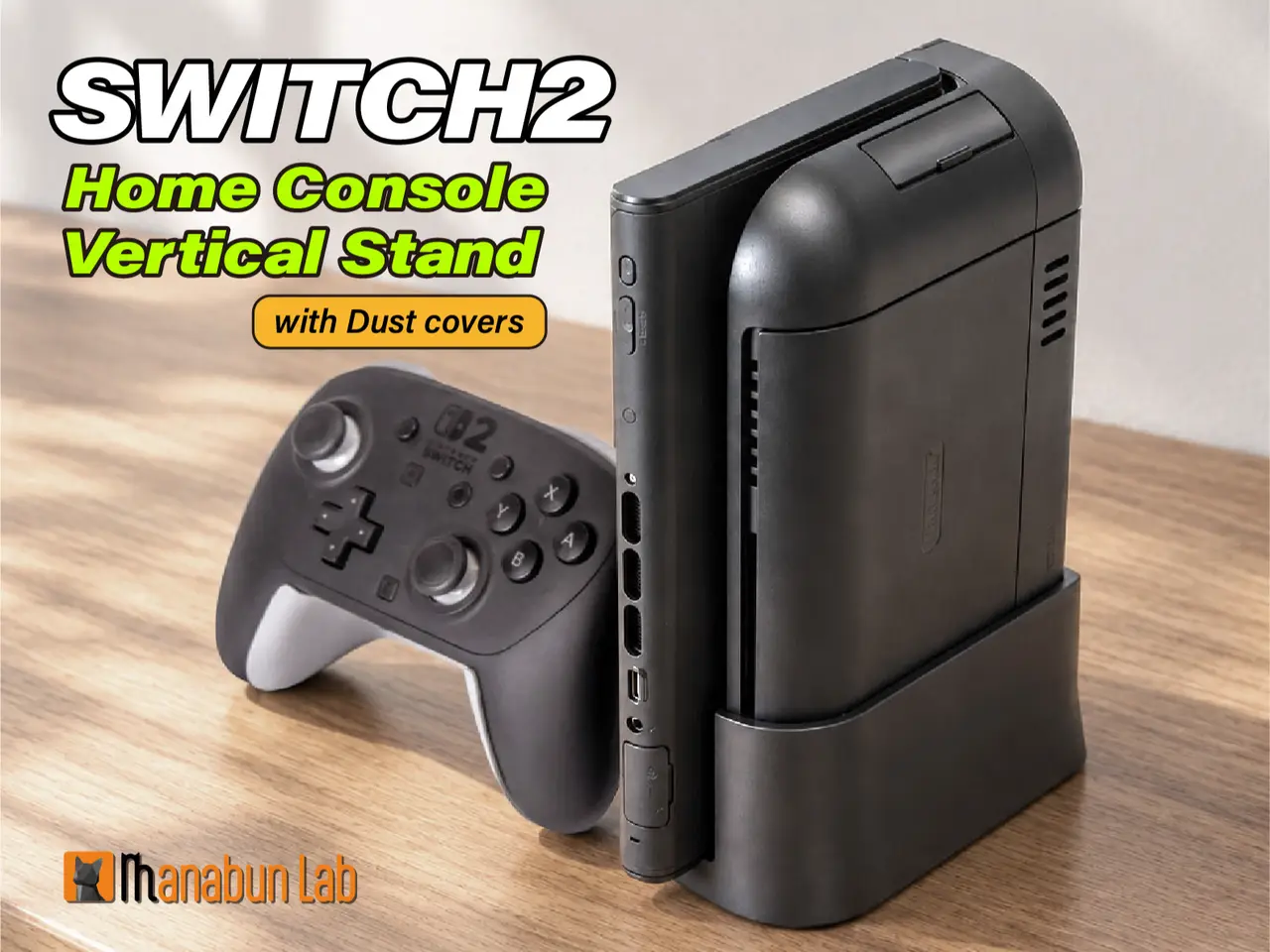
Switch 2 Vertical Stand with Dust Covers
por Manabun Lab en MakerWorld
Modification, remixing, and commercial use of this data are strictly prohibited.
MakerWorld entrega los archivos a usuarios con cuenta gratuita
Licencia
Solo uso personalStandard Digital File License
Licencia estándar de archivos digitales: solo uso personal. No se permite compartir, revender ni subir el archivo a otros sitios, ni vender las impresiones.
Al descargar aceptas respetar la licencia y dar crédito a Manabun Lab.
- Categoría
- Juguetes y juegos
- Descargas
- 42
- Publicado
Sobre este modelo
Modification, remixing, and commercial use of this data are strictly prohibited.
If you wish to sell prints, please obtain a commercial license from here https://www.patreon.com/cw/Manabun_lab
Boost Me👍If you like it, please consider boosting it!✨Update (Oct 30, 2026): Anti-slip stopper and roomier cable space
- Anti-slip stopper: The Switch 2 could slide out of the upright stand with a small bump. I added a small bump at the stand’s entrance and a matching hole in each Joy-Con 2 connector cover. The bump catches in the hole and holds the console in place with its own weight. It’s now stable against vibration, yet still slides in and out easily.
- More cable room: I widened the cable space at the back.
Vertical Stand for Nintendo Switch 2 Dock (with Dust Covers) Turn your Switch 2 into a stationary home console. Who it’s for Designed for gamers who play with the console connected to the dock, using a Pro Controller or a third-party controller, without using handheld mode or Joy-Con 2.
This stand is designed for using the Switch 2 as a dedicated home console. Standing the dock upright gives you the smallest possible footprint on your desk or TV shelf, and it looks clean and tidy, just like a real console. Matching are included to protect the ports and keep dust out.
How to use
Set the dock into the stand. Cables can be routed out through the slot at the back.
Attach the USB port cover to the dock.
Attach a Joy-Con 2 connector cover to each side of the Switch 2 console. Attach the cover with the stopper hole to the + side. It will feel tight the first time you press them on, but they will loosen up and fit smoothly after a few uses.
Slide the Switch 2 console in from the side. Important: The Switch 2 console cannot be inserted unless the Joy-Con 2 connector covers are attached to it. Please attach the covers first.
What’s included
- Dock stand ×1
- Joy-Con 2 connector covers ×2
- USB port cover ×1
Descripción original del autor, publicada en MakerWorld.



