
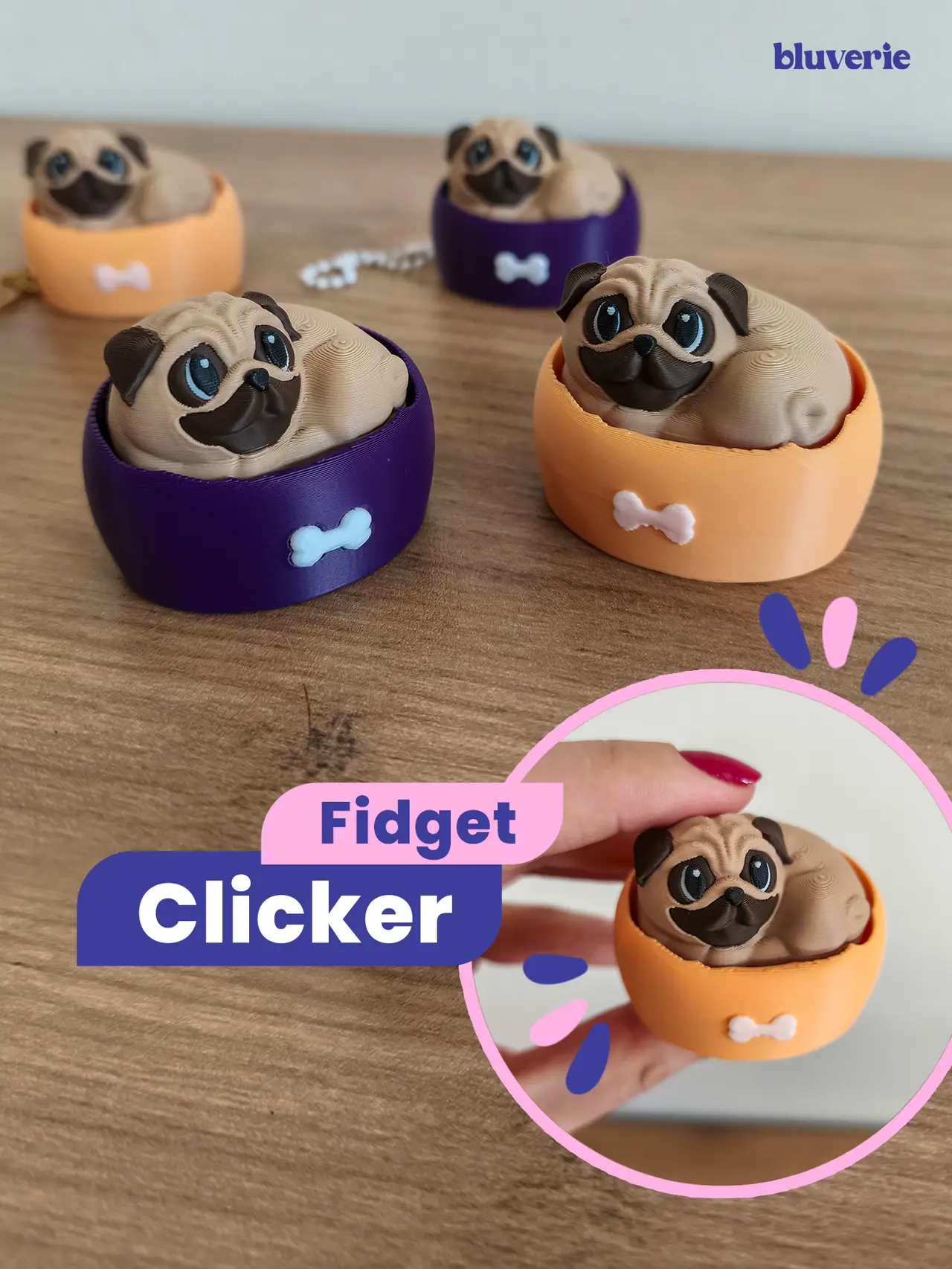
Pug Fidget Clicker
por Bluverie S en Thangs
🌸 License Notice
Thangs entrega los archivos a usuarios con cuenta gratuita
Licencia
Revisa las condicionesPERSONAL USE ONLY — PLEASE READ - Bluverie Studio
El autor usa su propia licencia. Revisa sus condiciones en la página original antes de compartir, modificar o vender.
Al descargar aceptas respetar la licencia y dar crédito a Bluverie S.
Archivos (2)
- Pug Fidget Clicker by Bluverie Studio.3mf 3MF · 68,8 MB
- PERSONAL USE ONLY — PLEASE READ - Bluverie Studio.txt TXT
- Categoría
- Juguetes y juegos
- Formatos
- 3MF, TXT
- Descargas
- 42
- Publicado
Sobre este modelo
🌸 License Notice PERSONAL USE ONLY!!! A Commercial License is required for any commercial use, including selling physical products, giveaways, freebies, subscriber rewards, or promotional use. Interested in selling your prints of this model? Purchase a Commercial License through the link: https://bluveriestudio.gumroad.com/ (https://bluveriestudio.gumroad.com)
-----------------------
If you love dogs, you’re going to love this little pug! 🐶❤️ Just chilling in the bed and waiting for a satisfying click. ** ✨ This model is printed in two main parts and requires a Cherry MX style mechanical keyboard switch (see details below). ** - Bed (Base)
The bed is available in two versions — pick your favorite!
• With hole: includes a small hole for attaching a keychain chain.
• Without hole: the standard version.
Choose any color you like for the bed and give your pug its own look! 🐶 - Pug (Top)
The pug is the movable part of the clicker, designed in a cute lying-down position.
It attaches to the mechanical switch using the cross shaped stem and fits neatly into the bed.
⚠️ Print profile note - don’t delete the yellow cube! On the pug, the slicer might interpret some of the small color details as overhangs. I added a modifier to prevent printing issues. Just make sure not to delete the cube!
Both parts are multicolor (AMS required).
⚠️You will need a Cherry MX style mechanical keyboard switch. I used a square edged switch like in the photo, but I also tested with a smooth edged one and it worked fine. Make sure to check your switch model before printing and assembling!
⌨️ ✨ For those who aren’t sure which switch to get: I use a Cherry MX–style mechanical keyboard switch. It has a small cross-shaped stem on top where my models attach. You can find these switches in mechanical keyboard stores, electronics shops, or DIY keyboard sites.
Assembly:
Print the two parts (bed + pug). Insert the cross-shaped stem of the switch into the small cross-shaped slot on the underside of the pug. Place the pug + switch assembly into the bed. _Tip: Add a small amount of glue here to make the connection extra secure._
Descripción original del autor, publicada en Thangs.



