
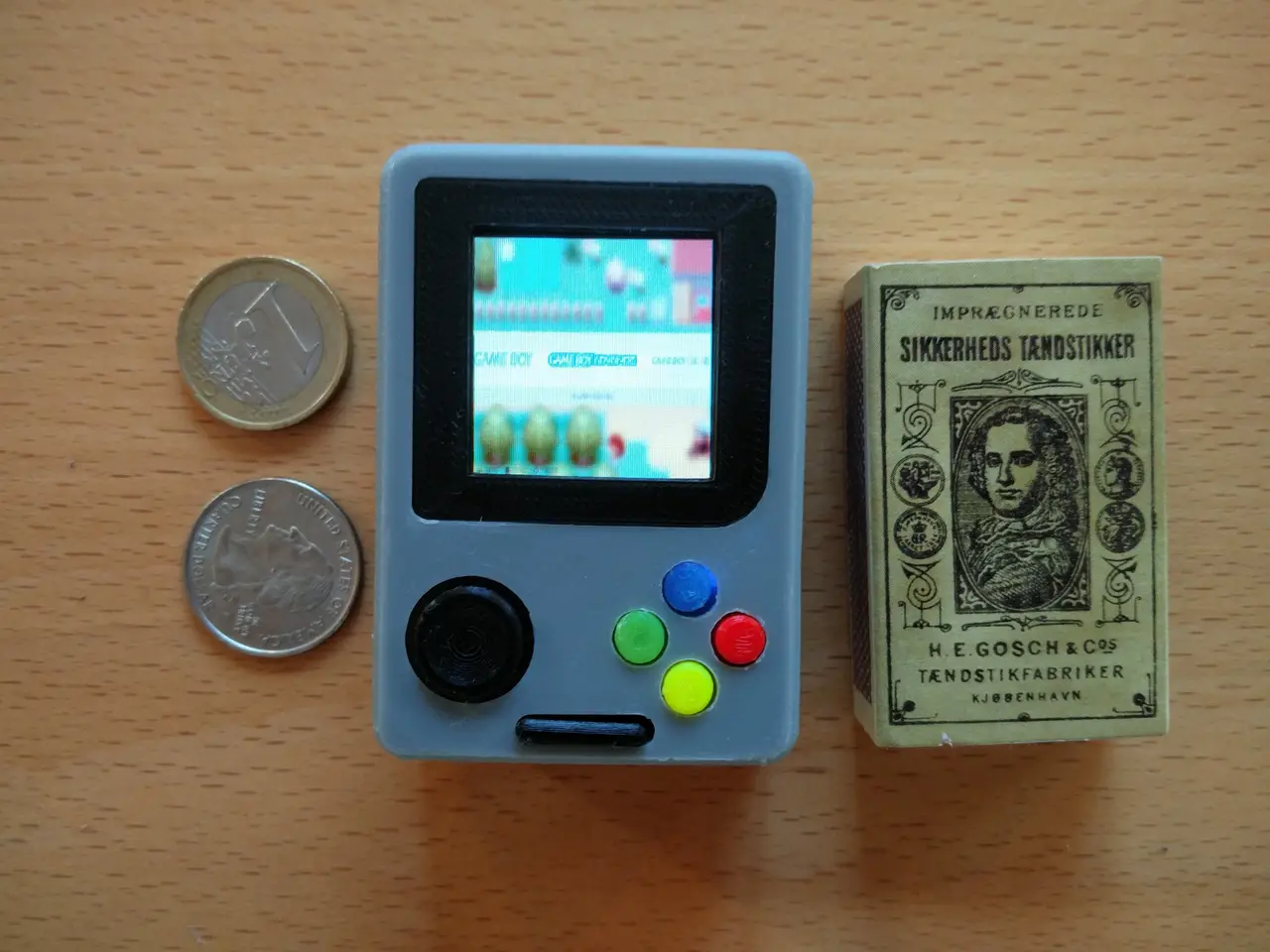
Pi Zero - Gameboy NANO
por Rasmushauschild en Thingiverse
This is my newest Raspberry Pi portable. Built around the Raspberry Pi Zero it measures just 6.9cm x 4.8cm x 2.7cm making it the smallest portable Raspberry pi I've ever seen, perhaps the smallest ever created! It runs Retropie Emulationstation, which provides a wide variety of emulators from the...
Licencia
Uso comercial permitidoCC BY-SA 4.0 — Atribución, compartir igual
Puedes usarlo y modificarlo dando crédito; las versiones modificadas deben compartirse con la misma licencia.
Al descargar aceptas respetar la licencia y dar crédito a Rasmushauschild.
Archivos (8)
- Gameboy_Nano_front.stl STL · 3,2 MB
- Gameboy_Nano_back.stl STL · 3,2 MB
- Gameboy_Nano_faceplate_part1.stl STL · 83 KB
- Gameboy_Nano_SelectStart.stl STL · 416 KB
- Gameboy_Nano_face_plate2.stl STL · 209 KB
- Gameboy_Nano_thumb_stick.stl STL · 1,1 MB
- Gameboy_Nano_Action_buttons.stl STL · 2,1 MB
- GBN_Charge_circuit_supporter.stl STL · 3 KB
- Categoría
- Juguetes y juegos
- Formatos
- STL
- Descargas
- 17,505
- Publicado
Sobre este modelo
This is my newest Raspberry Pi portable. Built around the Raspberry Pi Zero it measures just 6.9cm x 4.8cm x 2.7cm making it the smallest portable Raspberry pi I've ever seen, perhaps the smallest ever created! It runs Retropie Emulationstation, which provides a wide variety of emulators from the first Atari all the way to the GBA, N64 and even Dreamcast. It also features a 1.5" OLED from Adafruit, which is running using FBCP and a custom configuration I wrote for it. If the built in screen seems too small, or if you want to play a multi player game you can always connect it to a full sized tv through HDMI. Unfortunately it does not have any speakers built in, since the Raspberry pi Zero does not feature any analog sound output. You do however get sound, when it's plugged into the tv. The built in controller is connected through the GPIO, and configured using the Adafruit Retrogame script. If you want one of these yourself you can of course attempt to build one using the files on this Thingiverse page, or you can buy one from me ([email protected]) Parts List: Raspberry pi Zero with essentials: https://www.pi-supply.com/product/raspberry-pi-zero-cable-kit/?v=dd65ef9a5579 Adafruit 1.5" OLED display: https://www.pi-supply.com/product/adafruit-oled-breakout-board-16-bit-color-1-5-wmicrosd-holder/?v=dd65ef9a5579 1200 mah battery: https://www.pi-supply.com/product/lithium-ion-polymer-battery-3-7v-1200mah/?v=dd65ef9a5579 Tactile switches: https://www.pi-supply.com/product/adafruit-tactile-switch-buttons-6mm-slim-x-20-pack/?v=dd65ef9a5579 ON/OFF Switch: https://www.sparkfun.com/products/10860 (Ultra) Micro SD 32 GB: I'm sure you know where to get an sd card ;P Video: https://www.youtube.com/watch?v=tr-s02-dv80
Descripción original del autor, publicada en Thingiverse.



