
OREO Flip & Twist Fidget - PIP
por LayeredKingdom en MakerWorld
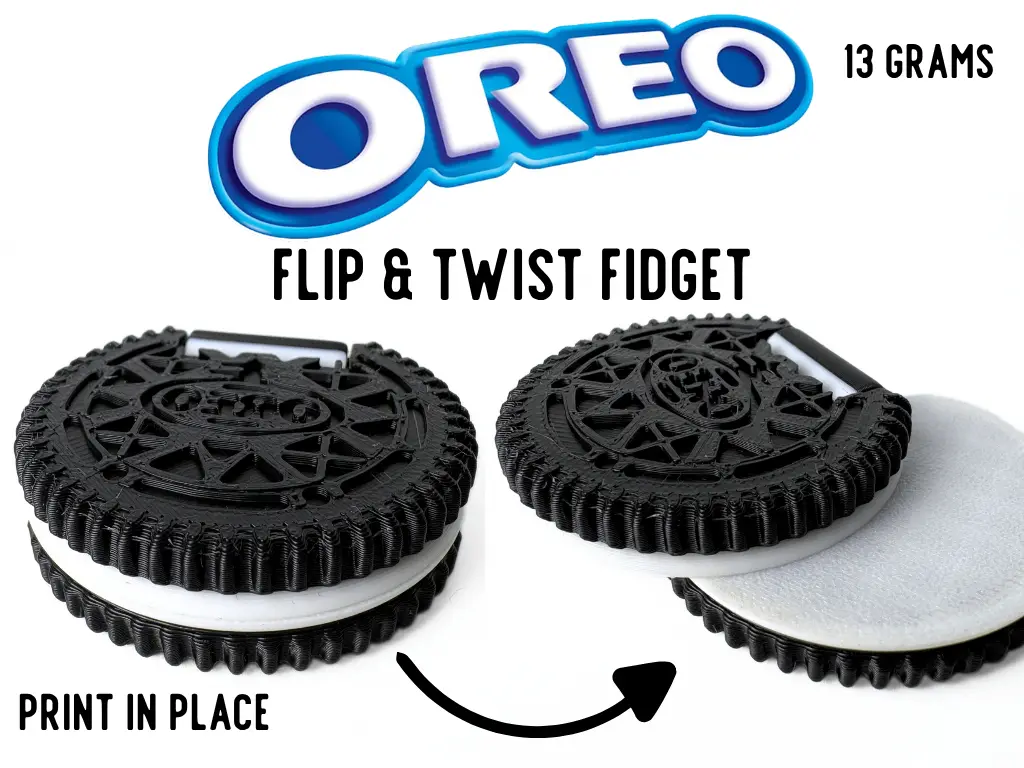
The Oreo-Inspired Flip & Twist Fidget transforms the recognizable sandwich cookie shape into a satisfying print-in-place mechanism. Flip the cookie open to reveal the cream layer inside, then twist the connected sections around each other for multiple ways to fidget.
MakerWorld entrega los archivos a usuarios con cuenta gratuita
Licencia
Solo uso personalStandard Digital File License
Licencia estándar de archivos digitales: solo uso personal. No se permite compartir, revender ni subir el archivo a otros sitios, ni vender las impresiones.
Al descargar aceptas respetar la licencia y dar crédito a LayeredKingdom.
Archivos (1)
- Part Studio 1 Copy 1 Copy 1 Copy 1 (1).stl STL · 3,3 MB
- Categoría
- Juguetes y juegos
- Formatos
- STL
- Descargas
- 567
- Publicado
Sobre este modelo
The Oreo-Inspired Flip & Twist Fidget transforms the recognizable sandwich cookie shape into a satisfying print-in-place mechanism. Flip the cookie open to reveal the cream layer inside, then twist the connected sections around each other for multiple ways to fidget.
The detailed cookie pattern, ridged outer edge, and contrasting centre give the model a realistic appearance, while the rounded shape feels comfortable to hold and operate with one hand. Every joint was carefully tuned to provide smooth movement while keeping the sections securely connected during use. The entire model is fully print-in-place, coming off the build plate ready to use with no assembly or supports required.
Using approximately 13 grams of filament, the Oreo-Inspired Flip & Twist Fidget is a quick, low-cost print that is perfect for anyone who enjoys food-themed models, repetitive movement, or unique mechanical fidgets. Boost Me (for free) Boost MeIf you like this model, please consider boosting it! It helps out a ton :)Printing Instructions
- Open the Print Profile Download and open the included print profile in Bambu Studio, or send it directly to your printer through the Bambu Handy app.
- Prepare and Check Everything Select the correct printer, build plate, filament type, and colours. Clean the plate before printing:
- Textured PEI Plate: Wash it with warm water and dish soap, rinse thoroughly, and dry it with a clean, lint-free cloth.
- Cool Plate: Wipe it with isopropyl alcohol and a clean, lint-free cloth. Let it dry completely before printing.
Avoid touching the printing surface after cleaning it.
- Start Printing Review the settings, slice the model if needed, and send it to your printer. For the best results, use the provided print profile without changing the recommended settings.
Descripción original del autor, publicada en MakerWorld.



