
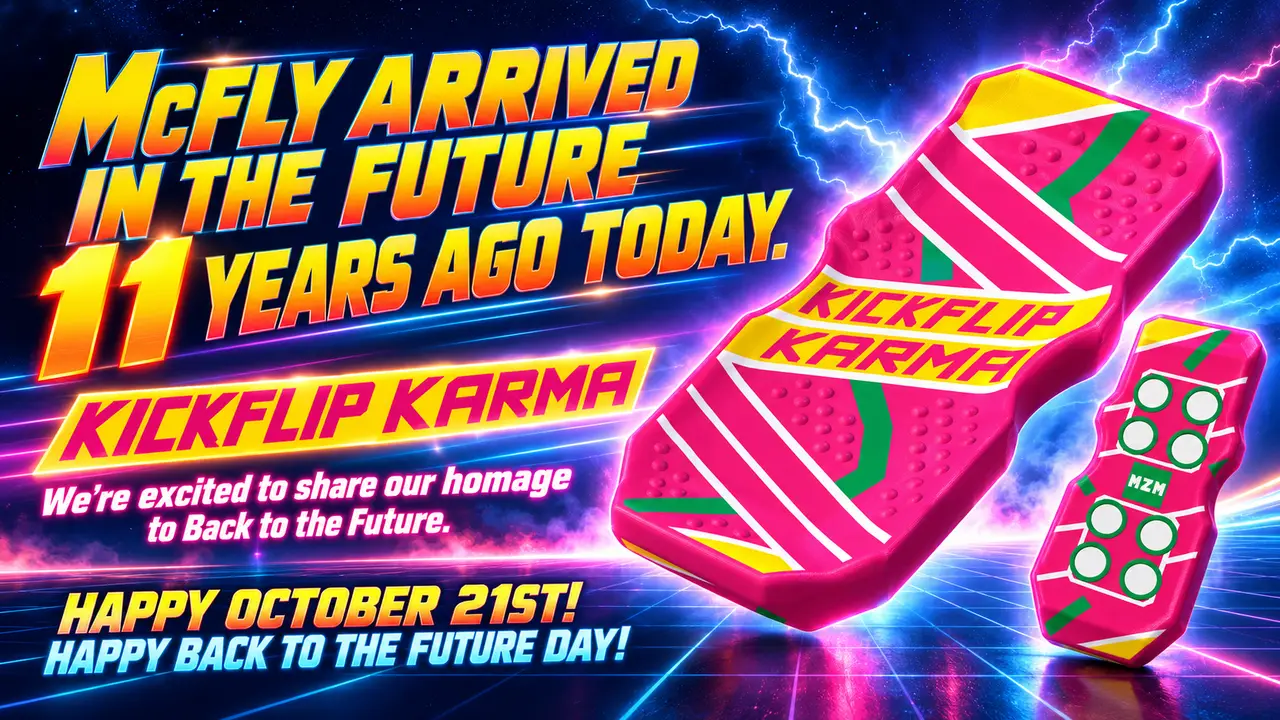
KICKFLIP KARMA ⚡ What Goes Around… Flips Around!
por MZMDigitalDesign en MyMiniFactory
Introducing KICKFLIP KARMA, our hoverboard-inspired homage to Back to the Future! Hot pink, bold retro stripes, and a little Hill Valley attitude—all packed into a magnetic fidget you can carry in your pocket.
Licencia
Solo uso personalCC BY-NC-SA 4.0 — Atribución, no comercial, compartir igual
Uso personal dando crédito; sin fines comerciales y las modificaciones con la misma licencia.
Al descargar aceptas respetar la licencia y dar crédito a MZMDigitalDesign.
- Categoría
- Juguetes y juegos
- Formatos
- 3MF
- Descargas
- 9
- Publicado
Sobre este modelo
Introducing KICKFLIP KARMA, our hoverboard-inspired homage to Back to the Future! Hot pink, bold retro stripes, and a little Hill Valley attitude—all packed into a magnetic fidget you can carry in your pocket.
If you ever watched that hoverboard scene and immediately wanted one, this one’s for you. 😎
A little nostalgia. A whole lot of fidget. KICKFLIP KARMA combines rounded, upturned sides with raised circular grip dots to give your fingers something to catch when it’s time to flip. Slide the top half outward, then press down on the edge to start the KickFlip action.
The sides curve upward through both the top and underside, while the inner mating surfaces stay flat. Underneath, two groups of four hoverboard-inspired circles surround the MZM mark, echoing the eight magnets hidden inside each half.
The classic color combination uses just four colors: pink, yellow, green, and white. Stick with the retro look or put your own spin on KARMA—I’d love to see your color combinations!
Magnets & installation Each half uses eight 8 × 3 mm magnets, with one magnet in each chamber. You’ll need 16 magnets for a complete pair.
For consistent results, I recommend using the same magnets I use:
👉 8 × 3 mm magnets
The magnets are embedded during printing. Add a pause before the first layer closes the magnet chambers, insert the magnets, then resume printing to seal them inside.
Don’t forget to reverse the magnet orientation between the two halves so the facing magnets attract! Double-check the polarity before resuming the print.
If you’re new to embedding magnets, check out my KickFlip Magnet Installation guide. Use it for the placement technique, and use KARMA’s own sliced preview to set the correct pause layer.
Suggested starting print settings Nozzle: 0.4 mm Layer height: 0.20 mm Infill: 25% Build plate: Textured Choose the matching profile for your Bambu Lab X1C, P1S, or Snapmaker U1, and check the sliced preview before printing.
Thanks again for supporting MZM and helping bring these ideas to life. Please share your prints and let me know if you have any questions!
Fire up those printers. It’s time for some good KARMA. ⚡
Descripción original del autor, publicada en MyMiniFactory.



