
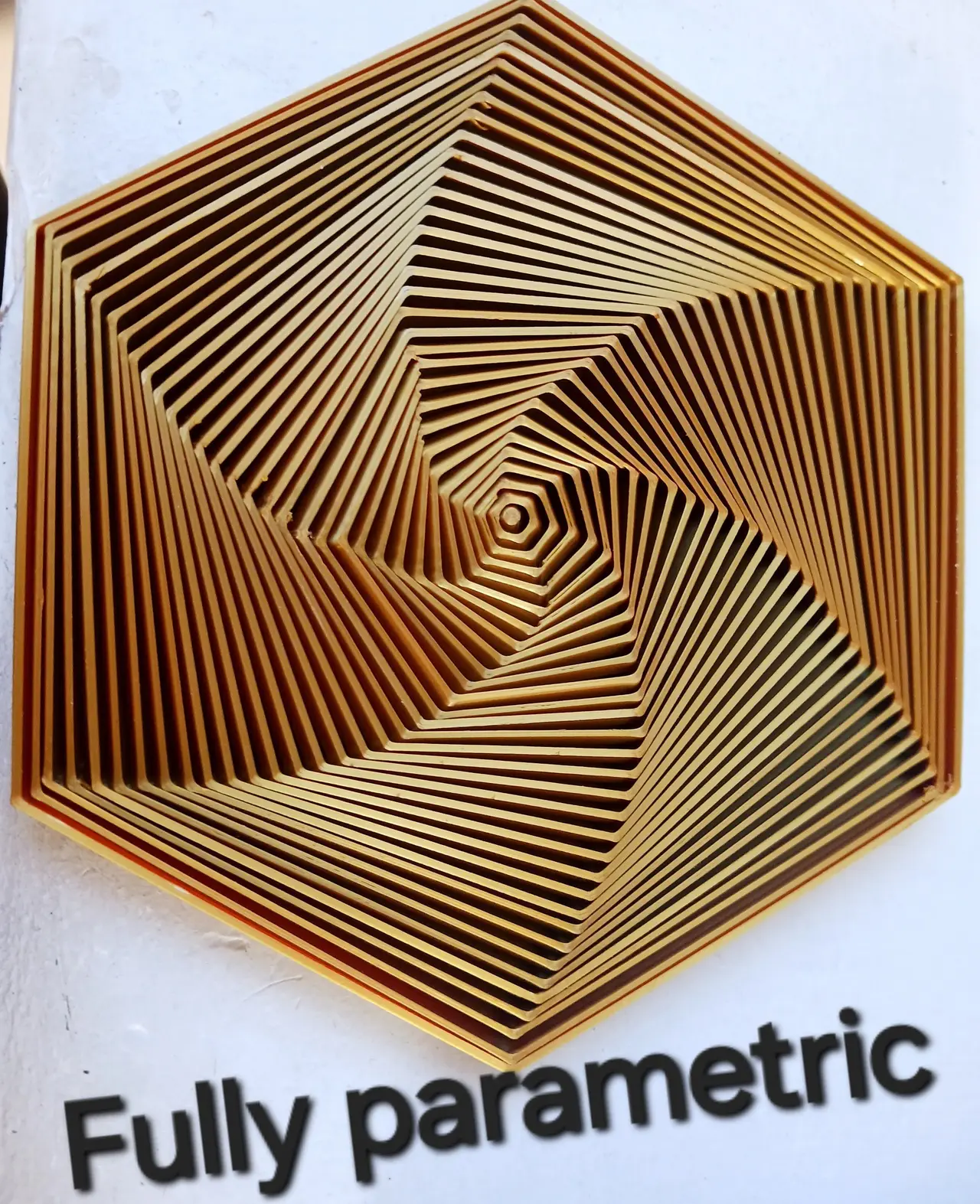
Fidget: Collapsible Fidget
por KingTut en Printables
A super satisfying and fully parametric fidget
Licencia
Solo uso personalCC BY-NC 4.0 — Atribución, no comercial
Puedes imprimirlo y modificarlo para uso personal dando crédito. No se permite vender las impresiones.
Al descargar aceptas respetar la licencia y dar crédito a KingTut.
Archivos (10)
- Collapsible Fidget.scad SCAD · 1 KB
- 40mm Diameter.stl STL · 36 KB
- 60mm Diameter.stl STL · 53 KB
- 80mm Diameter.stl STL · 71 KB
- 100mm Diameter.stl STL · 89 KB
- 120mm Diameter.stl STL · 106 KB
- 140mm Diameter.stl STL · 124 KB
- 160mm Diameter.stl STL · 141 KB
- 180mm Diameter.stl STL · 159 KB
- 200mm Diameter.stl STL · 176 KB
- Categoría
- Juguetes y juegos
- Formatos
- SCAD, STL
- Descargas
- 12,506
- Publicado
Sobre este modelo
Want the same results? Click here to find the filament I use for results like these.
This super satisfying fidget can be customized to be any shape or size with the simple adjustment of a number! I have added 9 sizes that are ready for printing but if you want more read down below on how to make your own unique parametric design. HOW TO ALTER PARAMETERS: - When you open the file in openscad it should show these parameters right at the top:
sections = 30; radius = 60; height = 10; sides = 6; tol = 1; offset = 2; line_thickness = 1; - Simply change the numbers to your preferred amount and then press F6 to preview your progress, once you are happy with the result export the file. Note: Due to how OpenSCAD works you have to render your model rather than preview, as when you preview it comes out differently.
HOW TO EXPORT: - Once you have altered the parameters accordingly you can export the file as an stl for 3d printing, you do this by pressing F6 on your keyboard to render and then pressing file in the top right, then pressing export and then export as stl
Parameters: - sections: The amount of moving polygons in your model - radius: The outer radius of your model - height: the total height of your model - sides: The number of sides to each polygon - tol: The gap between each polygon - offset: The amount of bulge to your design. (Keep this at least 1 mm smaller than your tol to ensure the pieces don't fall out of each other) - line_thickness: The width of the lines making each polygon.
Descripción original del autor, publicada en Printables.



