
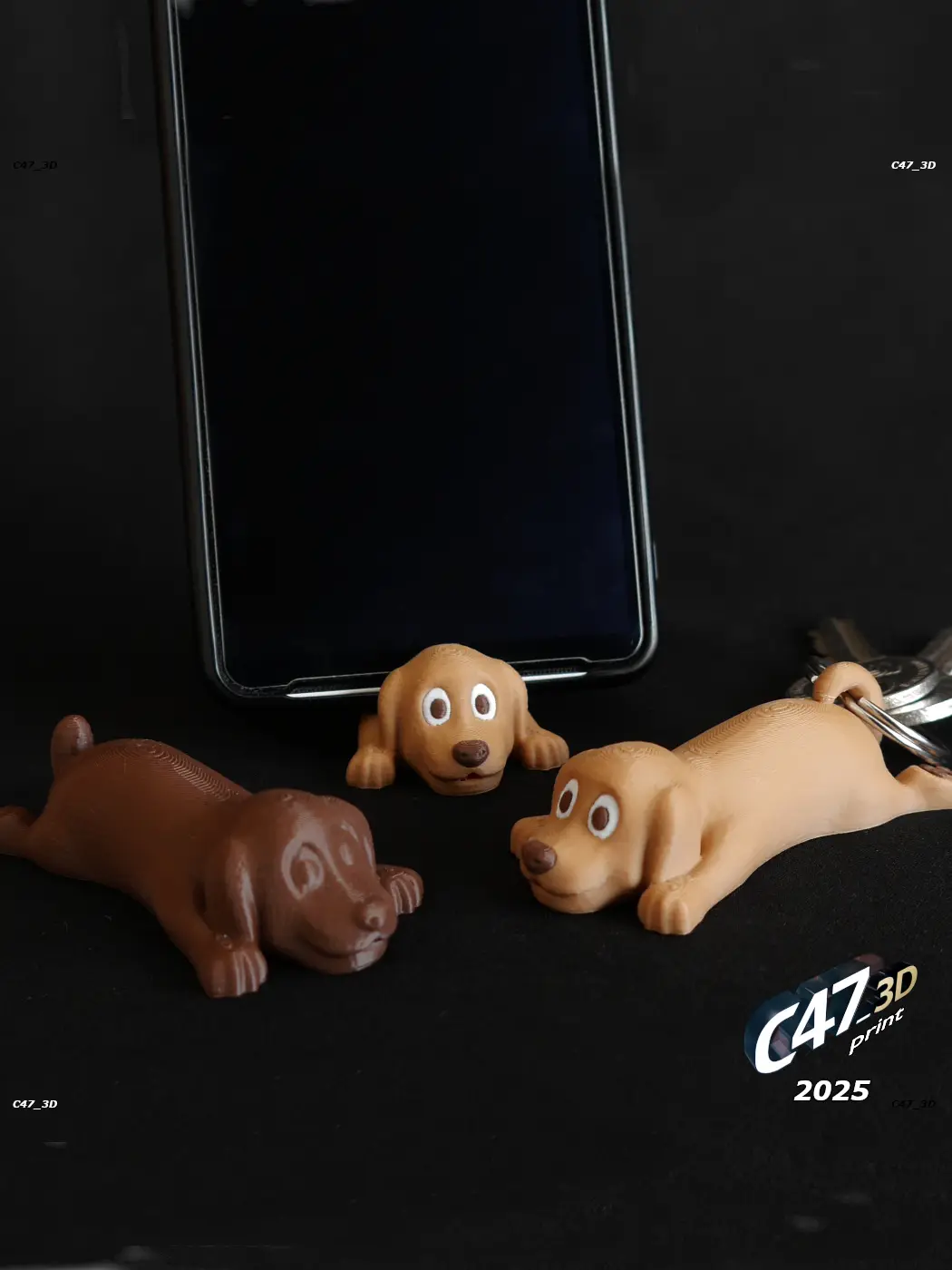
Dog Phone Stand
por Grzegorz K en Thangs
Dog as a phone stand with single or multicolor print
Thangs entrega los archivos a usuarios con cuenta gratuita
Licencia
Solo uso personalCC BY-NC-ND 4.0 — Atribución, no comercial, sin derivadas
Solo para uso personal, sin modificarlo y dando crédito. No se permite vender ni redistribuir cambios.
Al descargar aceptas respetar la licencia y dar crédito a Grzegorz K.
Archivos (14)
- Dog.stl STL · 326 KB
- Dog_Phone_8mm.stl STL · 338 KB
- Dog_Phone_9mm.stl STL · 337 KB
- Dog_Phone_10mm.stl STL · 338 KB
- Dog_Phone_11mm.stl STL · 335 KB
- Dog_Phone_12mm.stl STL · 337 KB
- Dog_Phone_13mm.stl STL · 338 KB
- Dog_Phone_14mm.stl STL · 333 KB
- Dog_Phone_15mm.stl STL · 335 KB
- Dog_Phone_16mm.stl STL · 336 KB
- Dog_xKeyring-Addon.stl STL · 26 KB
- Dog_xMulticolor_Dark.stl STL · 61 KB
- Dog_xMulticolor_Light.stl STL · 10 KB
- Dog_xMulticolor_Red.stl STL · 3 KB
- Categoría
- Juguetes y juegos
- Formatos
- STL
- Descargas
- 4
- Publicado
Sobre este modelo
Dog as a phone stand with single or multicolor print Small, light and usefull
You can use it as a - Toy / decoration (without a hole for a phone) - Phone stand - Keyring
---
If you want to sell prints of this models you can join my Commercial Membership on Thangs (with all of my models) or buy a commercial license for life Check a LinkTree in my bio
---
There is a full body model and models with a space for a phone (8-16mm thickness - as in file names and on the bottom of models) Phone will be at 12dgr angle. Should work with horizontal and vertical placing with most of the phones
To resize the models use the equasion: 'Needed space (in milimeters)' divided by 'model number' multiplied by 100% = 'Needed model size in percent' For example if you need more stable 16mm you can take 10mm version resized to: 16 / 10 * 100% = 160%
---
KEYRING To make a keyring use a model of your choice and add a Dog_xKeyring-Addon Both models should be in the exact same position in your slicer to be sure that they will merge properly Then select both models and merge them (right click menu) You can also select both files, drop them in the slicer and click YES when asked if to merge them After merging you can easly resize or rotate the model if needed
---
MULTICOLOR Use a model of your choice and add xMulticolor models to the same place. Then merge all 4 files together The easiest way is to just select all 4 files, drop them in the slicer and click YES when asked if it's a single model with multi parts - they will be merged automaticly
Recommended colors: Light or dark brown for a body Dark brown or black for 'Dark' White or creame for 'Light' Red for 'Red' (you can also print with only 3 colors, without Red)
---
Printing Tips No supports needed 10-15% infill 0.1-0.2mm layer height (I printed with 0.12) 2-3 walls
Descripción original del autor, publicada en Thangs.



