
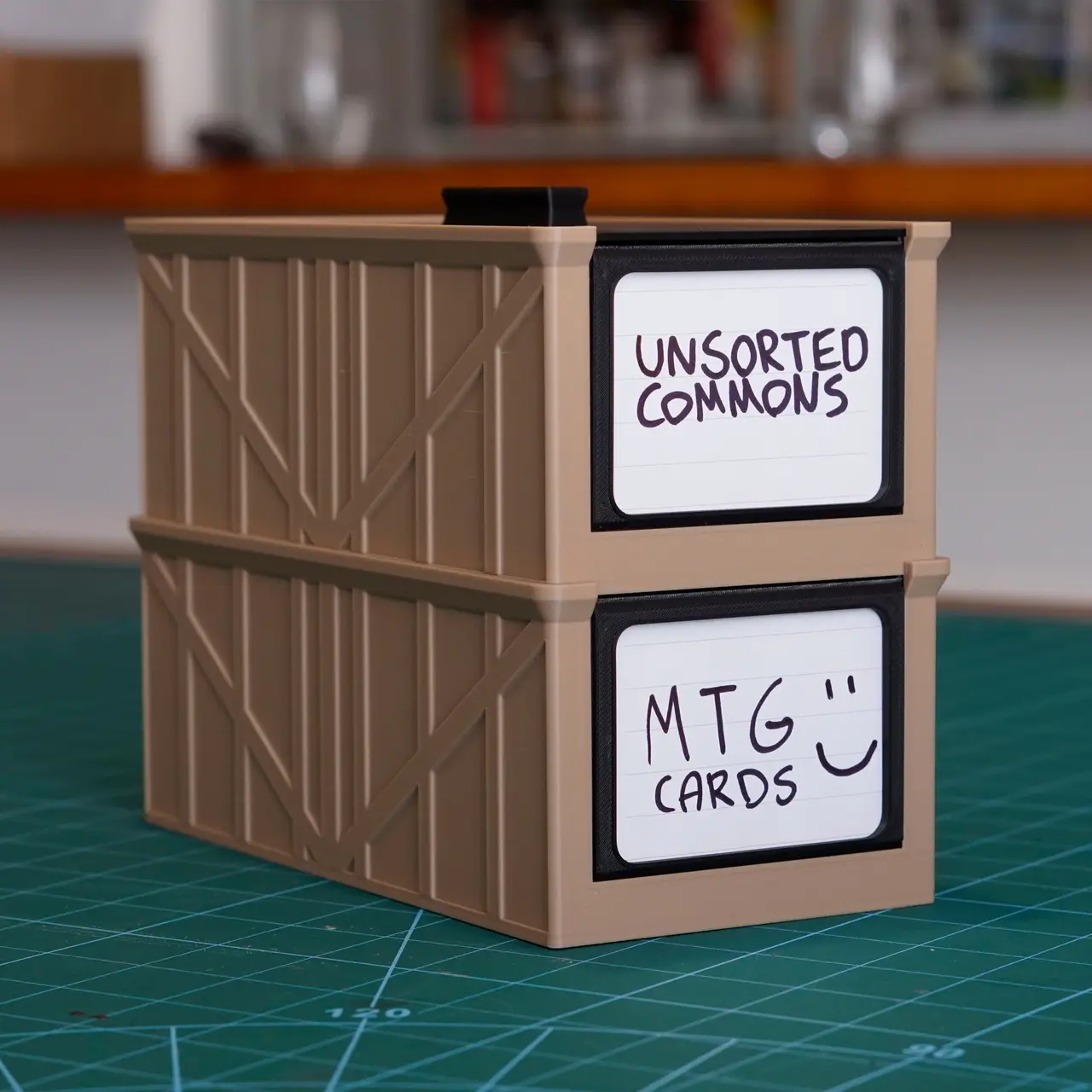
Bulk Trading Card Storage with Labels
por Punished Gregory en Thingiverse
A sturdy, easy-to-print storage bin for MTG, Pokémon, and other standard-size trading cards. It comes with dividers, a removable front label, a lid, and it stacks. Why I made this I tried several similar card bin designs and kept running into the same problem: the walls were so thin that prints...
Licencia
Uso comercial permitidoCC BY-ND 4.0 — Atribución, sin derivadas
Puedes imprimirlo y compartirlo sin cambios dando crédito; no se permite distribuir versiones modificadas.
Al descargar aceptas respetar la licencia y dar crédito a Punished Gregory.
Archivos (9)
- card-storage-bin-with-labels-and-dividers.3mf 3MF · 303 KB
- card-storage-divider_1.stl.stl STL · 21 KB
- card-storage-divider_2.stl.stl STL · 25 KB
- card-storage-divider_3.stl.stl STL · 25 KB
- card-storage-divider.stl.stl STL · 21 KB
- card-storage-label-blank.stl.stl STL · 287 KB
- card-storage-label-frame.stl.stl STL · 269 KB
- card-storage-Lid.stl.stl STL · 307 KB
- card-storage-main.stl.stl STL · 316 KB
- Categoría
- Juguetes y juegos
- Formatos
- 3MF, STL
- Descargas
- 0
- Publicado
Sobre este modelo
A sturdy, easy-to-print storage bin for MTG, Pokémon, and other standard-size trading cards. It comes with dividers, a removable front label, a lid, and it stacks. Why I made this I tried several similar card bin designs and kept running into the same problem: the walls were so thin that prints often failed or came out warped and fragile. This version has thicker, more robust walls so it prints reliably and holds up to everyday use, while keeping the clean, practical shape of a classic card bin. Features Dimensions: 20.5 cm deep × 10.5 cm wide × approx. 8 cm tall Dividers: included, with tabs, for sorting by colour, set, deck, or whatever system you like Removable front label: slides in and out of the front panel, so you can relabel a box any time Stackable: bins stack neatly on top of each other Lid: included, with a grip handle Label options Two label panels are included: Blank black panel. Leave it plain, write on it with a paint pen, or add a sticker. Paper label panel. This holds a small piece of paper so you can hand-write or print your own labels: Print the panel flat. It has a thin section across the middle that acts as a hinge. Carefully bend it in half along that thin section. Sandwich a small piece of paper between the two halves. Hold it closed and slide it into the slot on the front of the box. The frame cutout on the front lets the paper show through, and the slot holds everything together. Files included - Bin - Lid - Divider - Label panel: blank - Label panel: paper insert
Print the label panels flat with the frame side facing up. For the paper label, bend it slowly along the thin section. PLA can snap if you fold it too fast or too cold. Tip: Print the lid and label panels in a contrasting colour, like the black-on-tan in the photos. It looks great on a shelf.
Descripción original del autor, publicada en Thingiverse.



