
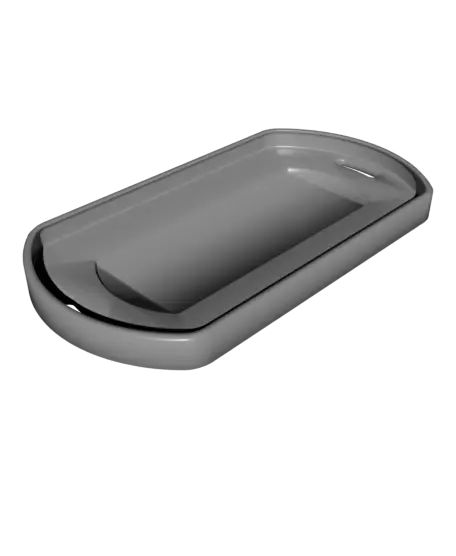
Big Snappy Indicator Switch
I designed this switch for a game I'm working on, and it turned out so satisfying that I made it into this larger indicator switch. It's printed in several parts for easy customization and the internal flat spring creates an almost magnetic feel without the rare earth minerals!
Thangs entrega los archivos a usuarios con cuenta gratuita
Licencia
Revisa las condicionesMake Anything Thangs License
El autor usa su propia licencia. Revisa sus condiciones en la página original antes de compartir, modificar o vender.
Al descargar aceptas respetar la licencia y dar crédito a Devin B.
Archivos (8)
- BigSnappy_Lite_CaseBack.stl STL · 656 KB
- BigSnappy_Lite_CaseFront.stl STL · 229 KB
- BigSnappy_Lite_Spring.stl STL · 170 KB
- BigSnappy_Spring.stl STL · 175 KB
- BigSnappy_Switch.stl STL · 332 KB
- BigSnappy_CaseBack.stl STL · 672 KB
- BigSnappy_CaseFront.stl STL · 236 KB
- BigSnappy_ColorTag(2).stl STL · 27 KB
- Categoría
- Juguetes y juegos
- Formatos
- STL
- Descargas
- 303
- Publicado
Sobre este modelo
I designed this switch for a game I'm working on, and it turned out so satisfying that I made it into this larger indicator switch. It's printed in several parts for easy customization and the internal flat spring creates an almost magnetic feel without the rare earth minerals!
Add color indicators and use it to track things like clean or dirty dishes or whether somebody has fed the dog... or just flick it for the fun of it!
---
_Printing Guidelines_
Check out this short (https://www.youtube.com/shorts/Nx2y7_GfCkQ) for assembly tips. Adding a tiny bit of oil and then running the print under water really does wonders for smoothness!
The download includes standard and 'lite' versions of the spring, case front, and case back. The standard version has a stiffer snap, while the lite version is super easy to flip back and forth. You must use either OG or Lite versions for each of those files for perfect fit. You can also print the outer case with or without the loop for a keychain.
Print the 'ColorTag' twice in different colors to use as an indicator switch.
Use your standard best settings at 0.16mm layer height. 2 shells and 15% infill works well.
You can glue magnets on the back for a moveable tag, or use double sided acrylic tape for a slightly more permanent placement.
Descripción original del autor, publicada en Thangs.



