
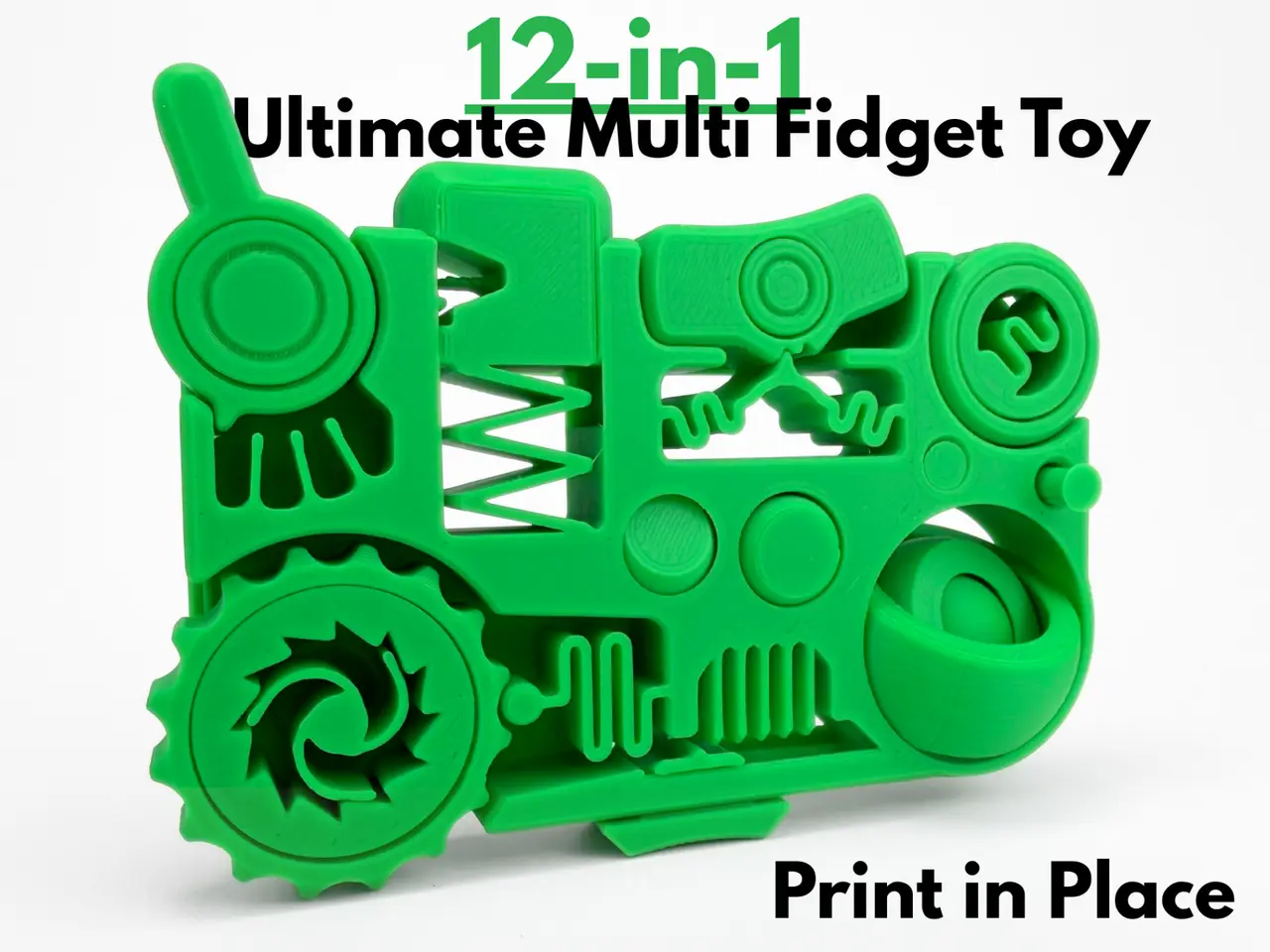
12-in-1 Ultimate Multi Fidget Toy (Print in Place)
por AbyssalCactus en MakerWorld
This 12-in-1 fidget toy brings together a dozen carefully perfected mechanisms onto one satisfying, print-in-place rectangle. With this many options for what to interact with, the fidgeting possibilities are truly endless. In no particular order, this fidget includes:
MakerWorld entrega los archivos a usuarios con cuenta gratuita
Licencia
Solo uso personalStandard Digital File License
Licencia estándar de archivos digitales: solo uso personal. No se permite compartir, revender ni subir el archivo a otros sitios, ni vender las impresiones.
Al descargar aceptas respetar la licencia y dar crédito a AbyssalCactus.
Archivos (2)
- 12-in-1 Ultimate Multi Fidget Toy.3mf 3MF · 803 KB
- 12-in-1 Ultimate Multi Fidget Toy.stl STL · 3,3 MB
- Categoría
- Juguetes y juegos
- Formatos
- 3MF, STL
- Descargas
- 50,484
- Publicado
Sobre este modelo
This 12-in-1 fidget toy brings together a dozen carefully perfected mechanisms onto one satisfying, print-in-place rectangle. With this many options for what to interact with, the fidgeting possibilities are truly endless. In no particular order, this fidget includes:
- Wheel Clicker
- Ratcheting knob
- Lever Clicker
- Bubble Popper
- Joystick
- Button Clicker
- Slide Clicker
- Flip Switch Fidget
- Internal Wheel Clicker
- 3 ring gyro
- Vertical button
- 2 Pin fidgets
The model is fully print-in-place, coming off the build plate ready to fidget with no assembly or support needed. The 12-in-1 Ultimate Multi Fidget Toy is the perfect print for anyone who can't settle on just one fidget, packing twelve mesmerizing mechanisms into a single satisfying multi fidget. Boost MeIf you like this model, please consider boosting it! It helps out a ton :)MembershipWant to sell my 3D printed fidget toys? Become part of my Commercial License Membership program!Printing Instructions:
- Prepare the Print Bed - Clean the print bed thoroughly with isopropyl alcohol to ensure proper adhesion.
- Additional adhesive for the print bed is highly recommended! I suggest using 3D-Lac spray or a glue stick.
- Download the Print Profile -
- Send the pre-configured print profile to your Bambu Lab printer through the Bambu Handy app or Download and open the pre-configured print profile in Bambu Studio.
- Select Your Printing Options - Choose your filament type and color.
- Select your print bed type (e.g., textured or smooth).
- Confirm your printer settings, ideally for a Bambu Lab printer.
- Start Printing - Begin the print job. No supports are necessary.
Descripción original del autor, publicada en MakerWorld.



