
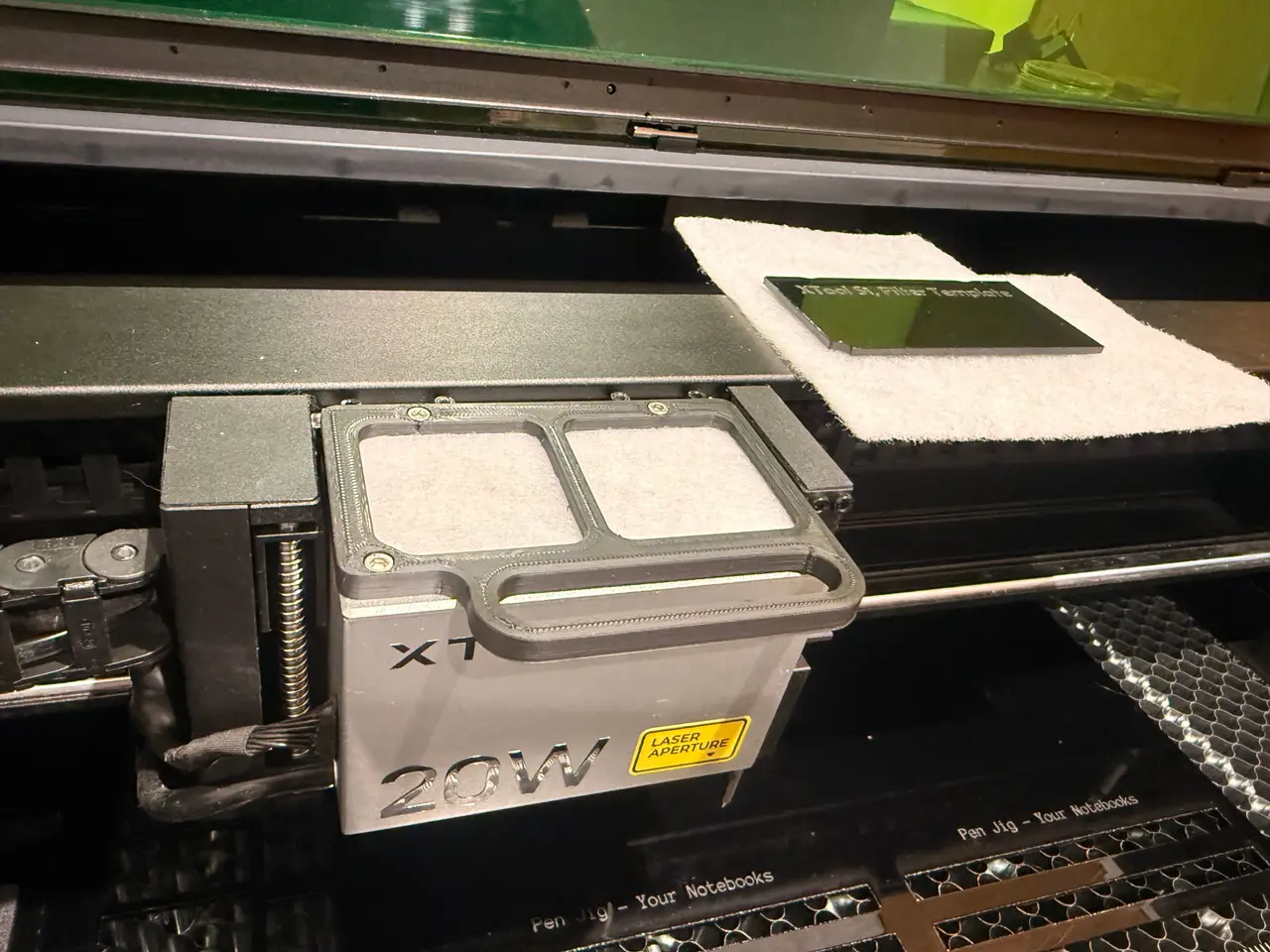
xTool S1 2W/20W/40WLaser Module Fan Filter Handle
por Antony O'Neill en Thingiverse
A replacement pull handle for the xTool S1 20W laser module, with a 2.2 mm pocket on the underside for filter fleece. The fleece covers both fan intakes and stops dust and debris from being pulled into the fans. It bolts on in place of the stock handle using 2× M3×14 mm and 1× M3×25 mm Allen cap...
Licencia
Uso comercial permitidoCC BY-SA 4.0 — Atribución, compartir igual
Puedes usarlo y modificarlo dando crédito; las versiones modificadas deben compartirse con la misma licencia.
Al descargar aceptas respetar la licencia y dar crédito a Antony O'Neill.
Archivos (5)
- Categoría
- Herramientas
- Formatos
- STL, F3D
- Descargas
- 0
- Publicado
Sobre este modelo
A replacement pull handle for the xTool S1 20W laser module, with a 2.2 mm pocket on the underside for filter fleece. The fleece covers both fan intakes and stops dust and debris from being pulled into the fans. It bolts on in place of the stock handle using 2× M3×14 mm and 1× M3×25 mm Allen cap head bolts. Included files - Handle STL (104 × 77 × 6 mm) - SVG cut file for the filter insert (95.3 × 48.2 mm) - Fusion 360 file (V2 work in progress)
Cutting the filter I cut the SVG from 3 mm black acrylic (S1 20W: 100% power, 3 mm/s, 1 pass). Use that as a template and cut the fleece around it with a craft knife or scissors. I used 2.2 mm Microsafe filter pads: https://www.amazon.co.uk/dp/B086PFYJZ7 Printing - Pocket side up, with tree supports - 0.2 mm layers, 3 walls - PETG recommended, because the laser module gets warm
Fitting Drop the filter into the pocket, then screw the handle back onto the module. Swap the filter when it turns grey. V2 (work in progress) I've included the Fusion 360 file for a V2. It splits the handle into a base and a lid, held together with 4× 5×3 mm magnets (https://www.amazon.co.uk/dp/B097MJLY51) so the filter can be swapped quickly. It isn't finished yet. To get back to the original V1 design, drag the timeline marker in Fusion back to before the split.
Descripción original del autor, publicada en Thingiverse.



