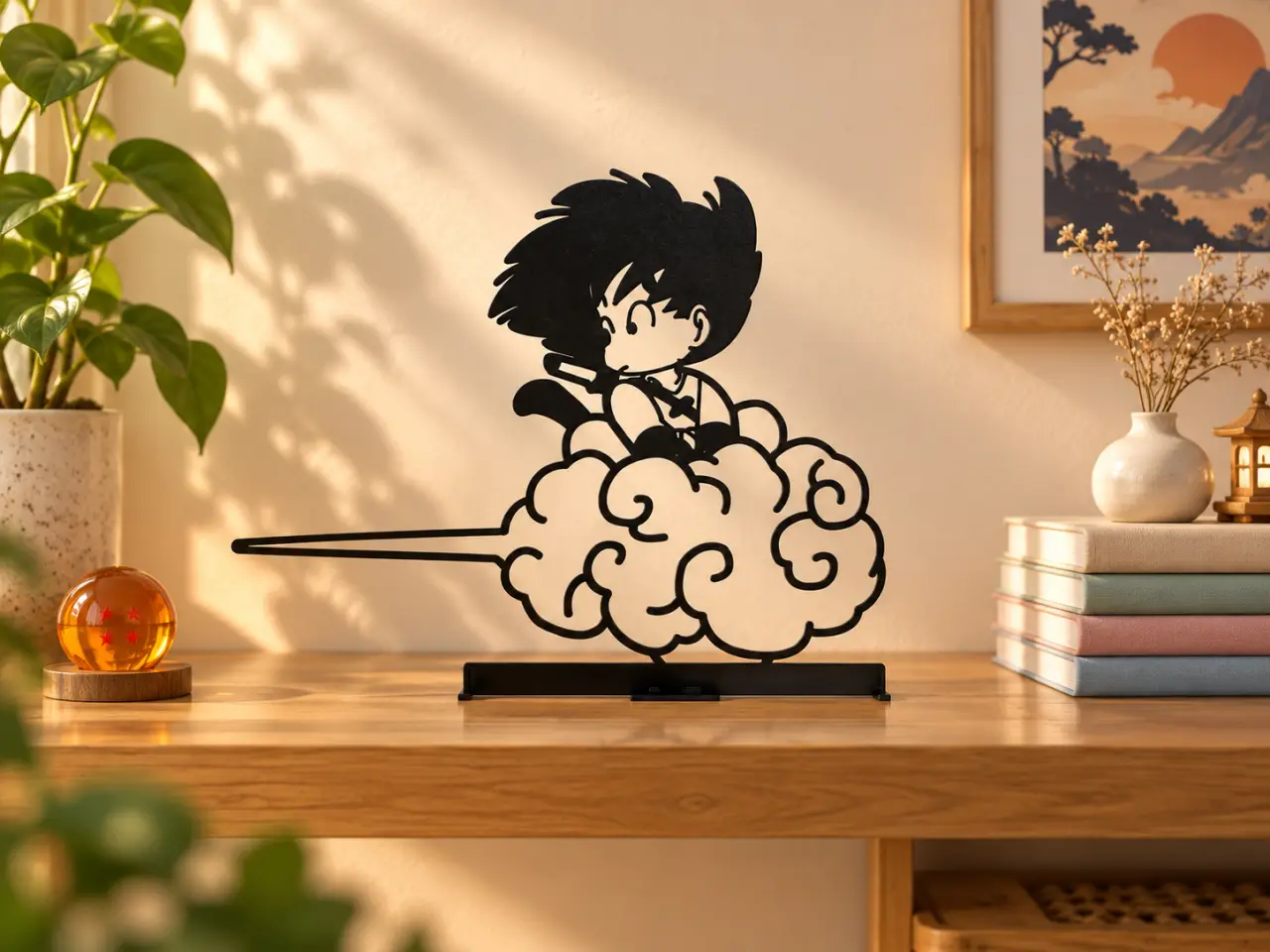
WallArt - Son Goku Child
por RGB Slotcover en Printables
Cute Goku desk decoration on the Flying Nimbus – perfect for Dragon Ball and anime fans. 🐉☁
Licencia
Uso comercial permitidoPuedes imprimirlo, modificarlo y venderlo sin pedir permiso ni dar crédito.
Al descargar aceptas respetar la licencia y dar crédito a RGB Slotcover.
Archivos (1)
- Categoría
- Figuras y arte
- Formatos
- 3MF
- Descargas
- 75
- Publicado
Sobre este modelo
🐉 Goku on Flying Nimbus – Desk Art A fun and nostalgic decoration inspired by one of the most iconic scenes from Dragon Ball – young Goku riding on the Flying Nimbus / Kinto’un. ☁✨ The clean black silhouette style gives the model a modern look while keeping the classic anime character instantly recognizable. Perfect for: - anime rooms
- gaming setups
- desks and shelves
- kids rooms
- collectors
- Dragon Ball fans
- geek decor
- gifts for anime lovers
The model is designed for FDM printing and works especially well in matte black PLA. The thin line structure creates a really nice silhouette effect, especially when placed against a light wall or warm background. ✨ Features - iconic anime-inspired design
- clean silhouette appearance
- integrated stand
- easy FDM print
- no complicated assembly
- lightweight
- perfect for desks and shelves
- scalable in your slicer
- looks great in matte black
For the best result, I recommend printing the model as large as possible, especially if you want the thinner details to remain strong and clean. 🖨 Recommended Print Settings Printer: FDM / FFF Material: PLA recommended Nozzle: 0.4 mm Layer Height: 0.24 mm Walls / Perimeters: 2 Infill: 15% Infill Pattern: Rectilinear Top Surface Pattern: Monotonic Bottom Surface Pattern: Monotonic / Lines Top Layers: 4–5 Bottom Layers: 4–5 Supports: No, if printed in the intended orientation Brim: Optional for better stability Raft: No Cooling: 100% after the first layers Wall Generator: Arachne recommended for thin details Seam Position: Rear / nearest corner where possible Speed For the cleanest result: Outer Wall: 50–80 mm/s Inner Wall: 100–150 mm/s Infill: 150–200 mm/s Top Surface: 60–100 mm/s First Layer: 30–40 mm/s 💡 Tip: Because the design contains many thin lines, I recommend using Arachne wall generation and avoiding extremely high outer-wall speeds. If some of the smallest elements become too thin after scaling down, increase the size slightly rather than increasing extrusion width too aggressively.
Descripción original del autor, publicada en Printables.