
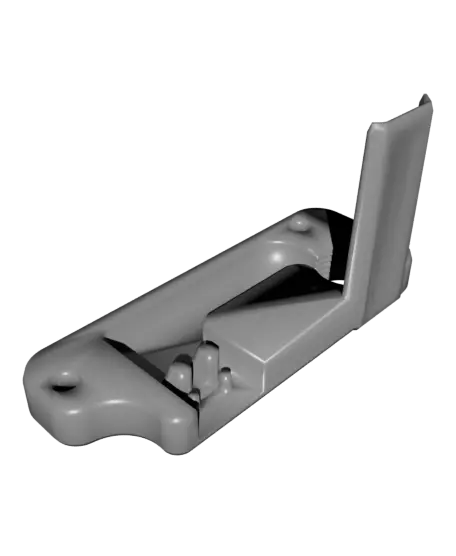
Voron Y Endstop Relocation w/ PG7 Cable Gland Mount
Voron CAN-do it!
Thangs entrega los archivos a usuarios con cuenta gratuita
Licencia
Uso comercial permitidoPuedes usarlo, modificarlo y venderlo; si distribuyes versiones modificadas deben ir con la misma licencia y sus fuentes.
Al descargar aceptas respetar la licencia y dar crédito a Alan M.
Archivos (4)
- PG7_Y_Endstop_Relocation_Voron_MULTI_V1.stl STL · 1,1 MB
- PG7_Y_Endstop_Relocation_Voron_V1.step STEP · 2,2 MB
- PG7_Y_Endstop_Relocation_Voron_V1.stl STL · 1,1 MB
- Y_Endstop_Relcation_Bumper_V1.stl STL · 125 KB
- Categoría
- Para tu impresora
- Formatos
- STL, STEP
- Descargas
- 1,256
- Publicado
Sobre este modelo
Voron CAN-do it!
Switching your Voron 2.4 or Trident to CAN is an excellent way to lose the bulk and drag of cable chains. However it means you need to relocate your Y Endstop microswitch off of the X gantry. This design replaces the wire organizer on the right rear motor gantry. This mount holds a standard microswitch & PG7 wire gland for strain relief on you umbilical / can cable.
Two versions are included a "Multi" version that has the Voron logo as separate bodies for multi-color printing. The other version has the Voron logo inset for single color prints.
Also includes a "Bumper" to actuate the Y Endstop in its new location. The bumper replaces the Y axis cable chain mount.
--------------------------------------------------------------- Parts Needed (Affiliate Links): - DF2-5L Microswitch (Voron BOM part): http://shrsl.com/422xl - M3x8 Screws: https://amzn.to/3AYdAMc - PG7 Cable Gland: https://amzn.to/43Kwfaj - Polymaker Filament: https://tinyurl.com/Polymakerr --------------------------------------------------------------- Files Included: - Y Endstop Relocation PG7 Mount STEP File - Y End Stop Bumper STL - Y Endstop Relocator STL - Multi-Color Y Endstop Relocator STL
--------------------------------------------------------------- Recommended Print Settings: - 4 Perimeters - 20% Infill - No Supports Required - ABS or ASA Filament recommeneded. - "Multi" STLs require using "Split -> To Objects" in your slicer. Then you can color the individual bodies. --------------------------------------------------------------- Want to Support what I do? Check out my social medias please!
Link Tree: http://www.MandicReally.com/links
---------------------------------------------------------------
Design covered by GPL3 Open Source license. Any Remixes or Derivatives are required to adhere to license terms & use the same license.
PLEASE Attrubute any Remixes of my designs: MandicReally
Descripción original del autor, publicada en Thangs.



