
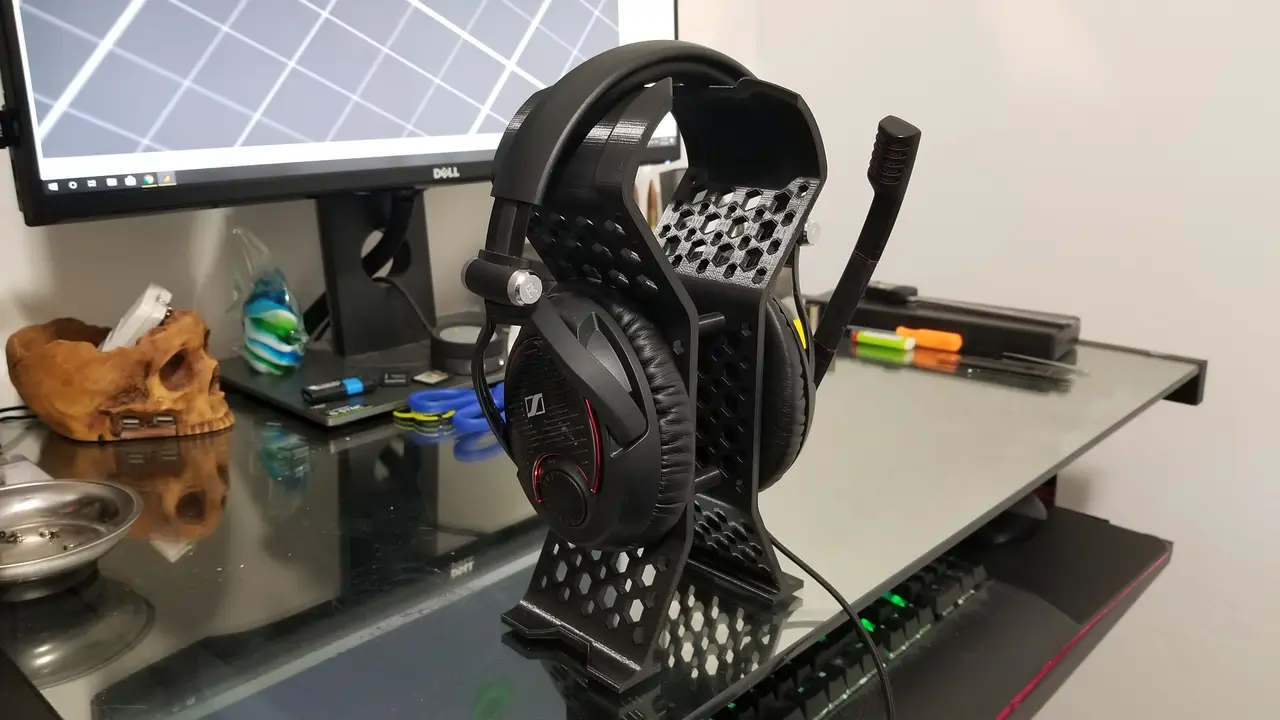
Updated Hex 2 Piece Headphone Stand
por Nothing Spectacular en Printables
If you like or have benefited from my designs consider leaving a tip. This is pretty straight forward.
Licencia
Solo uso personalCC BY-NC-ND 4.0 — Atribución, no comercial, sin derivadas
Solo para uso personal, sin modificarlo y dando crédito. No se permite vender ni redistribuir cambios.
Al descargar aceptas respetar la licencia y dar crédito a Nothing Spectacular.
Archivos (7)
- Categoría
- Tecnología
- Formatos
- STL
- Descargas
- 1,717
- Publicado
Sobre este modelo
Update: I've added a second version of this file with the hexagons turned. I'm thinking this may help with the overhangs and hopefully this will result in an easier and cleaner print. I have not actually tested it yet though, so if you print the new “easier to print” version let me know how it goes. Aside from just turning the shapes, everything else is the same. Oh, I also added a Hex shaped spacer to the files. If you like or have benefited from my designs consider leaving a tip. This is pretty straight forward. Print: 1 x Hex Headphone 1 1 x Hex Headphone 2 4 x Hex Headphone Spacer (Optional) 1 x Hex Dual Adapter 8xM3xWhatever screws. Length doesn't matter much on these as the center hole runs the full length of the 40mm spacer. However, the hole is intentionally tight as it will be self threading and the longer the screw the harder time you'll have getting it fully into place. I don't think I'd try over a 10mm screw. I would personally go with an M3x6 or 8's which is more than adequate for length/strength. I used PLA +, but PLA should be plenty strong. I'd recommend at least 4 bottom layers and 4 top layers. I'd also recommend a minimum of 3 perimeters/walls. Infill should be at least 20%. You'll have a tiny bit of flex at the top and that's how you insert the adapter piece for dual headphones. Just hold 1 side of the stand in each hand with the adapter on top and gently pull apart until the adapter slips into place. You shouldn't have to force it or flex it very much.
Descripción original del autor, publicada en Printables.



