
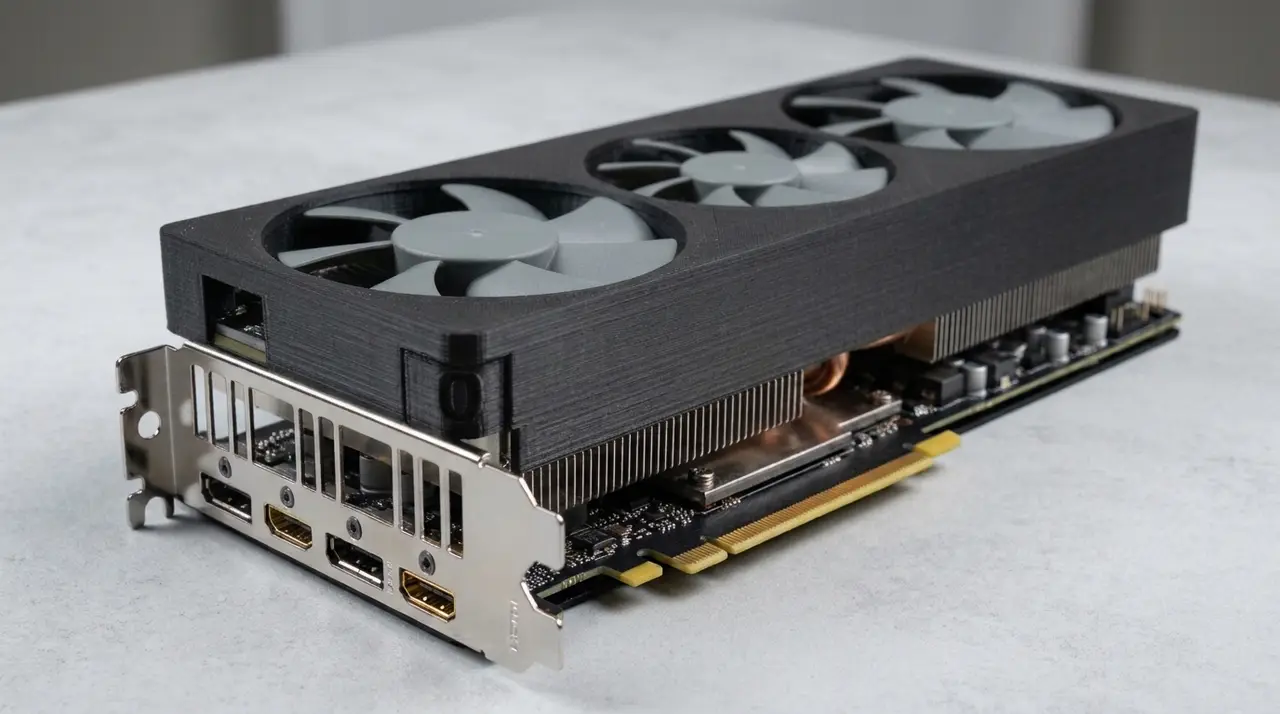
Universal 3 fan GPU Deshroud Mod for 2x120mm and 90mm Fan
por Tandou Chelik en Printables
Universal mod that works on most 3 fan GPUs, used it on RX6800XT Red Dragon, 5070ti Phoenix/Palit and PNY Verto 4080 OC
Licencia
Uso comercial permitidoPuedes imprimirlo, modificarlo y venderlo sin pedir permiso ni dar crédito.
Al descargar aceptas respetar la licencia y dar crédito a Tandou Chelik.
Archivos (3)
- Categoría
- Tecnología
- Formatos
- STL, 3MF
- Descargas
- 2
- Publicado
Sobre este modelo
Most 3 fan GPUs have 105 to 110mm heatsink fin distance which this deshroud mod covers.(even though the heatsink itself may be 118-120mm it will have a metal frame that blocks airflow, so actual heatsink fin opening distance is usually 100-105mm) Most 3 fan GPUs have 300 to 345mm lenghth, which also it perfectly covers. There can be some overhang, but not big of a deal. This shroud will work on both slim fans and regular fans, but I highly recommend slim fans. 2x 120mm Arctic P12 slim for budget, or 2x Noctua NF-A1215 for best performance and quality. Combined with 1x Thermalright TL-9015 or Noctua NF-A914. Always use low power cable for the small 92mm fan before connecting to other fans to reduce RPM because they are always louder and will surpass the noise of others, the middle fan is usually not that important, so low RPM won't effect performance a lot. I have used this exact model on 3 entirely different GPUs and worked great on all of them. RX6800XT Red Dragon, 5070ti Phoenix/Palit and PNY Verto 4080 OC. Not recommended for smaller 3 fan GPUs such as Powercolor Reaper/Hellhound 9070 series etc. To connect the fan bracket to heatsink either drill tiny holes where the heatsink original shroud screw holes are, then screw it in with original screws, or use dedicated zip tie holes I created. You should cut it half on your prefered slicer, and either tape it with industrial tape or glue, up to you. DO NOT PRINT WITH PLA!!! Use Petg or something else but not PLA as it touches to heatsink which is very hot and may ruin your GPU if fans fall down. NOTE: Do it at your own risk, I don't accept any responsibility if your hardware is damaged because of my mod. I only shared this publicly to help people. NOTE: AI is only used for the cover image to imagine how the end product will look on a GPU, no AI is used for the modelling, as you can see I have done them on tinkercad as an ameteur. NOTE: I am an amateur and by no means a professional designer, so apologize for mistakes. Explained further related info on the images. Let me know how it went for you. Thanks for downloading!
Descripción original del autor, publicada en Printables.



