
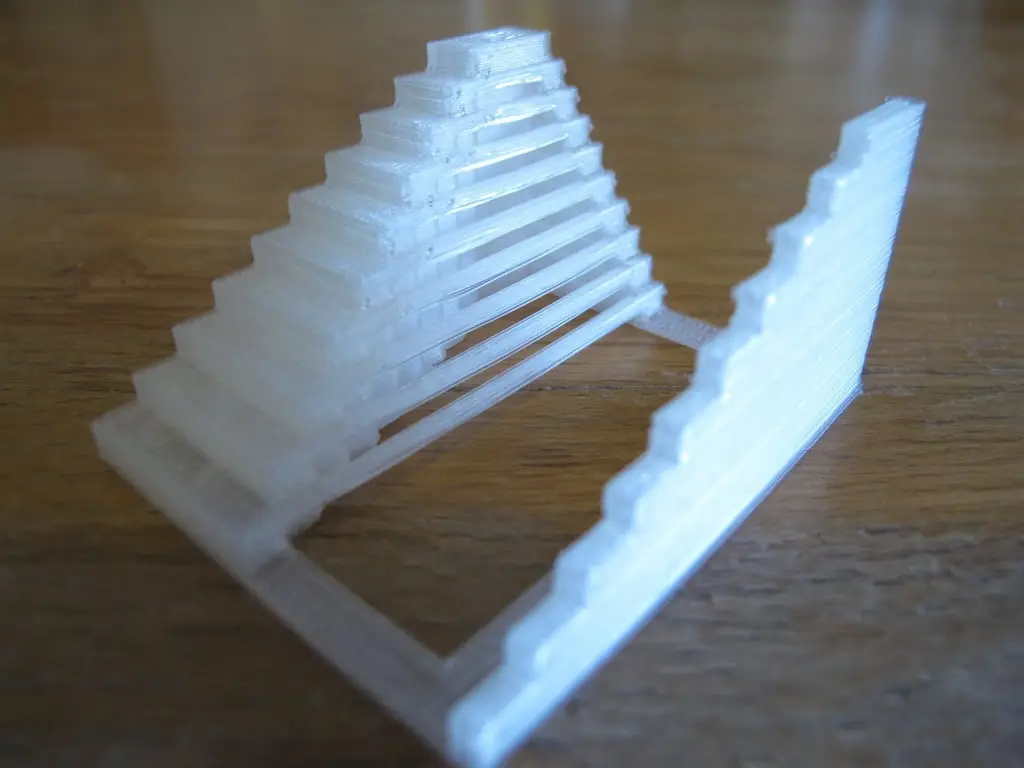
Ultimate Extruder Calibration Test
por Nick Starno en Thingiverse
Flow rate and feed rate are no longer difficult to calibrate, thanks to stepper extruders. However, to really get your print quality to the next level, you will need to calibrate temperature and reversal settings for a given material. (and/or travel feed rate, depending on your machine) This is a...
Licencia
Uso comercial permitidoPuedes usarlo, modificarlo y venderlo; si distribuyes versiones modificadas deben ir con la misma licencia y sus fuentes.
Al descargar aceptas respetar la licencia y dar crédito a Nick Starno.
Archivos (2)
- Categoría
- Para tu impresora
- Formatos
- STL, SCAD
- Descargas
- 41,825
- Publicado
Sobre este modelo
Flow rate and feed rate are no longer difficult to calibrate, thanks to stepper extruders. However, to really get your print quality to the next level, you will need to calibrate temperature and reversal settings for a given material. (and/or travel feed rate, depending on your machine) This is a fully parametric calibration test for both bridging and gap distances within the same part. Bridging is a great test for temperature. If the bridge is too saggy, the temperature is too high. There are also some advantages to higher temperatures though, one of which is it makes the thermoplastic less viscous, creating less work for the motor. If your preference is printing really hot, a fan concentrating cool air on the extrudate can also be used to calibrate bridging. Traversing large gaps is obviously a great test for reversal/travel speed settings. Set extra shells to 0 to avoid hiding any ooze behind inner perimeters. Make the infill very low to save printing time since you only care about spanning gaps for this test. Use a camera for feedback if you are extra picky about strings. Good Luck.
Descripción original del autor, publicada en Thingiverse.



