
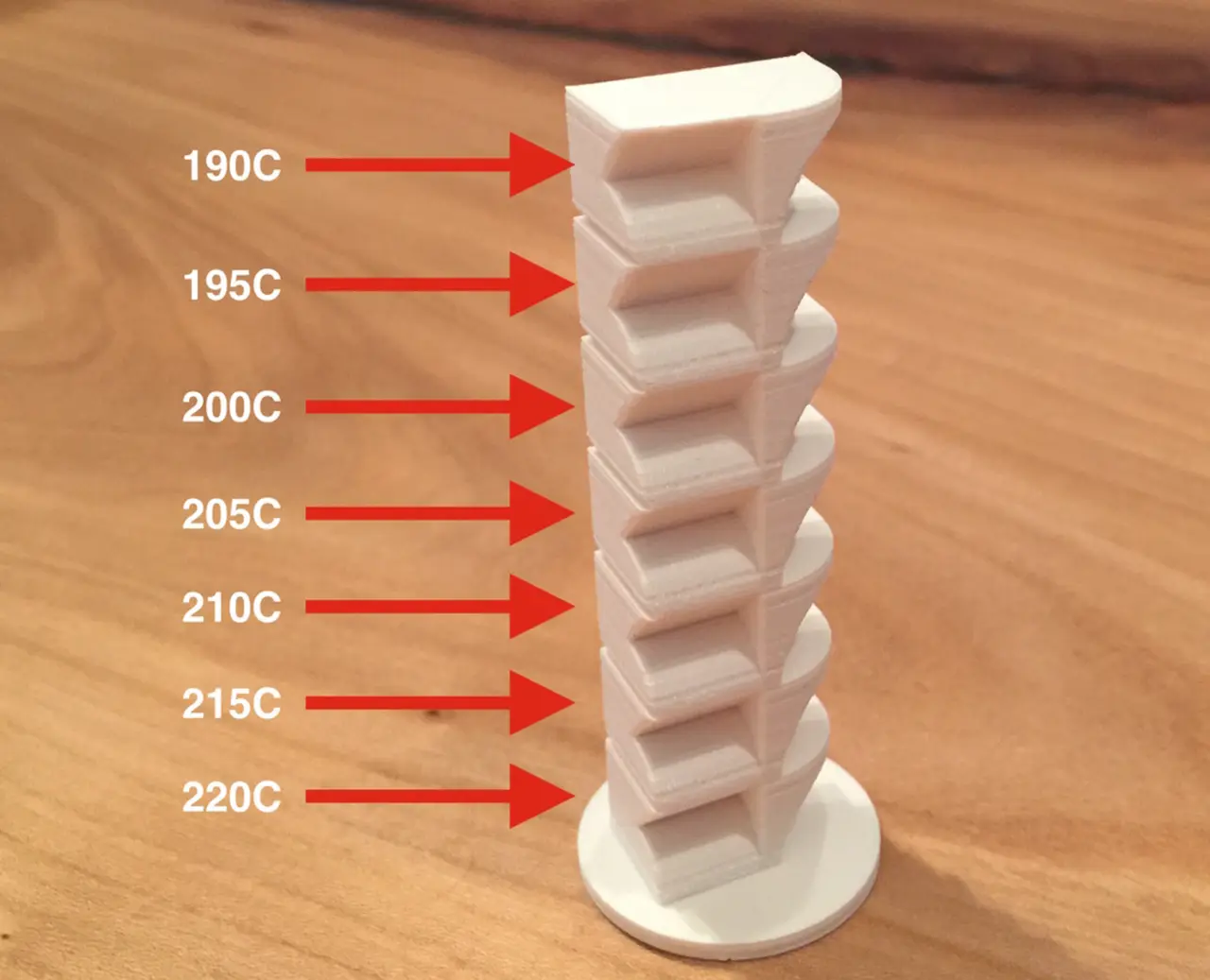
Ultimaker 2 temperature torture calibration test
If you print this test, please comment below with what material and gcode you used and what the best temperature was.
Cults3D entrega los archivos a usuarios con cuenta gratuita
Licencia
Uso comercial permitidoCC BY-SA 4.0 — Atribución, compartir igual
Puedes usarlo y modificarlo dando crédito; las versiones modificadas deben compartirse con la misma licencia.
Al descargar aceptas respetar la licencia y dar crédito a B2TM.
Archivos (1)
- PLA_TEMP_TEST.stl STL
- Categoría
- Para tu impresora
- Formatos
- STL
- Descargas
- 3,500
- Publicado
Sobre este modelo
If you print this test, please comment below with what material and gcode you used and what the best temperature was.
Description:
3 + 3 different GCODE files for Ultimaker 2 made with the default CURA settings and temperature range from 220C tot 190C in steps of 5C.
Printing features:
Straight wall
Overhang (circular)
Overhang (45 degrees)
Curved surface
Flat surface
Hole (for small bridge test)
Rounded corner
Fast Print (FP): 0H45, 0.15mm layers
Normal Print (NP): 2H01, 0.10mm layers
High Quality (HQ): 3H21, 0.06mm layers
I left the buildplate on 60C because the base was warping with the buildplate heating off. I also included files where the buildplate temperature is set to 0. This is obviously more accurate for the test, but well, if the base of the print comes loose you sort of have nothing. You can try for yourself.
If you want to make the gcode yourself or for a different printer, you'll have to insert the temperature commands yourself at the appropriate layer.
The base is 2mm high, the rest is 10mm per piece.
Commands:
Set bed temp to 0:
M140 S0
Set nozzle temperature:
M104 S200
(where 200 is the temperature).
Descripción original del autor, publicada en Cults3D.



