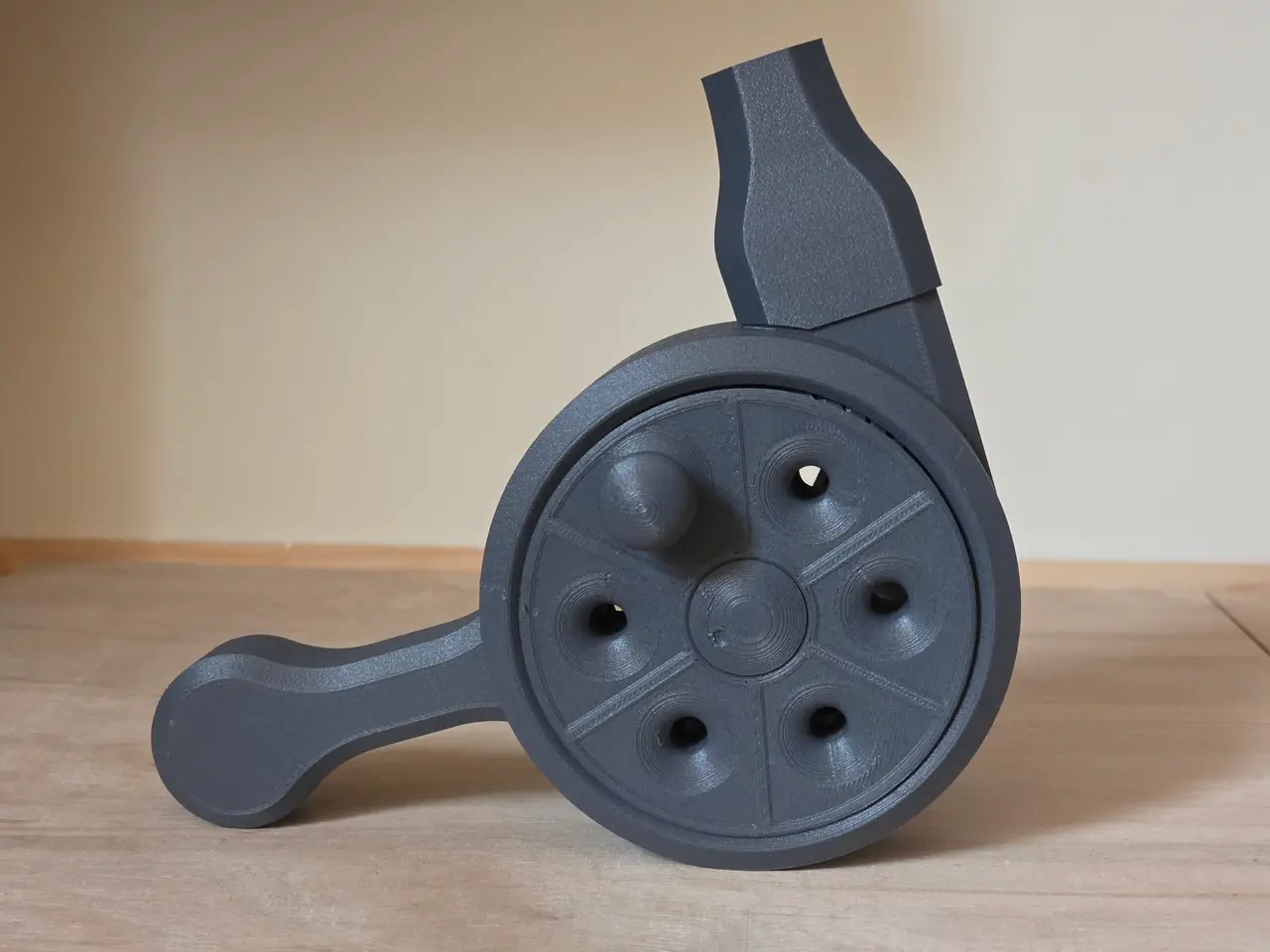
Turbine blower (two planetary gears 36:1 - faster, stronger, louder)
por Tomek en Printables
This is a remix of my planetary gear blower.
Licencia
Uso comercial permitidoCC BY-SA 4.0 — Atribución, compartir igual
Puedes usarlo y modificarlo dando crédito; las versiones modificadas deben compartirse con la misma licencia.
Al descargar aceptas respetar la licencia y dar crédito a Tomek.
Archivos (17)
- Blower2025_x36 v12.step STEP · 18,1 MB
- full_plate.3mf 3MF · 7,0 MB
- full_plate_v2.3mf 3MF · 7,0 MB
- full_plate_v3.3mf 3MF · 6,9 MB
- core.stl STL · 34 KB
- cover.stl STL · 343 KB
- handle.stl STL · 80 KB
- crank.stl STL · 12,4 MB
- crank_v3.stl STL · 12,1 MB
- nozzle.stl STL · 424 KB
- second_gear.stl STL · 11,0 MB
- second_gear_v2.stl STL · 11,0 MB
- second_gear_v3.stl STL · 10,7 MB
- snap_connector.stl STL · 17 KB
- spacer.stl STL · 38 KB
- wide_nozzle.stl STL · 508 KB
- blades.stl STL · 4,6 MB
- Categoría
- Educación
- Formatos
- STEP, 3MF, STL
- Descargas
- 5,676
- Publicado
Sobre este modelo
My hand cranked turbine blower is cool and works fine - however you have to crank it really fast for a nice blow. So i tried to add another planetary gearbox - and it works so much better (and unfortunately louder). All parts are 3d printed - no additional hardware needed. If you want a bigger one - feel free to scale it up.
How it's working Here is a video showing you how powerful (and a bit loud) it is :)
Left-handed or Right-handed If you want to have a blower with the crank on the opposite site - just mirror all the pieces before printing.
How to print I recommend setting Seam location to Random (just to avoid bumps in single spot and make the rotation even). I also recommend printing in PET-G. It should also be OK in PLA, but PET-G works better for me. Make sure to set Slice gap closing radius to ‘0’ - some parts are pretty close to each other - we don't want them to fuse together Besides that just print it with the settings that works for you. No supports required. both planetary gears are designed to be printed in place - do not split them into individual parts - they cannot be assembled after printing separately.
After print The planetary gear after printing can have parts fused together a bit. Just wiggle them back and forth carefully until they rotate smoothly. Adding a bit of oil can help a lot. Here are the places when you can add a drop of lubricant (bicycle chain oil or even cooking oil should work)
How to assemble Step 1. Take the crank part and insert small snap connectors into the slots (15 pieces) Step 2. connect to second gear Step 3. Insert the core joint into the hexagonal hole of the second gear Step 4. Add the round spacer Step 5. Place the rotor (thing with blades) on the core joint Step 6. Insert the handle in the slot Step 7. Insert small snap connectors into the slots in second gear (7 pieces) Step 8. Place the cover on top and make sure all the joints are in the right place Step 9. push firmly the cover to snap in. And that's it.
I will upload photos soon, but here is a simple animation to help you understand assembly process
After project thoughts I am no aerodynamics expert. I designed the turbine the way I think it should work. The air flow is pretty decent, but I am sure this can be tweaked to work even better. If you have any thoughts - let me know. Update Log: 06.07.2005 - As several people reported fused or hard to crank gears, I decided to release another version with slightly bigger gaps between the gears. There are v3 files: second_gear_v3.stl, crank_v3.stl and for your convenience full_plate_v3.3mf. Hope this will turn into more successful makes. Good luck with printing. 30.06.2025 - I added some internal structures to the second_gear part - it should help with all the bridges that are there
Descripción original del autor, publicada en Printables.