
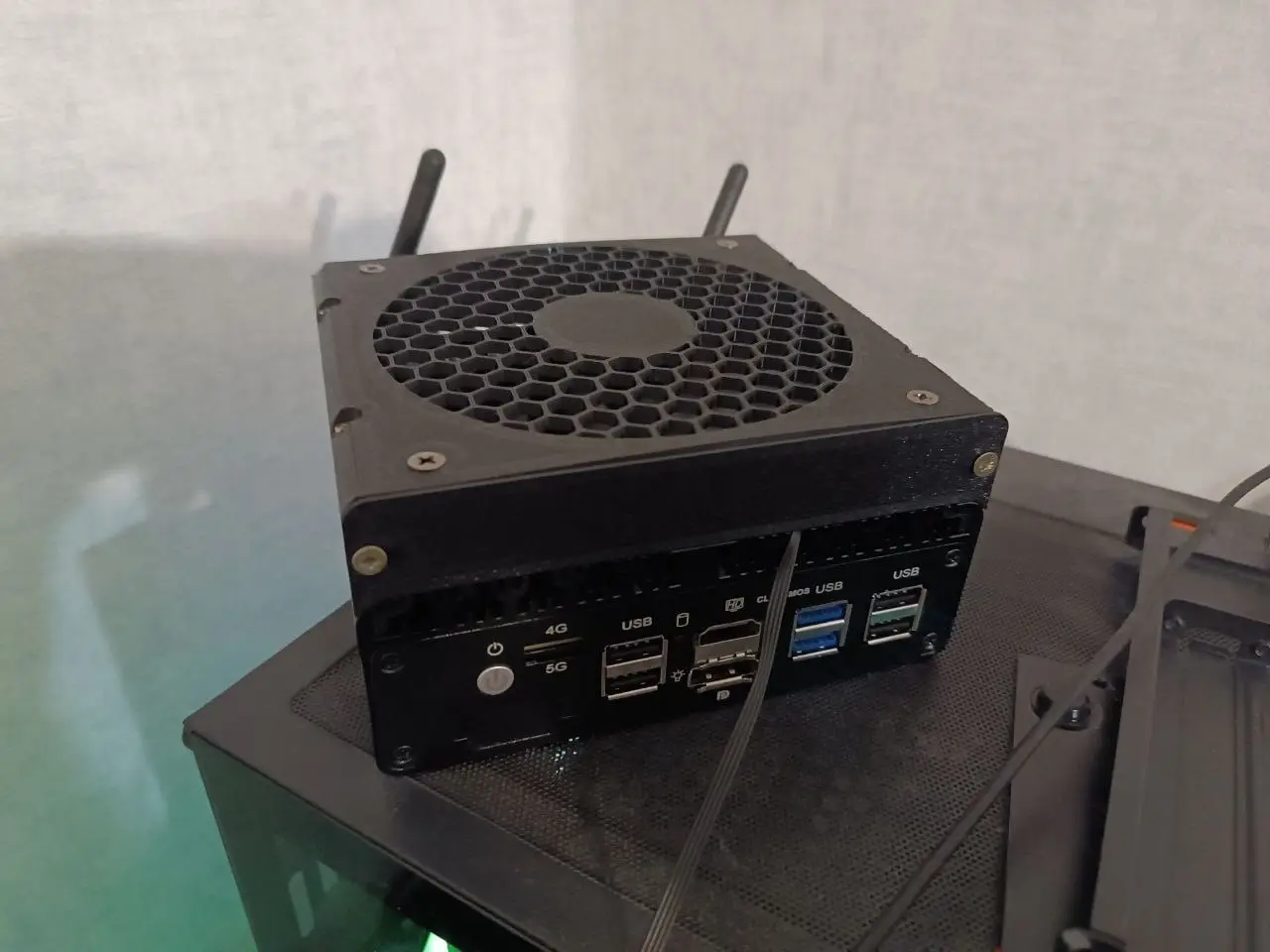
Topton X2E N150 Mini-PC fan shroud
por Andrey V en Thingiverse
A fully enclosed fan shroud for the Topton X2E N150 mini PC, designed for slim 120 × 120 × 15 mm fans. ⚠️ Please note: this model is designed specifically for the X2E. Other Topton N150 variants may have a different heatsink layout, so check your model before printing. I wanted to mount an enclosed.
Licencia
Solo uso personalCC BY-NC-SA 4.0 — Atribución, no comercial, compartir igual
Uso personal dando crédito; sin fines comerciales y las modificaciones con la misma licencia.
Al descargar aceptas respetar la licencia y dar crédito a Andrey V.
Archivos (3)
- Categoría
- Para tu impresora
- Formatos
- STL
- Descargas
- 3
- Publicado
Sobre este modelo
A fully enclosed fan shroud for the Topton X2E N150 mini PC, designed for slim 120 × 120 × 15 mm fans. ⚠️ Please note: this model is designed specifically for the X2E. Other Topton N150 variants may have a different heatsink layout, so check your model before printing. I wanted to mount an enclosed fan directly over the heatsink but couldn't find an existing design, so I made my own! 🙂 I kept the design simple to get it done quickly, so there's still room for improvement (a tool-free, snap-fit version would be nice, for example). Also, the dimensions and tolerances are not ideal. As you can see from the photos, the top piece is deformed. Additional Hardware - 8 × wood screws, 3 × 12 mm, with a 6 mm head - (Optional) 4-pin PC fan to 4-pin JST 1.25 mm adapter cable (or re-crimp the fan connector)
Assembly - Print the parts: 4 × RouterFan_conn, 2 × RouterFan_side, and 1 × RouterFan_top. - Mount the fan to the top piece using 4 standard fan screws (usually supplied with the fan). - Slide the 4 conn pieces onto the heatsink. - Attach the top piece to the conn pieces using 4 wood screws. - Attach the 2 side pieces to the conn pieces using the remaining 4 wood screws. - Route the fan cable (see Cable Routing below) and connect it to the 4-pin header on the motherboard.
Cable Routing This mini PC wasn't designed with an external fan in mind, so there's no dedicated opening in the case for the fan cable. You have two options: - Antenna hole: if you're not using Wi-Fi antennas, route the cable through one of the two antenna holes. - Custom front/back plate: the front and back plates are replaceable, so you can print a custom plate with an opening for the cable. - Drill the case: the case has a blanked-off cutout for an optional COM port, which can be drilled or cut open to pass the cable through.
Fan Control in Proxmox VE The motherboard has a 4-pin JST 1.25 mm fan header connected to the ITE IT8625E Super I/O controller. The header uses the standard fan pinout: GND, 12V, TACH, PWM. To monitor and control the fan from Proxmox VE, you'll need the out-of-tree it87 driver, since the IT8625E isn't supported by the stock Proxmox kernel. It's available here: https://github.com/frankcrawford/it87 Installation is quick and easy via DKMS. If you get stuck, an AI assistant like Claude or ChatGPT can walk you through it step by step. For reference, I'm using fancontrol with a simple linear curve: the fan runs at 20% up to 40 °C and ramps up to 100% at 70 °C. Future Plans A few improvements I'd like to make when I get around to it: - Better tolerances and fit - A cable channel in the side piece for cleaner fan cable routing - Support for standard 25 mm thick fans - Alternative fan grill designs - Custom front/back plate to route fan cable through
Descripción original del autor, publicada en Thingiverse.



