
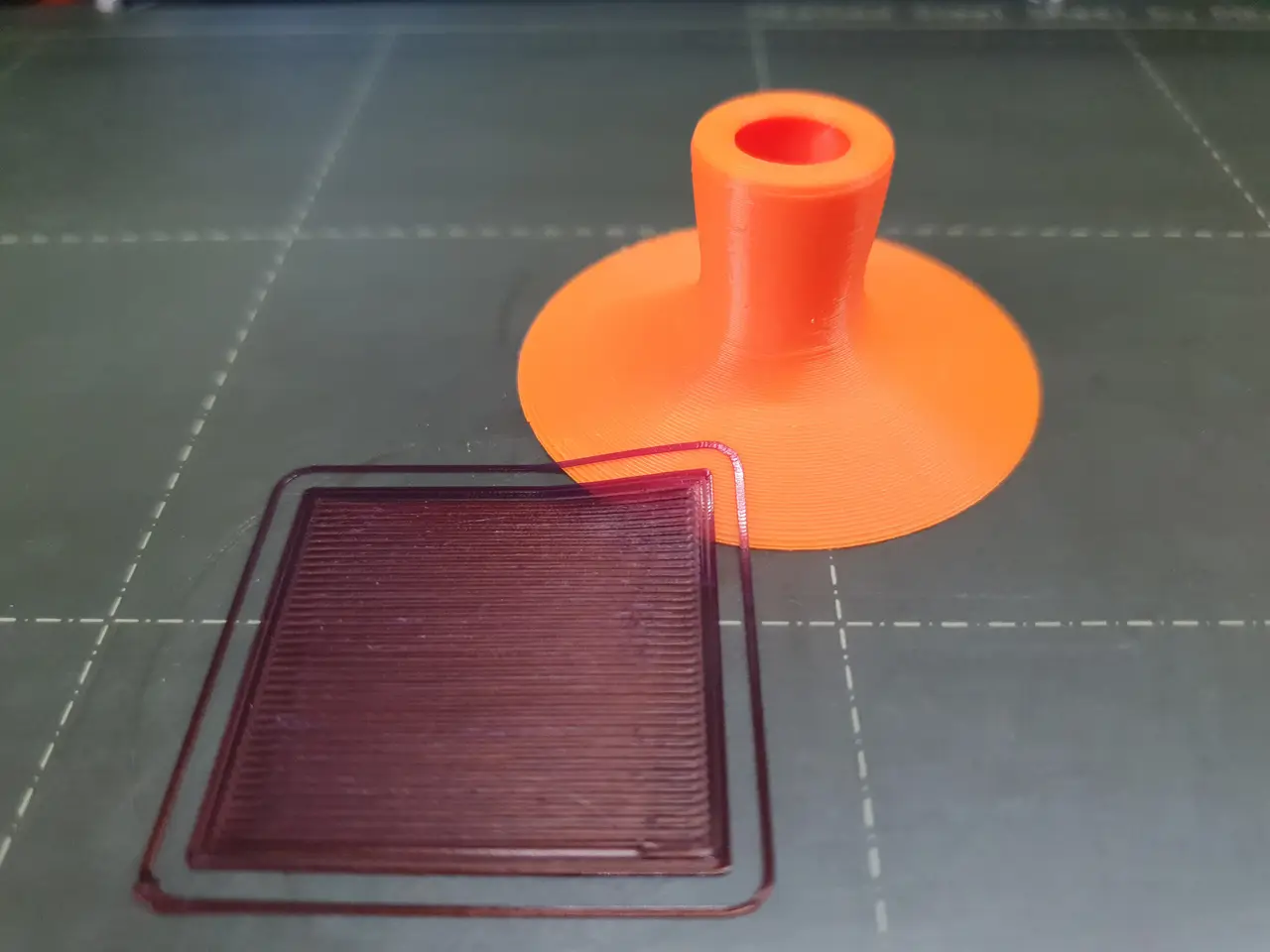
🟠 Thin layers scraper (tiny+ergonomic)
por sh en Printables
Round shape is by far the best for removing thin layers with minimal filament consumption. This one is ergonomic.
Licencia
Uso comercial permitidoPuedes imprimirlo, modificarlo y venderlo dando crédito al autor.
Al descargar aceptas respetar la licencia y dar crédito a sh.
Archivos (7)
- round_scraper_V2.stl STL · 638 KB
- round_scraper_V2.3mf 3MF · 200 KB
- round_scraper_V2_0.4n_0.2mm-variableHeight_PLA_MK4IS_19m.gcode GCODE · 1,7 MB
- round_scraper_V2_0.4n_0.2mm-variableHeight_PLA_MK4_31m.gcode GCODE · 2,0 MB
- round_scraper_V2_0.2mm-variableHeight_PLA_MK3S_47m.gcode GCODE · 1,8 MB
- round_scraper_V2_0.2mm_PLA_MK3S_33m.gcode GCODE · 1,1 MB
- 360scraper_v2_0.4n_0.2mm_PLA_MK4IS_17m.gcode GCODE · 1,3 MB
- Categoría
- Para tu impresora
- Formatos
- STL, 3MF, GCODE
- Descargas
- 37,747
- Publicado
Sobre este modelo
UPDATE 3.1.2023: - added V2 version with different inner shaping → same external size & characteristics, quicker print
Info: - 🟠 round edge → longer edge → scraper lasts longer then other spatula types scrapers- if it is less sharp on one side, you can just use the other side
- 🤗 ergonomic pleasant holding - 💪 easier pressing against the plate (comparing to spatula type scapers)- with spatula it is hard to press on one segment of the edge, with round shape it is easy
- 🤑 much smaller filament consumption (comparing to spatula type scrapers) - 🍩 with hole, so it can be hanged
✅ With this you will remove every thin layer super-easily!
Quick review in a video from JanTec: TIP: If the handle part is too low for you → you can try TALL edition of this model: https://www.printables.com/model/341401-round-scraper-tall-edition
Print info: - material:- PLA or anything hard (but people are using PETG as well)
- layers:- a lot of people just use 0.2mm and are happy with it - but you can use variable layer height for finer results (down to 0.07mm where needed -bottom and top part) → see 3mf/gcode example
- TIP: use skirt of 1 layer height for immediate test :)
❗ How to remove it from the plate after printing: - metal removable plate:- just take the plate away from printer and bend it - model will be removed by itself
- glass plate (non removable):- well you may have little problem, people are solving it by putting some tool in the hole in the print (like a wrench) and by some force they pull it off
Inspiration: - i was using for a long time this rounded scraper from BaGoon- I was happy with it, because given shape is by far the best for removing any thin layer of printed object - BUT it was uncomfortable to hold it, sometimes even painful (too small sharp holds)
Happy scraping!
Descripción original del autor, publicada en Printables.



