
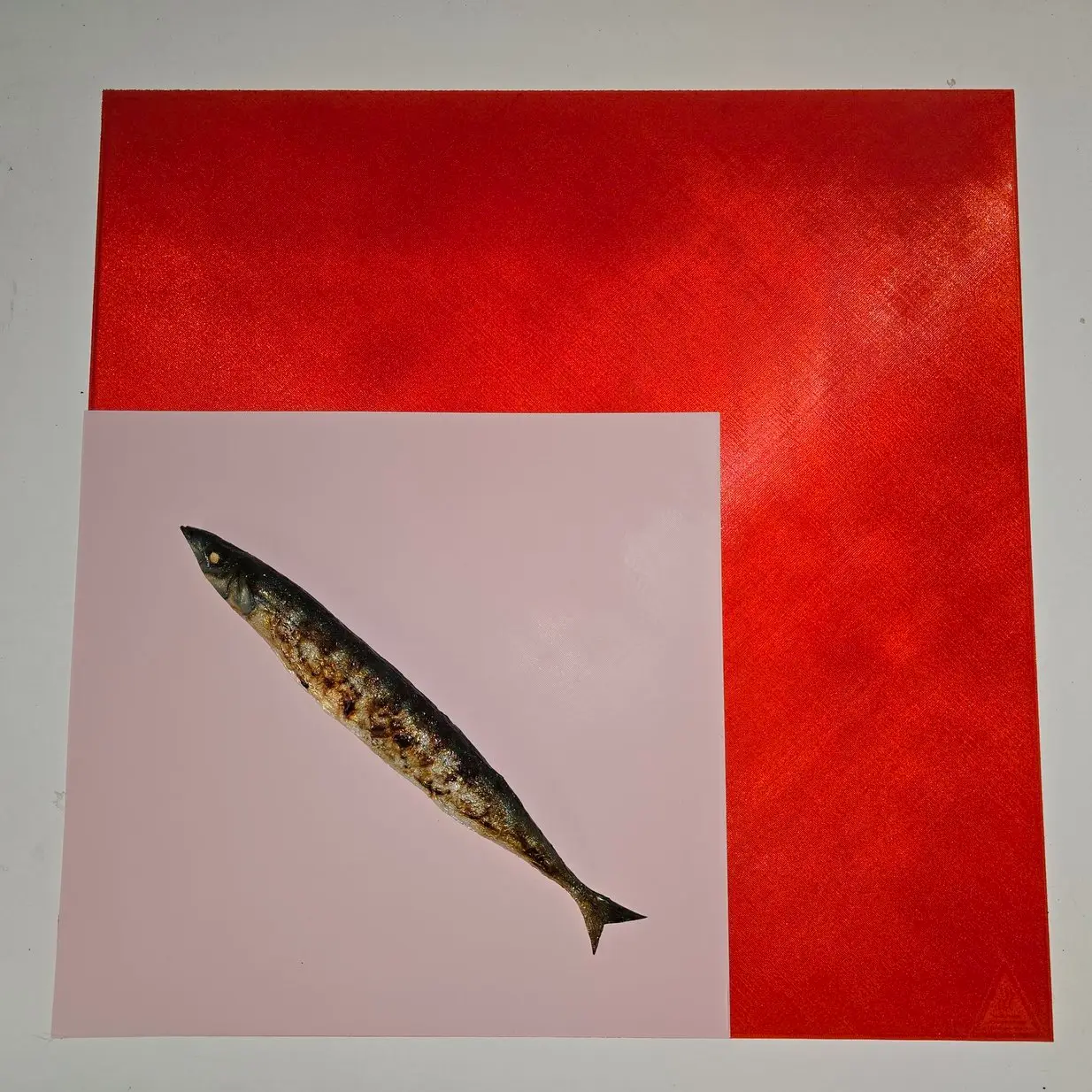
The very First Print
por yahbluez en Printables
This model shows in half an hour the real quality of every square mm of your print bed.
Licencia
Uso comercial permitidoPuedes usarlo, modificarlo y venderlo; si distribuyes versiones modificadas deben ir con la misma licencia y sus fuentes.
Al descargar aceptas respetar la licencia y dar crédito a yahbluez.
Archivos (38)
- mk3 nozzle 0.6.3mf 3MF · 9 KB
- mk3 nozzle 0.4.3mf 3MF · 9 KB
- bambulab X1C + P1P.3mf 3MF · 36 KB
- Prusa Mini 180x180.3mf 3MF · 9 KB
- fpb-290 290.stl STL · 1 KB
- fpb-260 260.stl STL · 1 KB
- fpb-230 270.stl STL · 1 KB
- fpb-180 180.stl STL · 1 KB
- fpb-310 310.stl STL · 1 KB
- fpb-235 310.stl STL · 1 KB
- fpb-220 300.stl STL · 1 KB
- fpb-255 255.stl STL · 1 KB
- fpb-450 450.stl STL · 1 KB
- fpb-410 410.stl STL · 1 KB
- fpb-245 255.stl STL · 1 KB
- fpb-120 120.stl STL · 1 KB
- fpb-370 376.stl STL · 1 KB
- fpb-250 210.stl STL · 1 KB
- fpb-508 508.stl STL · 1 KB
- fpb-470 470.stl STL · 1 KB
- fpb-350 350.stl STL · 1 KB
- fpb-250 250.stl STL · 1 KB
- fpb-500 500.stl STL · 1 KB
- fpb-200 200.stl STL · 1 KB
- fpb-310 320.stl STL · 1 KB
- fpb-235 235.stl STL · 1 KB
- fpb-400 400.stl STL · 1 KB
- fpb-300 300.stl STL · 1 KB
- fpb-220 220.stl STL · 1 KB
- PS_CORE_ONE_250x220.3mf 3MF · 10 KB
- OS_Sovol_SV08MAX_500x500.3mf 3MF · 24 KB
- BS_FullBed_H2S_340x320.3mf 3MF · 29 KB
- ES_CC2_256x256x0.4.3mf 3MF · 25 KB
- ES_CC2_256x256x0.2.3mf 3MF · 25 KB
- ES_Sovol_Zero_152x152x0.2.3mf 3MF · 26 KB
- ES_Sovol_Zero_152x152x0.4.3mf 3MF · 26 KB
- mk3 nozzle 0.4 PLA 53m.gcode GCODE · 38 KB
- mk3 nozzle 0.6 PLA 34m.gcode GCODE · 31 KB
- Categoría
- Para tu impresora
- Formatos
- 3MF, STL, GCODE
- Descargas
- 3,170
- Publicado
Sobre este modelo
TL;DR Single layer whole print bed, see how good or bad it comes out, no change to hide anything. Collection tools, 3D printing update 2026.1001 - Sovol ZERO - added Sovol ZERO -> the tiny blue square
- ES_Sovol_Zero_152x152x0.2.3mf
- ES_Sovol_Zero_152x152x0.4.3mf
(one of the best auto calibrated first layers, maybe the best) update 2026.0702 - added Elegoo Centauri Carbon2 (fullsize 256x256x0.2)
- added Elegoo Centauri Carbon2 (fullsize 256x256x0.4)
CC2_full_print_bed Note, the 3mf profiles above establish a modified printer called "CC2_full_print_bed". This config removes the reserved area [[246,0], [256,0], [256,20], [246,20]] so you can use the full print bed. The printer primes at the beginning of the print into this area but the infill starts at the back so you can remove the prime line before the printer reaches this zone. You can use this setting without issues and limits you have just to be aware that this region gets the prime line at the start of a print. Don't place objects there or remove the line at the beginning of the print.
update 2026.0221 - added Prusa Core One 250x220
- added Bambulab H2S 340x320
- added Sovol SV08MAX 500x500
update 2023.0613 - added 3mf config file for Prusa Mini
update 2023.0226 - added 3mf for bambustudio
- cleaned up the description
Let's get started
Full Print Bed This nice model is useful to check and improve the leveling of your whole print bed. It is not a first layer calibration. You should run the first layer calibration first and use this model to check your whole plate.
If you find in your print areas where the lines are not connected or the print is not well bond to the bed you have a lot of options. - level your bed
- clean the print bed with IPA or what needed
- use a thicker first layer
- use a higher extrusion wide for the first layer
- print the first layer slower
- print the first layer hotter
Other issues Burned pieces, scratched pieces any kind of over extrusion. Go one step forward and run the first layer calibration first.
Attribution © yahbluez
Can I sell copies of this? Yes! Yahbluez shared this project under the GNU GPL v3.0 license. This license allows selling copies, but you must provide proper attribution and use the GPL 3.0 license, as detailed in the GPL v3.0 license itself. You have not the right to use any other licence than GNU GPL 3.0.
Donation If you like to donate you can buy me a coffee
Filament used works with any filament
Descripción original del autor, publicada en Printables.



