
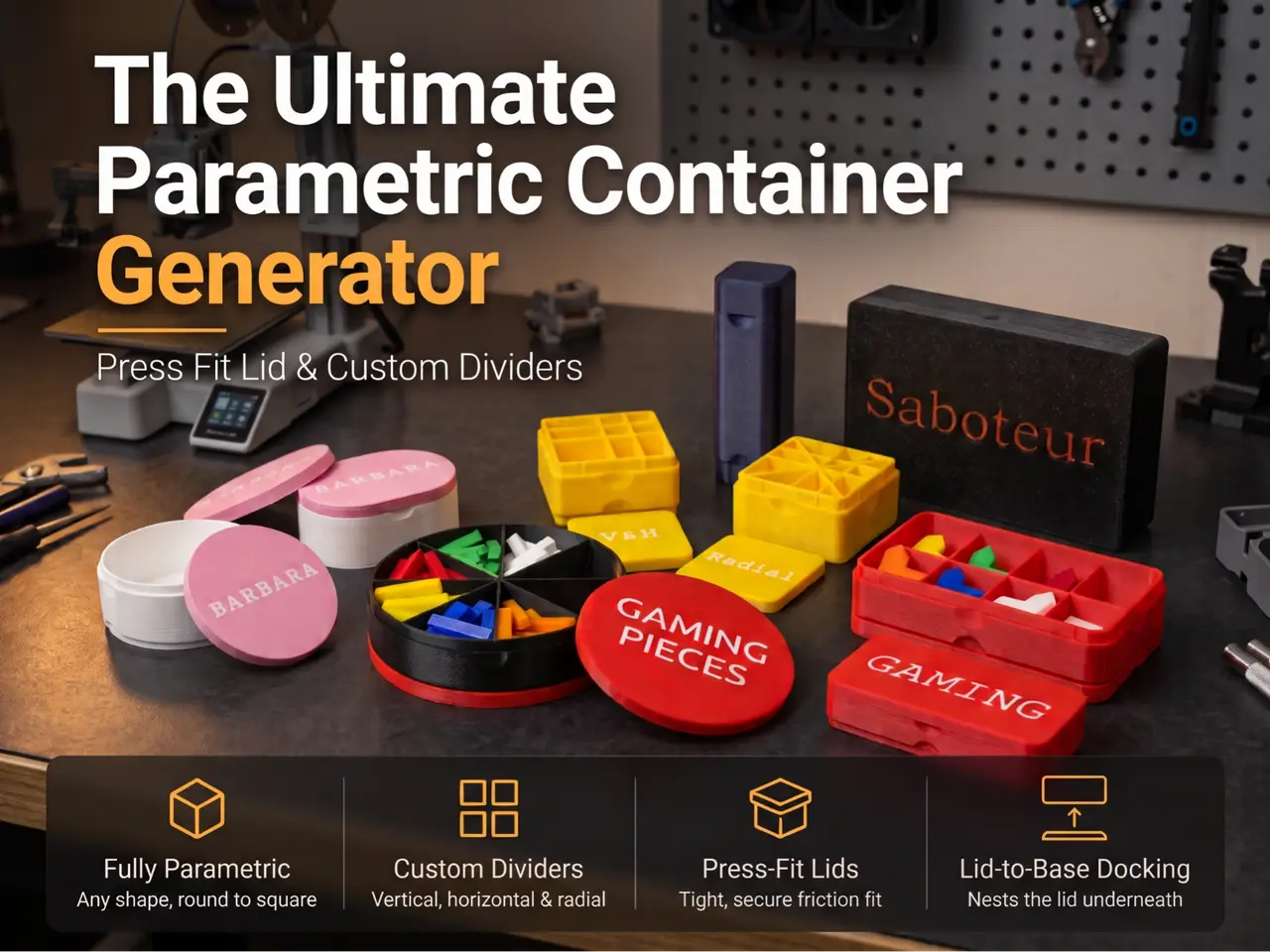
The Ultimate Parametric Container Generator
por 3D_Thinker en MakerWorld
# The Ultimate Parametric Container Generator. Tired of generic storage boxes that don't quite fit your items? This parametric container generator allows you to create the storage box you need—from crisp rectangular organizers to smooth cylinders, pocket pillboxes, or segmented game-piece trays.
MakerWorld entrega los archivos a usuarios con cuenta gratuita
Licencia
Solo uso personalStandard Digital File License
Licencia estándar de archivos digitales: solo uso personal. No se permite compartir, revender ni subir el archivo a otros sitios, ni vender las impresiones.
Al descargar aceptas respetar la licencia y dar crédito a 3D_Thinker.
Archivos (1)
- Parametric Container Generator with Friction Fit Lid.scad SCAD · 86 KB
- Categoría
- Herramientas
- Formatos
- SCAD
- Descargas
- 0
- Publicado
Sobre este modelo
# The Ultimate Parametric Container Generator Tired of generic storage boxes that don't quite fit your items? This parametric container generator allows you to create the storage box you need—from crisp rectangular organizers to smooth cylinders, pocket pillboxes, or segmented game-piece trays. Designed with a reliable press-fit lid, integrated **finger release notches**, and an optional **lid-to-base docking slot** so your lid stays parked underneath while in use. --- Key Features Any Footprint (Rectangular to Round):** Morph smoothly between sharp boxes, soft filleted rectangles, oval organizers, and circular containers. Adjustable Press Fit:** Dial in your preferred tolerance. Increase lid lip height for a more secure seal. Lid-to-Base Docking:** Enable the bottom socket so your lid fits cleanly to the base while open, keeping tables clutter-free. Interior Divider Engine: Vertical & Horizontal Dividers: Create custom rectangular grids and bin trays. Radial Dividers: Divide rectangular/circular/oval boxes into pie wedges. Hybrid / Multi-Ribs: Mix radial and grid ribs in one container. Spacing Control: Auto-center ribs with equal spacing or specify custom coordinates. Flat top surfaces are prepped for Bambu Studio’s built-in Text Tool—emboss, deboss, or create dual-color lids in seconds. --- ### Popular Use Cases *Board Game Inserts & Token Trays:* Sort meeples, resource cubes, chits, and card decks. *Hardware & Electronics Sorting:* Custom bins for screws, nuts, and surface-mount components. *Travel & EDC:* Pocket pillboxes, makeup sponge travel cases, and coin tins. *Desk Organization:* Custom pen caps, paperclip tubs, and cable tidy cases. ---
> **Fit Tip:** Print a small 20mm test box first to confirm your filament’s shrinkage and tune the `lid_tolerance` parameter for your ideal friction resistance. --- ### How to Add Multi-Color Text in Bambu Studio 1. Import your generated lid STL into Bambu Studio. 2. Select the lid and click the **Text Shape Tool** (`T` shortcut) in the top toolbar. 3. Type your text, select your font, set thickness to `0.4 mm`, and place it on the top face. 4. Set the text object color to your secondary AMS slot and slice!
Descripción original del autor, publicada en MakerWorld.



