The Starry Night - Filament Painting
por Polychrome3D en Thangs
The Starry Night
Thangs entrega los archivos a usuarios con cuenta gratuita
Licencia
Solo uso personalSin licencia indicada
El autor no indicó una licencia: todos los derechos le pertenecen. Úsalo solo para imprimir en casa y consulta al autor para cualquier otro uso.
Al descargar aceptas respetar la licencia y dar crédito a Polychrome3D.
Archivos (2)
- starry-night-bambu.3mf 3MF · 38,8 MB
- starry-night-generic.3mf 3MF · 33,9 MB
- Categoría
- Figuras y arte
- Formatos
- 3MF
- Descargas (todas las plataformas)
- 3
- Publicado
También en
Sobre este modelo
The Starry Night
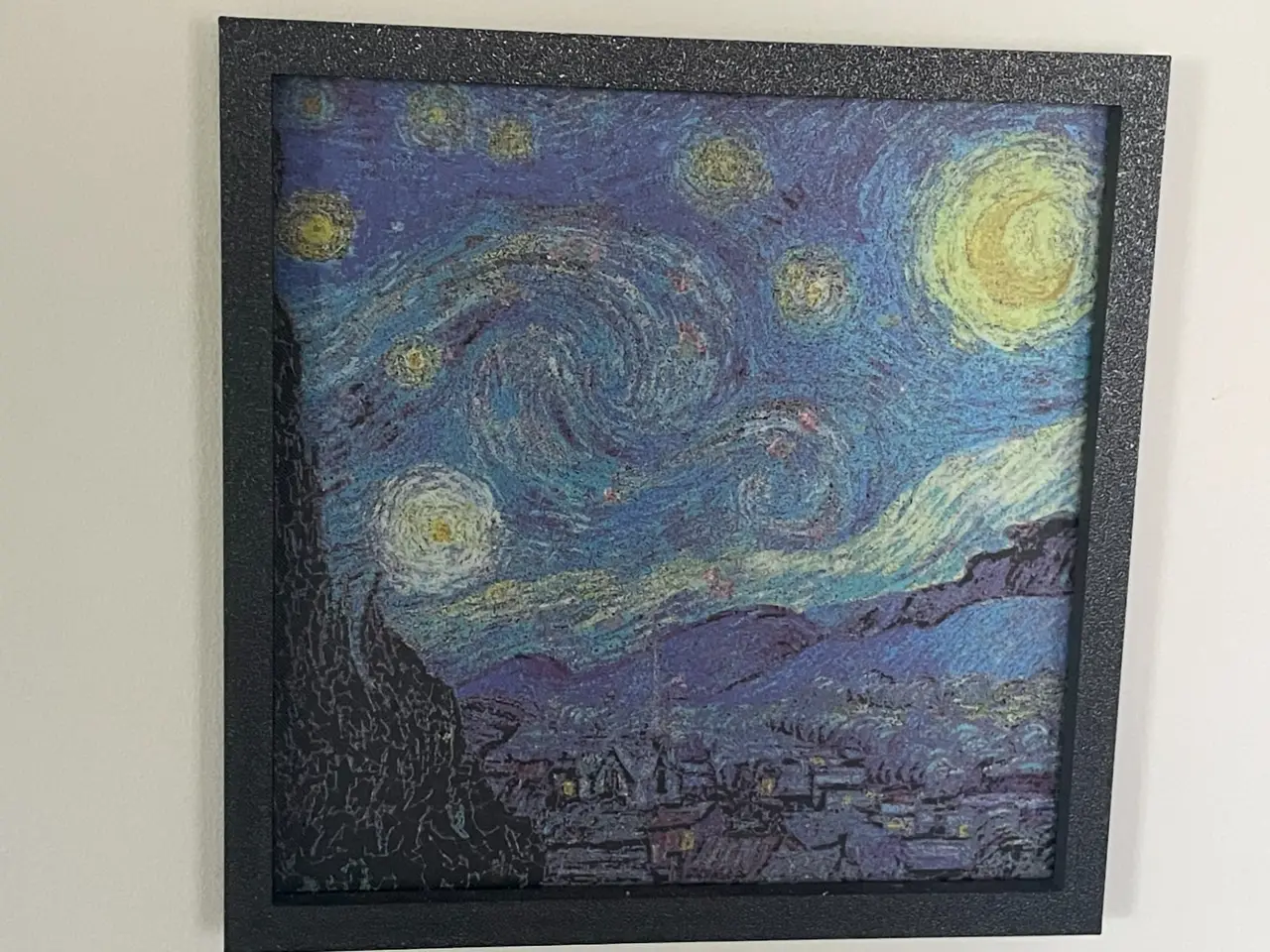
I adapted Van Gogh's night sky into a 200 x 200 mm filament painting, 0.88 mm thick. Thin translucent layers blend with the layers beneath them to make the shades in the sky. What you need
This is not a layer-swap print. Every colour layer has several filaments in different spots. The printer must change filament automatically within each layer. The only manual swap is the single spool change after the base on a four-slot changer.
I tested it on a Bambu Lab X1 Carbon with an AMS.
Other Bambu printers with AMS or AMS lite, Prusa MMU3, Prusa XL tool changer, Prusa CORE One with INDX, Creality CFS, Anycubic ACE Pro and similar automatic systems should work, not tested by me. The printer needs room for the 200 x 200 mm plate. Filaments and slots
Start with these PLA filaments in this slot order: - Slot 1: Bambu Lab Matte Charcoal (11101), for the base. Replace it with Basic Jade White (10100) at the pause. - Slot 2: Bambu Lab Basic Yellow (10400). - Slot 3: Bambu Lab Translucent Red (13210). - Slot 4: Creality Basic Blue.
The fifth filament is Basic Jade White (10100), loaded into slot 1 only after the charcoal base is finished.
A substitute changes the colour and how much light passes through the layers, so the finished picture will differ. Another opaque mid-blue can replace Creality Basic Blue, but the sky will look different. The single pause
On a four-slot changer, the print pauses once, immediately after the 0.56 mm Matte Charcoal base. Remove the Matte Charcoal spool, put Basic Jade White (10100) in the same slot and resume. There are no other manual swaps.
With the plain 3MF and a five-slot Prusa MMU3 or five-tool Prusa XL, give each part its own slot or tool: Charcoal, Yellow, Translucent Red, Creality Blue, then Basic Jade White. Print without the pause. This setup should work, not tested by me. Files and slicing
Use starry-night-bambu.3mf in Bambu Studio for my saved project. The slots, layer heights and pause are already set. It also opens in OrcaSlicer, which should work, not tested by me.
Use starry-night-generic.3mf for any other slicer. It has one part per filament. Preserve their shared alignment. For a four-slot changer, assign the white part to the base filament's slot and add the pause after the base. This workflow should work, not tested by me.
The first 0.56 mm is a base of Matte Charcoal. The Bambu project prints it as two 0.28 mm layers, then uses 0.08 mm colour layers. Its pause comes before the first colour layer.
In another slicer, use a first layer that is a multiple of 0.08 mm, such as 0.16 mm, followed by 0.08 mm layers. Make sure a layer boundary lands exactly at 0.56 mm, where the colour layers begin. On a four-slot changer, place the pause at that boundary. - Print flat with a 0.4 mm nozzle. - Use 100% infill, 1 wall and no supports. - I recommend textured PEI. - Do not scale, rotate or re-level the plate. The stepped surface is the picture.
The slicer estimate is 16.2 h and 46 g. Credits
Vincent van Gogh, The Starry Night, 1889. Public domain, via the Google Art Project.
Made with Polychrome (https://polychrome3d.com), the desktop app I build to turn pictures into multi-colour plates. You don't need Polychrome to print these files. Licence
Creative Commons Attribution-NonCommercial (CC BY-NC). Print it for yourself or as a gift and share it with credit. Please do not sell the files or prints.
Descripción original del autor, publicada en Thangs.