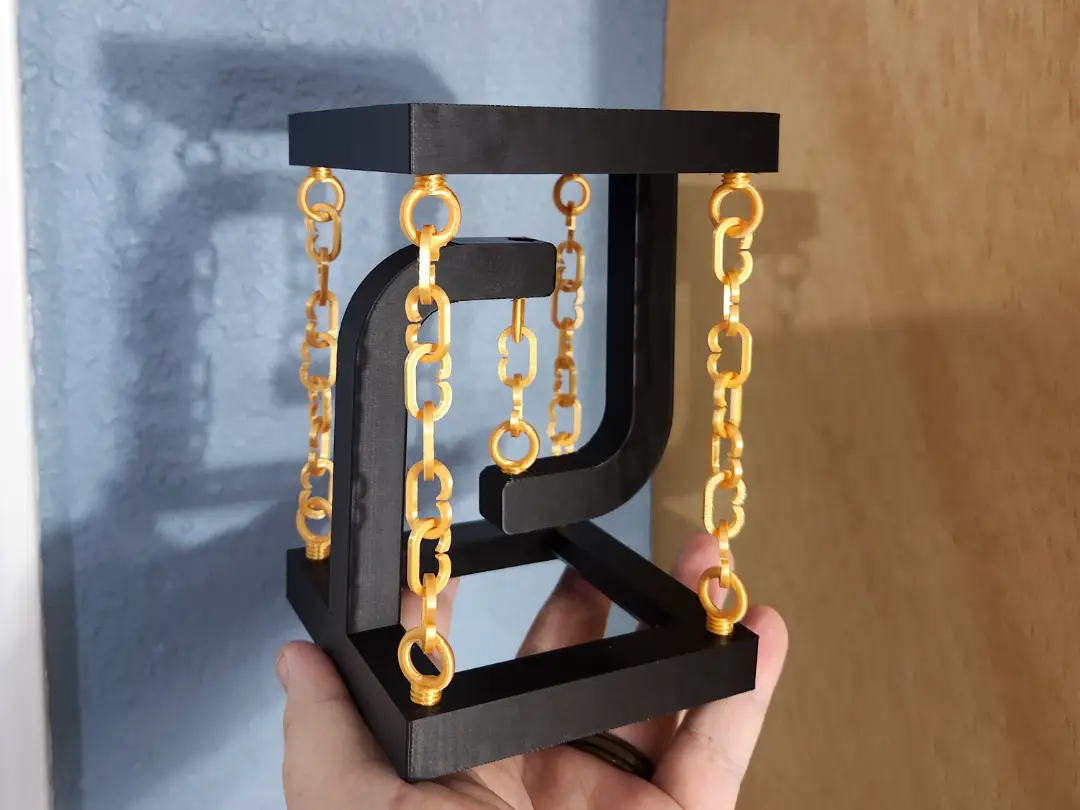
Tensegrity Table with swappable Top
por BigScorch en MakerWorld
I created this tensegrity table as another engineering challenge for myself. I've always thought these tables were a fun demonstration of outside-the-box thinking. Supporting a weight normally involves a compression-type support, but doing it in tension is a fun idea.
MakerWorld entrega los archivos a usuarios con cuenta gratuita
Licencia
Uso comercial permitidoCC BY-SA 4.0 — Atribución, compartir igual
Puedes usarlo y modificarlo dando crédito; las versiones modificadas deben compartirse con la misma licencia.
Al descargar aceptas respetar la licencia y dar crédito a BigScorch.
Archivos (4)
- Open Chain 2.stl STL · 308 KB
- Table Center.stl STL · 1 KB
- Table.stl STL · 646 KB
- Eye Bolt.stl STL · 1,6 MB
- Categoría
- Educación
- Formatos
- STL
- Descargas
- 8,031
- Publicado
Sobre este modelo
I created this tensegrity table as another engineering challenge for myself. I've always thought these tables were a fun demonstration of outside-the-box thinking. Supporting a weight normally involves a compression-type support, but doing it in tension is a fun idea.
The table holds a full soda can without stressing. You can adjust the height of the table some, use 3 links in the center for a more stable table, and use 2 links for a taller, but less stable table. One link should also work if you are careful with your outer chain adjustments.
The top is a floating insert that you can swap out with your own design to add a cool icon or color.
The soda can is included in images for scale, and demonstration of strength.
The chain attaches with eye bolts for easy tension adjustment.
Assembly instructions:
1: Print all the parts. (Print the plate with the base twice. ) 2: Screw the 10 eye bolts into the 2 bases (5 each). The 4 outer bolts only go one way. The center eye bolt should be facing the square of the base. Do not tighten the eyebolts past a light snug. 3: Assemble the chains. The table in the picture has 7 chain links on the outside and 2 chain links in the middle. 4. Attach the chains to the eye bolts.
Adjustment Instructions: 1: If the table tilts to one side or the other, you can tighten the chains on the high side. 1: For tiny adjustments, remove the chain from an eye bolt, rotate the eye bolt some, and re-attach. 2: For moderate adjustments, you can rotate the eye bolt without removing the chain, and the twist in the chain will add tension. 3: For large adjustments, you can disconnect the chain, twist the chain in your hand, and then re-attach in the twisted state.
2: If the table wants to twist, then quarter-turn one of the center eye bolts.
Descripción original del autor, publicada en MakerWorld.