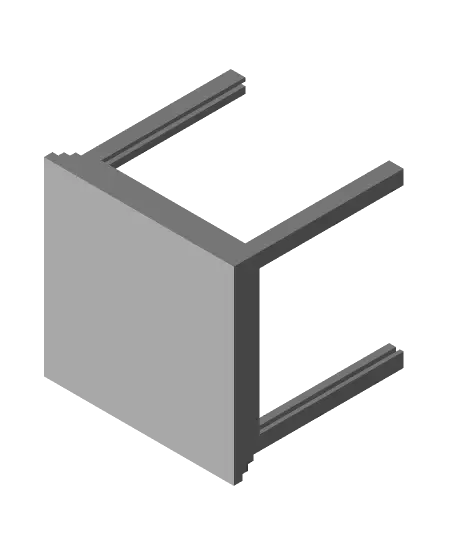
Tea Light Lithophane Holder
por Sebastian M en Thangs
Model originally uploaded to Thingiverse at https://www.thingiverse.com/thing:5398986.
Thangs entrega los archivos a usuarios con cuenta gratuita
Licencia
Revisa las condicionesLICENSE
El autor usa su propia licencia. Revisa sus condiciones en la página original antes de compartir, modificar o vender.
Al descargar aceptas respetar la licencia y dar crédito a Sebastian M.
Archivos (4)
- tll_base.stl STL · 27 KB
- tll_blank.stl STL · 1 KB
- tll_frame.stl STL · 2 KB
- tll_lid.stl STL · 978 KB
- Categoría
- Figuras y arte
- Formatos
- STL
- Descargas
- 64
- Publicado
Sobre este modelo
Model originally uploaded to Thingiverse at https://www.thingiverse.com/thing:5398986.
This is a little holder for an electric tea light that allows you to use generated lithophanes as the sides. I did this to make use of the ability in Cura specifically to import a picture file and have it automatically generate a lithophane. I have included blank sides to print or a "frame" which you can insert your lithophane into so that it will fit properly. (Blank sides should be printed vertically the same as the lithophanes) As long as your lithophane is 50mmx50mm square you can center it in the frame and use that if you would like and have other methods for making lithophanes. Below I am including the instructions for how to create the lithophanes in Cura and put them in the frame for printing.
(Note: This works best with higher contrast images and filament that is already pretty good at letting light through) Instructions for Creating the Lithophane sides in Cura: 1) Make sure you picture is a square before importing into Cura 2) Open the frame file in Cura 3) Open your image file in Cura. Upon doing so you will be greeted with a pop up menu. Use the following settings: _Height: 1.0mm_ _Base: 0.4mm_ _Width: 50mm_ _Depth: 50mm _ _Darker/Lighter is higher depends on picture_ _Color Model: Translucency_ _1mm transmittance: 50_ _Smoothing: Leave at default_ 4) Sometimes even though the picture is square it will still be slightly off in either x or y position, so you can make select the lithophane object, make sure uniform scaling is off, and adjust the x or y so it is exactly 50mm square 5) Select both the lithophane and the frame, right click and select Center Selected, then right click and choose Group Models 6) Once they are grouped rotate the model 90 degrees so it is standing vertically. (Do not print these laying down. It will not have the accurate depth needed for a lithophane. After this you can move it around the build plate wherever you may need it) 7) Make sure you are printing with a brim and you will be good to go! I used a .4mm nozzle with .2mm layer height and .4mm line width and was able to get good results.
There will be some cleanup after but it should not be too bad and then the lithophanes will be able to slide into place. You can print multiple at once as well, or it will work just fine printing a single one as long as you know your print settings well.
Credit where credit is due, the images I used for my lithophanes are the clan symbols from the donghua of MDZS.
Descripción original del autor, publicada en Thangs.