
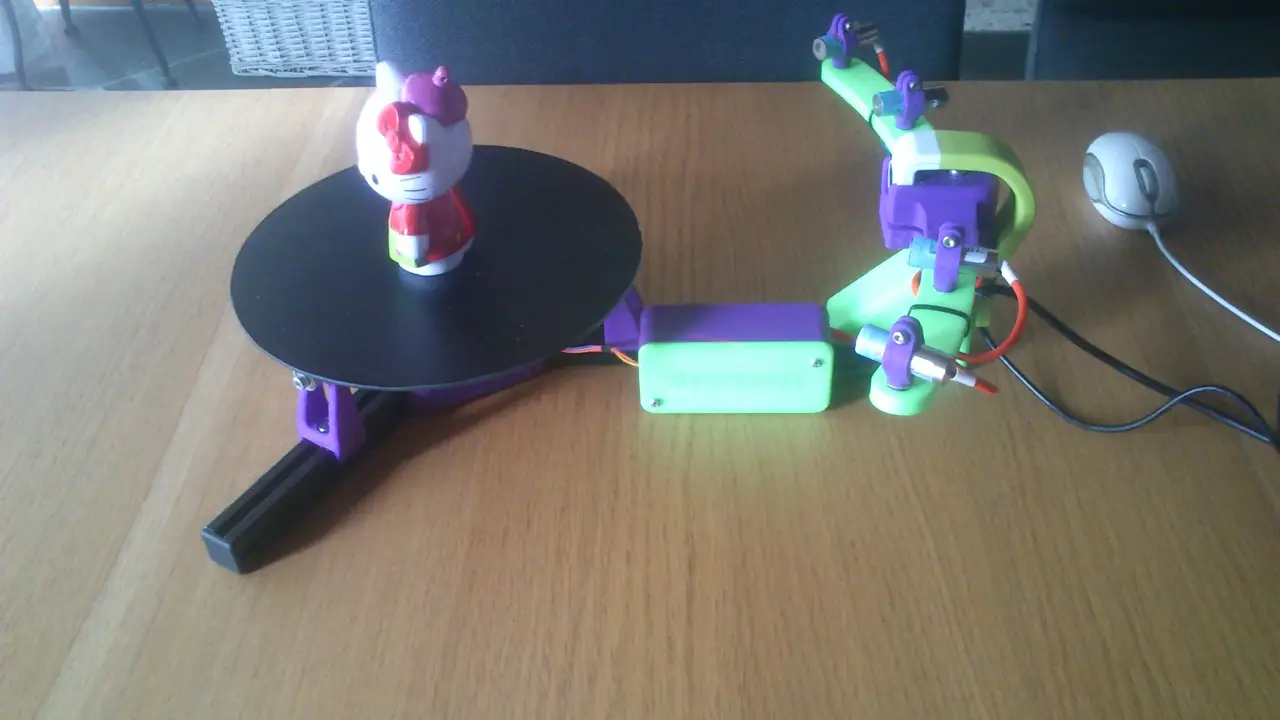
Sub 30$ 3D laser scanner Open harware/software project
por Fabio Ferretti en Thingiverse
*update French calibration available on github https://github.com/Sardau/Sardauscan update http://www.instructables.com/id/Build-a-30-laser/ i've adden a instructable to explain how to build, calibrate and use the sardauscan. update: V0.0.0.4 out : (much) faster better stronger Sardauscan is a open.
Licencia
Solo uso personalCC BY-NC 4.0 — Atribución, no comercial
Puedes imprimirlo y modificarlo para uso personal dando crédito. No se permite vender las impresiones.
Al descargar aceptas respetar la licencia y dar crédito a Fabio Ferretti.
Archivos (18)
- arm_left.stl STL · 761 KB
- box.stl STL · 3,2 MB
- box_arduino_clamp.stl STL · 404 KB
- arm_right.stl STL · 643 KB
- roller_baseV2.stl STL · 5,9 MB
- CORNER.stl STL · 2,9 MB
- Camera_HOLDER_LOWER_PART.stl STL · 2,4 MB
- MOTOR_MOUNT.stl STL · 8,8 MB
- laser_holder.stl STL · 1,2 MB
- center_axe_MINIMAL.stl STL · 5,6 MB
- Camera_HOLDER_UPPER_PART.stl STL · 4,7 MB
- table_AXLE.stl STL · 17,6 MB
- calibration.stl STL · 832 KB
- M4_tslot_nut.stl STL · 153 KB
- Sardauscan.123dx 123DX · 948 KB
- BOM.txt TXT · 1 KB
- Sample_scan_kitty_at_640x480.stl STL · 29,2 MB
- box_door.stl STL · 2,8 MB
- Categoría
- Para tu impresora
- Formatos
- STL, 123DX, TXT
- Descargas
- 39,513
- Publicado
Sobre este modelo
*update French calibration available on github https://github.com/Sardau/Sardauscan update http://www.instructables.com/id/Build-a-30-laser/ i've adden a instructable to explain how to build, calibrate and use the sardauscan. update: V0.0.0.4 out : (much) faster better stronger Sardauscan is a open source Sub 30$ 3D laser scanner that you can easely print yourself. Even 12$ if you already have a hercule HD twist. I think we can say it's "the cheaper 3d scaner on earth" you just need a arduino nano, 1 to 4 line laser and a micro geared stepper (28BYJ-48) (see instruction for BOM) no external power needed. just 2 free usb port on your pc : one for the webcam the other for the rest. UPDATE I’m proud to announce you the release of the open source Software for the “cheapest 3d scanner on earth” the 30$ DIY Sardauscan. The software Is written in C# and allow you to compose your Scan task by drag and drop. Recommended Process is composed from these scan “Scan” => “IrQ filter” => “merge laser” (if you use more than one laser) => “Build Mesh by interpolation “ => “Save STL”. But if you are not satisfied with the build-in processing task, or if you prefer use another heavy but powerful software to work with your point clouds like meslab or other, you can just “Scan” => “Save Ply” and import them in your preferred application. While the software come with a building support of the Sardauscan hardware, and usb camera. You can easely write your own Hardware proxy via plugins. You can event build your own task to insert in your scan process. Source Code : https://github.com/Sardau/Sardauscan real time scan video : https://www.youtube.com/watch?v=TPb-gEVkBYo postprocessing start @ 1:50, if you want to see the speed of post processing (smooth, mesh reconstruct, and stl generation ) French discussion : http://talk.smartfri.odns.fr/index.php?topic=368.0
Descripción original del autor, publicada en Thingiverse.



