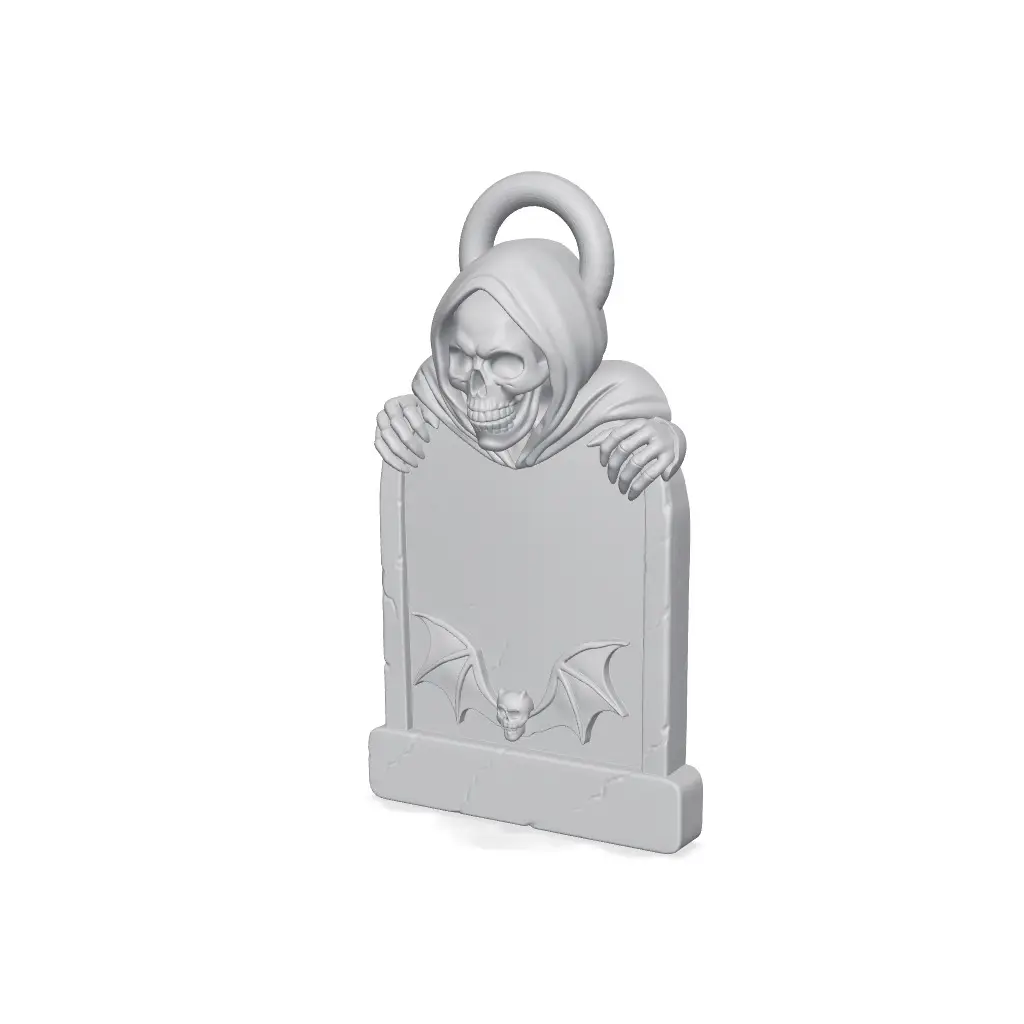
Spooky Halloween Gravestone with Customizable Text
Bring a spooky, personal touch to your Halloween setup with this customizable Grim Reaper Tombstone. It features a detailed hooded reaper looking over the gravestone, an embossed bat design, and raised text that you can easily edit directly in Bambu Studio. You can display it sitting on a desk or sh
Thangs entrega los archivos a usuarios con cuenta gratuita
Licencia
Revisa las condicionesStandard Personal Use License
El autor usa su propia licencia. Revisa sus condiciones en la página original antes de compartir, modificar o vender.
Al descargar aceptas respetar la licencia y dar crédito a 3d C.
Archivos (2)
- Halloween Gravestone with Customizable Text.3mf 3MF · 6,4 MB
- Halloween Gravestone with Customizable Text.stl STL
- Categoría
- Moda y joyería
- Formatos
- 3MF, STL
- Descargas
- 10
- Publicado
Sobre este modelo
Bring a spooky, personal touch to your Halloween setup with this customizable Grim Reaper Tombstone. It features a detailed hooded reaper looking over the gravestone, an embossed bat design, and raised text that you can easily edit directly in Bambu Studio. You can display it sitting on a desk or shelf, or hang it up as an ornament using the built-in top loop.
Key Features:
Customizable Text: Change "Happy Halloween" to any name, funny RIP quote, or custom message in seconds inside Bambu Studio. No 3D modeling skills needed. Two Ways to Display: Stands flat on any shelf or table, or hangs using the sturdy top ring. Multi-Color Ready: Optimized for Bambu AMS with a separate text layer for crisp, high-contrast printing. Print-in-Place: Designed as a single piece with no assembly or glue required. How to Customize the Text in Bambu Studio:
Open the included .3mf file in Bambu Studio. Switch to the "Objects" tab on the left-side panel. Select the model and click the Text tool ("T" icon) on the top toolbar (or right-click the Text shape in the list). Type your custom text, pick your preferred font or thickness, and click apply. Slice and print. Recommended Print Settings:
Layer Height: 0.16 mm or 0.20 mm (0.16 mm gives great detail on the skull and hood) Walls / Perimeters: 2 or 3 Infill: 15% Gyroid Supports: Tree supports (touching buildplate only) recommended for the reaper's chin and fingers Ironing: Turn on ironing for the top surface of the text for a smooth finish Flushing Volume: Set black-to-orange flushing around 450–500 mm³ to prevent dark filament bleed If you print one, please share your make and let me know what custom message you chose!
Descripción original del autor, publicada en Thangs.