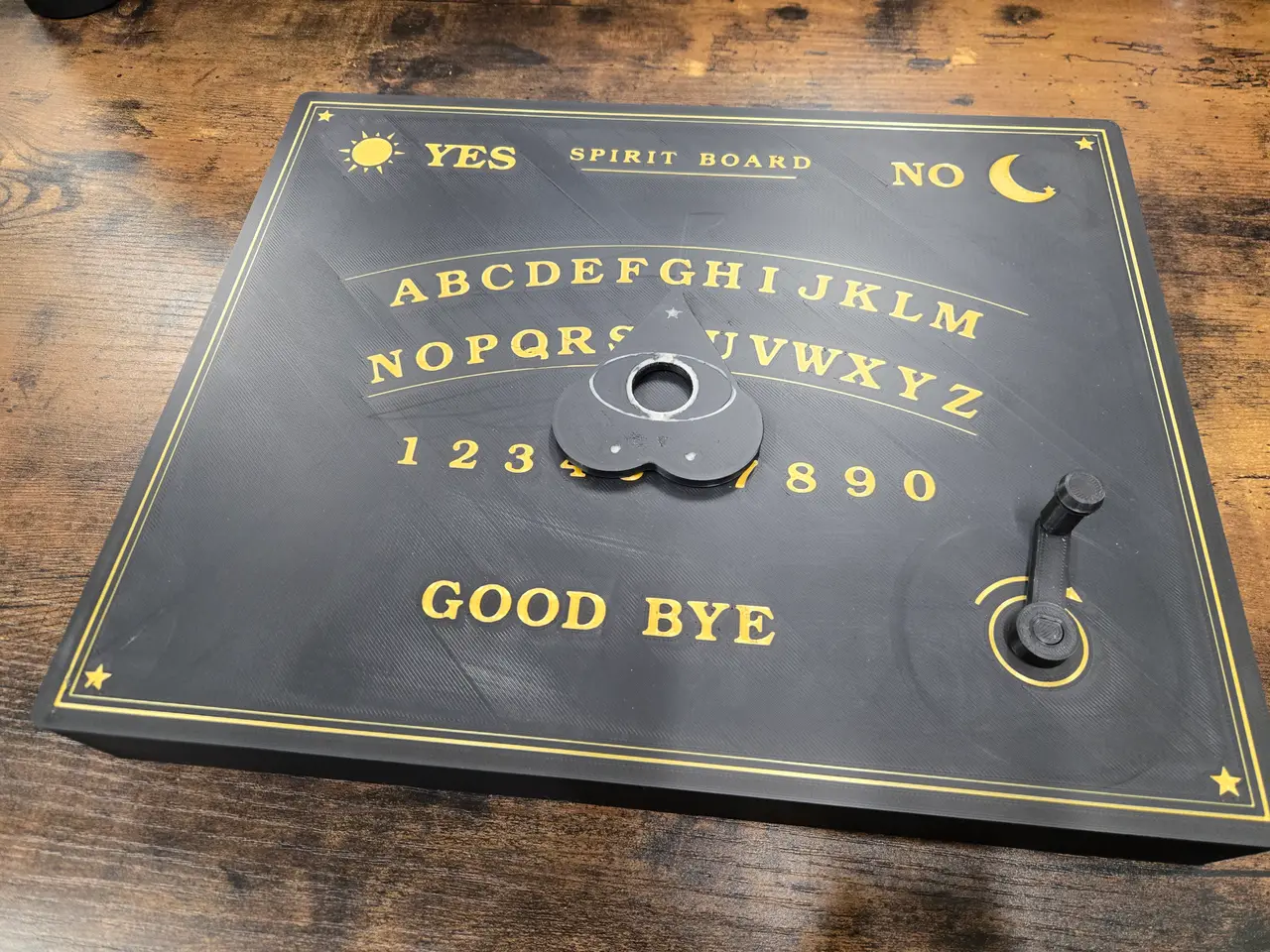
Spirit Board Automaton
por Josephalapod en Printables
Crank driven spirit board. Turn the crank and watch the planchette move to spell out a word!
Licencia
Solo uso personalCC BY-NC 4.0 — Atribución, no comercial
Puedes imprimirlo y modificarlo para uso personal dando crédito. No se permite vender las impresiones.
Al descargar aceptas respetar la licencia y dar crédito a Josephalapod.
Archivos (13)
- Base.stl STL · 462 KB
- Lid - Multicolor.3mf 3MF · 311 KB
- Planchette - Multicolor.3mf 3MF · 84 KB
- Puck.stl STL · 70 KB
- X Cam (Ghost).stl STL · 366 KB
- Y Cam (Ghost).stl STL · 360 KB
- Lower Slide.stl STL · 121 KB
- Upper Slide.stl STL · 121 KB
- Crank Handle.stl STL · 75 KB
- Crank Pinion.stl STL · 110 KB
- Y Lever.stl STL · 118 KB
- X Lever.stl STL · 202 KB
- Cam Washers (Optional).stl STL · 75 KB
- Categoría
- Varios
- Formatos
- STL, 3MF
- Descargas
- 1
- Publicado
Sobre este modelo
Turn the crank and the planchette slides across the board by itself and spells "GHOST", stopping on each letter. Two cams drive a magnetic puck under the board. Each cam has a slot on the lower side which moves an X and Y lever. These levers move the upper and lower slides respectively to achieve 2 axis of movement. Magnets are used in a few locations on the base, lid, puck, and planchette. The magnets I used are 8mm x 2mm neodymium magnets from Harbor Freight. 4 - 608 bearings were used to keep the rotation of the levers and cams in line and to prevent friction. I tried to print the model with just pins instead however, the friction generated caused the planchette to lag behind and not land on letters correctly. Print the cams with the slots facing up. Supports are only needed for this part on the inside of the bearing shaft. Print the lid on a smooth PEI sheet to prevent unnecessary drag. 20% infill & 3 perimeters ( I used the gyroid pattern) Non-Printed Needed Materials 12pc - 8mm x 2mm neodymium magnets 4pc - 608 bearings (Optional) 2pc - M3 x 10mm pan head bolts Assembly Instructions Step 1: Insert 4 magnets into the 4 pockets in the base. I used super glue to keep them in place. Step 2: Insert the 608 bearings into the X (Red) and Y (Blue) levers. Then, place the assembled levers onto their respective pins. Try to maintain their orientation as pictured here. This is the starting position for the cams. Step 3: Insert the 608 bearings into the X (Orange) and Y (Green) cams. Then, place the assembled cams onto their respective pins. When placing the cams down, ensure that the arrows on each cam align to each other and that the levers stay in the position pictured.. This is the starting position for the cams. Once the cams are in position, you can optionally add the cam washers to the top of the bearings. These do not have a significant effect but if you are having issues with your cam fitment, they can help. There is a hole in the post for each cam to accommodate an M3 bolt. I used M3 x 10mm pan head bolts. Next, place the crank pinion (Small Green Gear) onto its post. Step 4: Place the lower slide (Yellow) onto its rails ensuring that the Y lever post goes through the small slot at the top of the slide. Next, place the upper slide (Teal) onto its rails, ensuring that the X lever post goes through the small slot on the left. Note that the upper slide also has a small groove cut into the bottom of it to help guide it along the rails. This groove needs to fit over the guide on the front rail. Step 5: Glue 2 more magnets into the pockets on the puck. Once dry, place the puck into the open hole created at the intersection of the upper and lower slides. This intersection is located where the right groove on the upper slide and the bottom groove on the lower slide meet. Step 6: Glue 4 more magnets into the holes on the bottom of the lid ensuring that the magnet polarity accepts the magnets on the base. These magnets are what hold the lid onto the base. Next, glue the final 2 magnets into the holes on the bottom of the planchette again, ensuring that they accept the polarity of the magnets in the puck. Place the lid onto the base with the pinion shaft going through the hole in the bottom right where the arrow is located. Slide the crank handle onto the pinion shaft and place the planchette on top of the lid aligning it with the puck magnets below.
Step 7: Congrats! The spirit board is complete. Turn the handle clockwise and watch the planchette move on its own!
Descripción original del autor, publicada en Printables.