
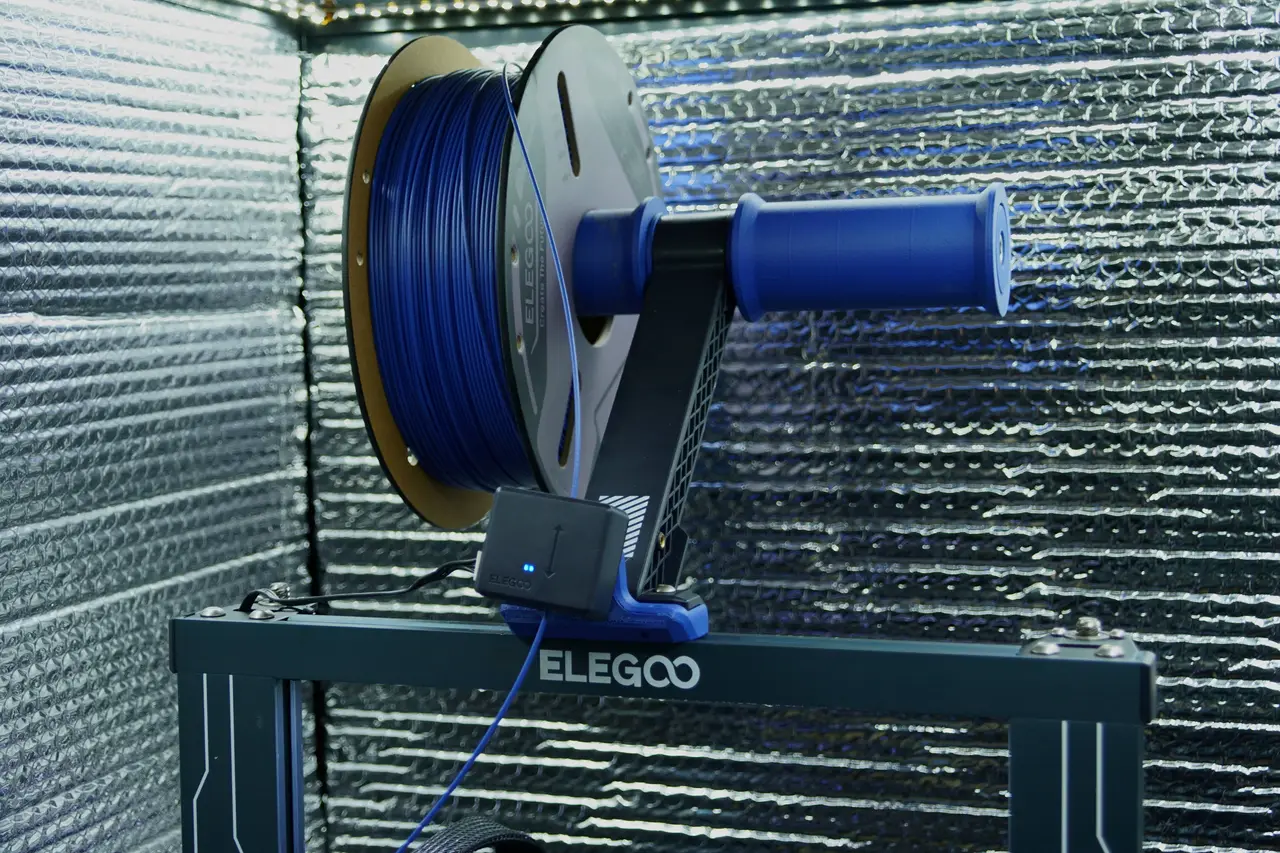
Spinning Spool Holder for Neptune 4
por RabidOtter en Printables
A spool holder for the Neptune 4 series with integrated ball bearings.
Licencia
Uso comercial permitidoCC BY-SA 4.0 — Atribución, compartir igual
Puedes usarlo y modificarlo dando crédito; las versiones modificadas deben compartirse con la misma licencia.
Al descargar aceptas respetar la licencia y dar crédito a RabidOtter.
Archivos (5)
- Categoría
- Para tu impresora
- Formatos
- STL, F3D
- Descargas
- 1
- Publicado
Sobre este modelo
This is a spool holder that spins to reduce the friction when the extruder is pulling the filament. You can fit two of them on the Neptune 4 or Neptune 3 series. Fusion 360 files are included if you want to remix it to your tastes. BOM Qty Part Description
1 M8 x 100 mm SHCS 100 mm long Socket head cap screw, M8 thread
1 M8 Lock Washer Thread locker and a normal nut would also work.
2 606 Bearing 8mm ID x 22mm OD x 7mm thick ball bearing
Print Settings Print all parts with 3 or more walls. Layer height on the Inner End should be 0.1 mm or finer. Any material should work, but I recommend PETG, ASA, or ABS. I personally used Elegoo's blue ASA-CF, hoping that it would match the Neptune's color scheme. Assembly Step 1: Put the Outer End, first bearing, and the center spacer onto the M8 bolt. Step 2: Put the Spool Mandrel over the Center Spacer and then put the second bearing onto the bolt.
Step 3: Put the Inner End and the lock nut on the end of the bolt. The bearings should be a tight fit and you'll need to press the two ends with a good amount of force to get the nut to where it can thread onto the bolt. I used an arbor press, but a vice or gentle mallet strikes could also work. You only need to have the ends pressed in enough to get a few threads of the bolt into the nut. Tightening it will compress everything together. Step 4: Tighten the bolt down. There are wrench flats on the Inner End, hold those with a wrench or a vice while you use a hex key to tighten the bolt. Tighten until the whole assembly is pressed together, then back out the bolt slightly to relieve tension. Double check that the Mandrel spins freely, if it doesn't, loosen the bolt until it does. Step 5: Screw the assembly spool holder into the spool holder on on the printer. Use the hex key to tighten it down.
Fun fact: I designed the original for my Monoprice Maker Select, which was my first printer. I dusted it off and tweaked it so that it can mount to my Neptune 4.
Descripción original del autor, publicada en Printables.



