
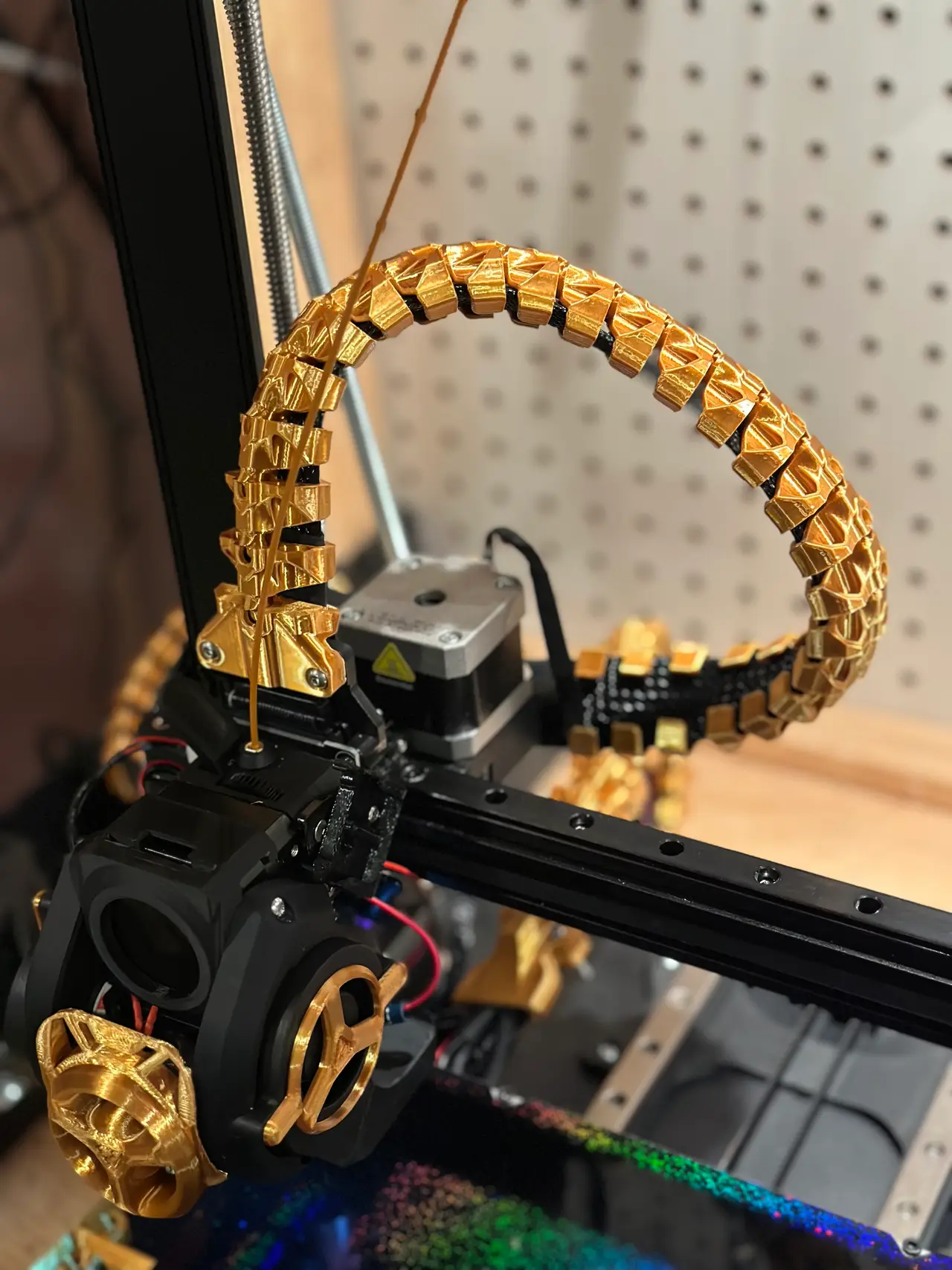
Spine Cable Chain - Ender 3 V3 KE/SE
por Lite en Printables
A full-featured solution for managing the cables on your Ender 3 V3 KE or SE.
Licencia
Solo uso personalCC BY-NC 4.0 — Atribución, no comercial
Puedes imprimirlo y modificarlo para uso personal dando crédito. No se permite vender las impresiones.
Al descargar aceptas respetar la licencia y dar crédito a Lite.
Archivos (9)
- Spine Cable Chain.3mf 3MF · 1,3 MB
- Spine Cable Chain_Bed Cable.3mf 3MF · 1,8 MB
- Spine Cable Chain_Zip Tie.3mf 3MF · 1,4 MB
- Spine Cable Chain_Wire Clip.3mf 3MF · 1,7 MB
- Spine Cable Chain_Bed Clamp.3mf 3MF · 476 KB
- Spine Cable Chain_ToolHead Mount.3mf 3MF · 941 KB
- Spine Cable Chain_Bridge.3mf 3MF · 1,4 MB
- Spine Cable Chain_BedCableBaseMount.3mf 3MF · 293 KB
- Spine Cable Chain_Side Mount.3mf 3MF · 1,3 MB
- Categoría
- Para tu impresora
- Formatos
- 3MF
- Descargas
- 6,100
- Publicado
Sobre este modelo
This is my take on a spine style cable chain for the Ender 3 V3 KE/SE. I was going for a very specific "look," and I think I've achieved it. I've designed components for all the various mounting points. There are three mounts for the main cable coming out of the tool head: one for the tool head, one for the base, and a bridge for the X-axis gap. For the bed cable, there are 2 mounts: The clamp for the bed and a mount for the backside base of the printer.
You'll need 2 M3 screws and nuts to secure it. I originally had clips designed but prefer it clamped down hard - so I opted for these. Length doesn't really matter. It won't touch anything.
Join my discord! https://discord.gg/uYBuFXUmcU
Everything in this project can be printed without supports except the bed cable base mount. This should be printed, as shown in the picture below, with a small support painted on for the ball joint.
You will need to print: - 46 Main Links - This can be any combination of the “Standard” Mount + The zip tie or claw variants. Those are optional but handy if you have some extra wiring to hide. - 20 Bed Chain Links - 1 of each of the various mount
I recommend printing everything with variable layer height. It really helps with the overhangs.
Print Settings: - Lots of walls
Thats it! Please enjoy!
Descripción original del autor, publicada en Printables.



