Sovol Ultimate Edition (SUE) — Complete OrcaSlicer 2.5.0 Vendor Bundle (SV08, SV08 Max & Zero)
por Chris Barwick en Printables
A completely new vendor bundle - 5 nozzle sizes (0.2mm–1.0mm), 25 process profiles (Ultra Precision to Ultra Fast)
Licencia
Uso comercial permitidoCC BY-SA 4.0 — Atribución, compartir igual
Puedes usarlo y modificarlo dando crédito; las versiones modificadas deben compartirse con la misma licencia.
Al descargar aceptas respetar la licencia y dar crédito a Chris Barwick.
- Categoría
- Para tu impresora
- Formatos
- STL, ZIP
- Descargas
- 62
- Publicado
Sobre este modelo
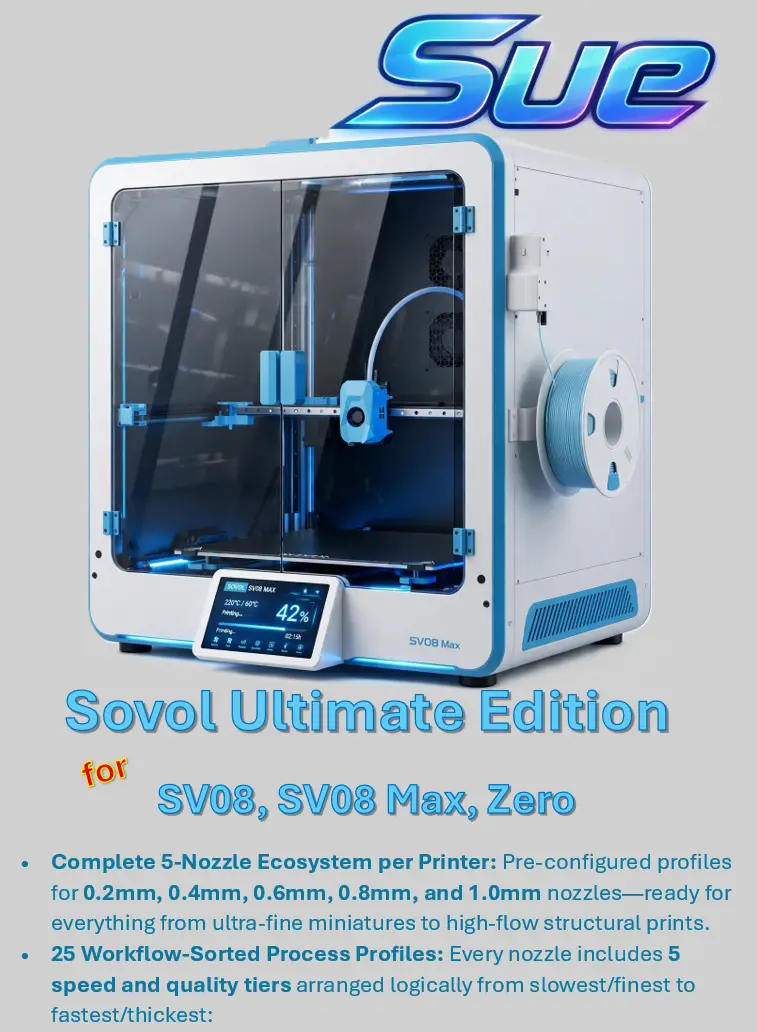
Overview Stop fighting limited stock nozzle presets or rebuilding your slicer settings every time you swap hotends! The Sovol Ultimate Edition (SUE) Vendor Bundle is a complete, native OrcaSlicer 2.5.0 printer library designed to give Sovol CoreXY owners a cohesive, logical, and high-performance slicing workflow right out of the box. Instead of cluttering your user presets, SUE registers cleanly as its own native vendor inside OrcaSlicer's Select/Remove Printers wizard—complete with custom printer artwork and high-resolution build plate textures. Key Features & Benefits Over Stock - Three Sovol CoreXY Machines Included: - SUE SV08 (350 x 350 x 345 mm)
- SUE SV08 Max (500 x 500 x 500 mm)
- SUE Zero (152.4 x 152.4 x 152.5 mm)
- Complete 5-Nozzle Ecosystem per Printer: Pre-configured profiles for 0.2mm, 0.4mm, 0.6mm, 0.8mm, and 1.0mm nozzles—ready for everything from ultra-fine miniatures to high-flow structural prints.
- 25 Workflow-Sorted Process Profiles: Every nozzle includes 5 speed and quality tiers arranged logically from slowest/finest to fastest/thickest: - Ultra Precision – Fine layer heights, conservative outer-wall speeds, and tight line widths for maximum surface quality.
- Precision – High dimensional accuracy and clean overhangs for detailed functional parts.
- Standard – The balanced everyday profile for reliable strength, speed, and finish.
- Fast – Thicker layers and boosted infill/inner-wall speeds for quick iterations.
- Ultra Fast – High-flow extrusion and aggressive travel accelerations to maximize throughput.
- Tailored Machine Kinematics & Safe Purge Routines: Custom acceleration limits, Klipper-ready start/end G-code, air filtration support on the Zero, and bed-safe purge lines (including a compact purge sequence sized specifically for the Sovol Zero's 152.4 mm build plate).
- Custom Build Plate Textures & Cover Art: Crisp, dark-cyan grid build plates matched to each bed size plus custom printer graphics in the setup wizard.
- Instant Filament Compatibility: Automatically links to OrcaSlicer's shared OrcaFilamentLibrary (Generic PLA, PETG, ABS, etc.), so all your existing filament profiles work immediately.
100% Safe & Non-Destructive - Zero Overwrites: Installs as a separate "Sovol Ultimate Edition" vendor alongside your existing setup. Your stock Sovol profiles, custom user presets, and Orca Cloud sync remain completely untouched.
- Pure Config Files: Contains only standard plain-text .json profiles and .png images—no scripts, executables, or modified binaries.
- Easy Removal: Uncheck Sovol Ultimate Edition in the printer selection wizard at any time, or delete the Sovol Ultimate Edition files from resources/profiles/.
Installation Instructions (OrcaSlicer 2.5.0) - Close OrcaSlicer completely.
- Download & Extract: Unzip Sovol_Ultimate_Edition_OrcaSlicer_2.5.0.zip directly into your main OrcaSlicer installation directory, allowing it to merge with the existing resources folder.
- Clear the System Cache: Delete OrcaSlicer's local system cache folder so it indexes the new vendor on next launch: - Windows: Press Win + R, enter %APPDATA%\OrcaSlicer, and delete the system folder.
- macOS: In Finder, press Cmd + Shift + G, go to ~/Library/Application Support/OrcaSlicer, and delete the system folder.
- Enable in Wizard: Open OrcaSlicer, click the Select/Remove Printers gear icon in the top-left sidebar, check Sovol Ultimate Edition, and select your printer model(s) and nozzle sizes.
A few additional notes: - Please like and comment so that I know my efforts are appreciated
- I will try to continue to refine this vendor bundle based on community feedback and suggestions.
Descripción original del autor, publicada en Printables.