
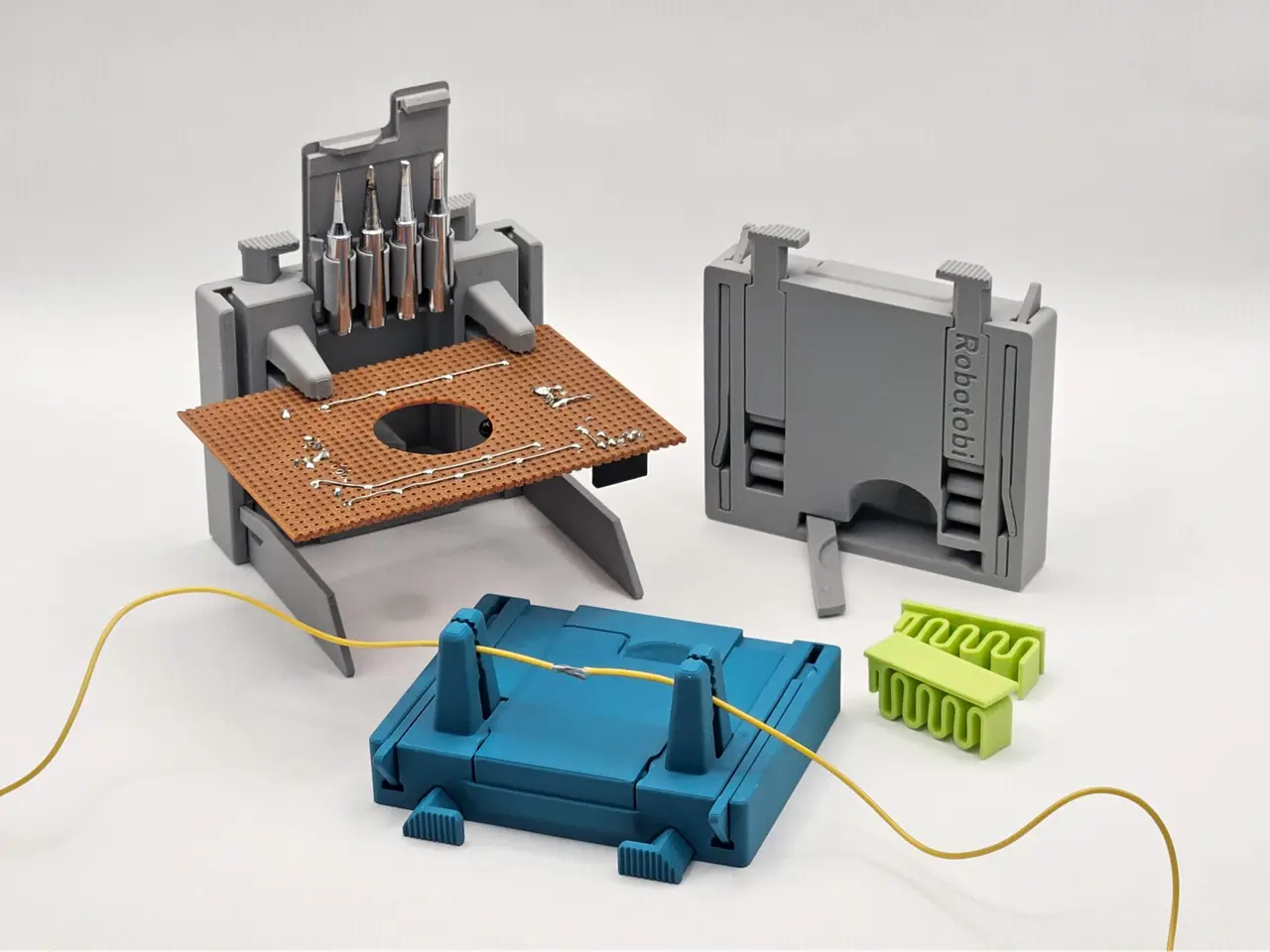
Soldering Multi Holder, print in place
por Robotobi en MakerWorld
Boost MeCreating a model like this takes countless hours and far more test prints than I can admit. If it brings a smile to your face, please consider giving it a boost. It costs you nothing, yet it helps me a lot. One boost is about 80g of PLA filament and keeps me creating.
MakerWorld entrega los archivos a usuarios con cuenta gratuita
Licencia
Solo uso personalStandard Digital File License
Licencia estándar de archivos digitales: solo uso personal. No se permite compartir, revender ni subir el archivo a otros sitios, ni vender las impresiones.
Al descargar aceptas respetar la licencia y dar crédito a Robotobi.
Archivos (4)
- Soldering Helper.stl STL · 4,3 MB
- Spring.stl STL · 429 KB
- Tip Holder.stl STL · 405 KB
- Lid.stl STL · 161 KB
- Categoría
- Tecnología
- Formatos
- STL
- Descargas
- 14,825
- Publicado
Sobre este modelo
Boost MeCreating a model like this takes countless hours and far more test prints than I can admit. If it brings a smile to your face, please consider giving it a boost. It costs you nothing, yet it helps me a lot. One boost is about 80g of PLA filament and keeps me creating.
This is my little soldering helper. It holds PCBs and wires and other small things. Useful for electronic work and model making.
If you like this design then you should also take a look at my “solder wire stand”.
The body with the legs is completely print in place. The spring and the lid with the soldering tip holder are clipped in.
There are three slots for a small flat screwdriver. Use them if necessary to detach the parts for the first time after printing. To open the two “front legs”: While holding the "Multi Holder", do not squeeze hard with your hand, as this will compress the locking mechanism!
If you print on a Bambu Printer, use the bed leveling and the flow dynamic calibration at the beginning of the print. Make sure you have good bed adhesion. Make sure the filament is dry, especially when using PETG! To ensure that printing works without problems, I created a test model. For non-Bambu filaments, I recommend printing the test file first: “print in place Test”
I had perfect results with Bambu PLA Basic, Bambu PLA Metal, Bambu PETG-HF, Bambu PETG-CF and good result but a little stiffer on the moving parts with Bambu Silk+ (not the normal silk). I do not recommend using matte filaments. The spring can also be printed separately. I tested different materials for the spring. It worked very well with transparent PETG.
My print profile works with all filament types! Just switch to your desired filament in Bambu Studio or Bambu mobile app
I am happy to receive feedback. If you have any problems or suggestions for improvements, let me know.
Descripción original del autor, publicada en MakerWorld.



