
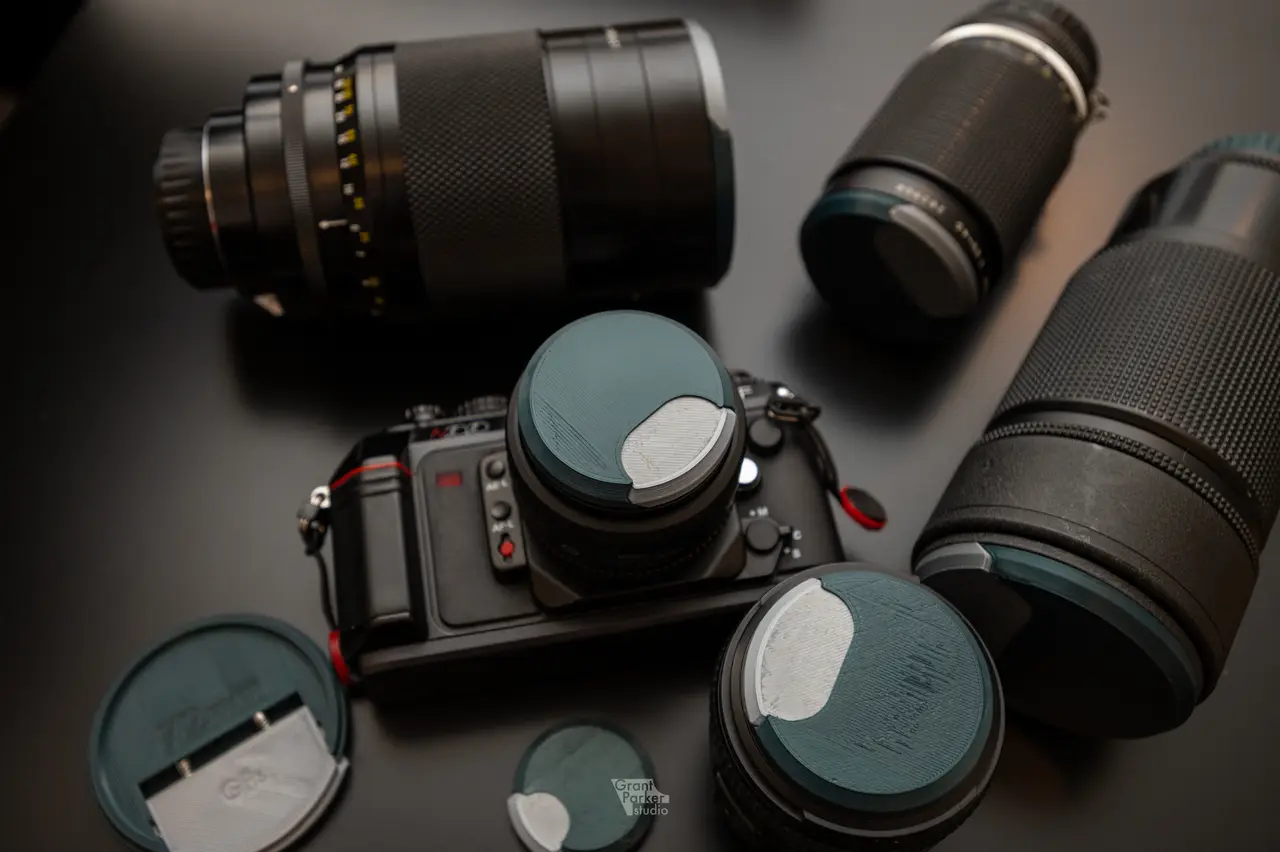
Single Press Lens Cap
por Grant Parker studio en Printables
Front lens cap that is parametric and can be resized to fit a variety of lenses.
Licencia
Solo uso personalCC BY-NC-SA 4.0 — Atribución, no comercial, compartir igual
Uso personal dando crédito; sin fines comerciales y las modificaciones con la misma licencia.
Al descargar aceptas respetar la licencia y dar crédito a Grant Parker studio.
Archivos (16)
- 48mmMain.3mf 3MF · 201 KB
- 48mmPress.3mf 3MF · 139 KB
- 52mmMain.3mf 3MF · 198 KB
- 52mmPress.3mf 3MF · 139 KB
- 58mmMain.3mf 3MF · 199 KB
- 58mmPress.3mf 3MF · 135 KB
- 62mmPress.3mf 3MF · 132 KB
- 62mmMain.3mf 3MF · 189 KB
- 72mmPress.3mf 3MF · 124 KB
- 72mmMain.3mf 3MF · 179 KB
- 77mmPress.3mf 3MF · 122 KB
- 77mmMain.3mf 3MF · 168 KB
- 88mmMain.3mf 3MF · 188 KB
- 88mmPress.3mf 3MF · 122 KB
- Parametric Lens Cap v8.f3d F3D · 426 KB
- 52mmLensCap_0.2mm_PLA_MK3_1h1m.gcode GCODE · 3,1 MB
- Categoría
- Tecnología
- Formatos
- 3MF, F3D, GCODE
- Descargas
- 817
- Publicado
Sobre este modelo
Need: Lens cap that can help prevent scratches and excess dust on the front element. This is my take on a solution to that need.
This design uses common springs found in ball point pens. The spring dimensions are 4.5mm Diameter and 18mm long (uncompressed). There should be some tolerance in the length of the spring but I would not recommend going below 16mm and over 20mm. I had a few of these springs around but also ordered a 100 pack of them for around $8 to use for the other lens caps I needed. I have included STLs for 48, 52, 58, 62, 72, 77, 88mm sizes as these are the lens sizes I have been able to test with. This model is designed to be printed at a .2mm layer height. Printing at a thicker height may loose details needed for the part to function. Assembly: - Place springs into cutouts of the press part, Push the springs as far in as they will go into the part - With the threaded features in the same direction, Insert the press part into the grooves of the main one - Push the parts together about half way - Make sure the springs are aligned to the holes in the main part then push the parts completely together.
I typically use 2 springs on most caps, placed on the left and right cutouts, for a decent amount of holding strength. If you are not able to locate 2 of the same or similar spring then place then proceed with only using 1 and placing it in the center.
Resizing/modifying the model: - Open the model in Fusion 360 - Open the parameters panel - Change the parameter for the lens filter thread diameter - *Optional add text to the bottom of the cap containing the size of the cap. E.g. 52mm - *Optional add text to the top of the cap containing the lens the cap is for. E.g. 85 f1.8 - Export each part and print
Feel free to remix this design, I would love to see your take on it!
Descripción original del autor, publicada en Printables.



