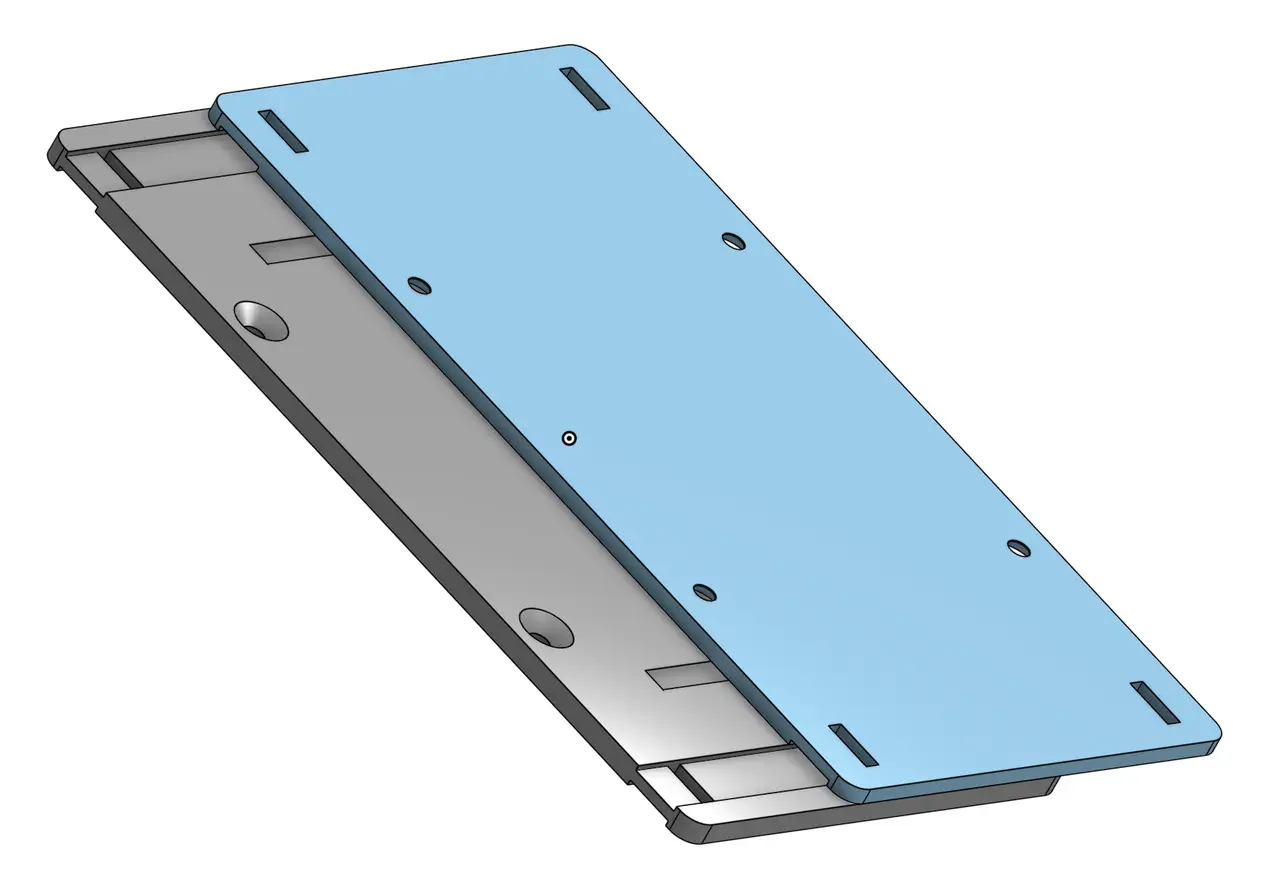
reTerminal D1001 Slide Mount
por trey— en Printables
Quick-release dovetail mount for reTerminal D1001. Slide-on design with screw or zip-tie mounting options.
Licencia
Solo uso personalCC BY-NC-SA 4.0 — Atribución, no comercial, compartir igual
Uso personal dando crédito; sin fines comerciales y las modificaciones con la misma licencia.
Al descargar aceptas respetar la licencia y dar crédito a trey—.
Archivos (3)
- Categoría
- Tecnología
- Formatos
- STEP, 3MF
- Descargas
- 0
- Publicado
Sobre este modelo
Removable Dovetail Mount for reTerminal D1001 8" HMI Display A removable dovetail mounting system designed for the Seeed Studio reTerminal D1001 8" HMI Display. The two-piece design consists of an HMI Plate that attaches to the display and a Wall Plate that mounts to your desired surface. The dovetail connection allows the display to slide on and off easily. Features - Slide-to-install design – Slide the display down to install and up to remove.
- Two-piece dovetail system – Separate HMI Plate and Wall Plate for easy installation and removal.
- Flexible mounting options – Secure the Wall Plate using screws or zip ties.
- Optional Wall Plate – The HMI Plate can also be mounted directly using zip ties without the Wall Plate.
- Easy removal – Detach the display without removing the mounting hardware.
Compatibility Designed for the reTerminal D1001 8" LCD Touch Display, featuring a 1280 × 800 touchscreen with ESP32-P4/ESP32-C6 processors. Installation - Install the HMI Plate – Attach the HMI Plate to the back of the reTerminal D1001 display.
- Install the Wall Plate – Secure the Wall Plate to your desired surface using screws or zip ties.
- Mount the display – Align the HMI Plate with the Wall Plate's dovetail connection and slide the display downward into position.
- Remove the display – Slide the display upward to detach it.
Alternative installation: The HMI Plate can be secured directly to a surface using zip ties, eliminating the need for the Wall Plate.
Descripción original del autor, publicada en Printables.