
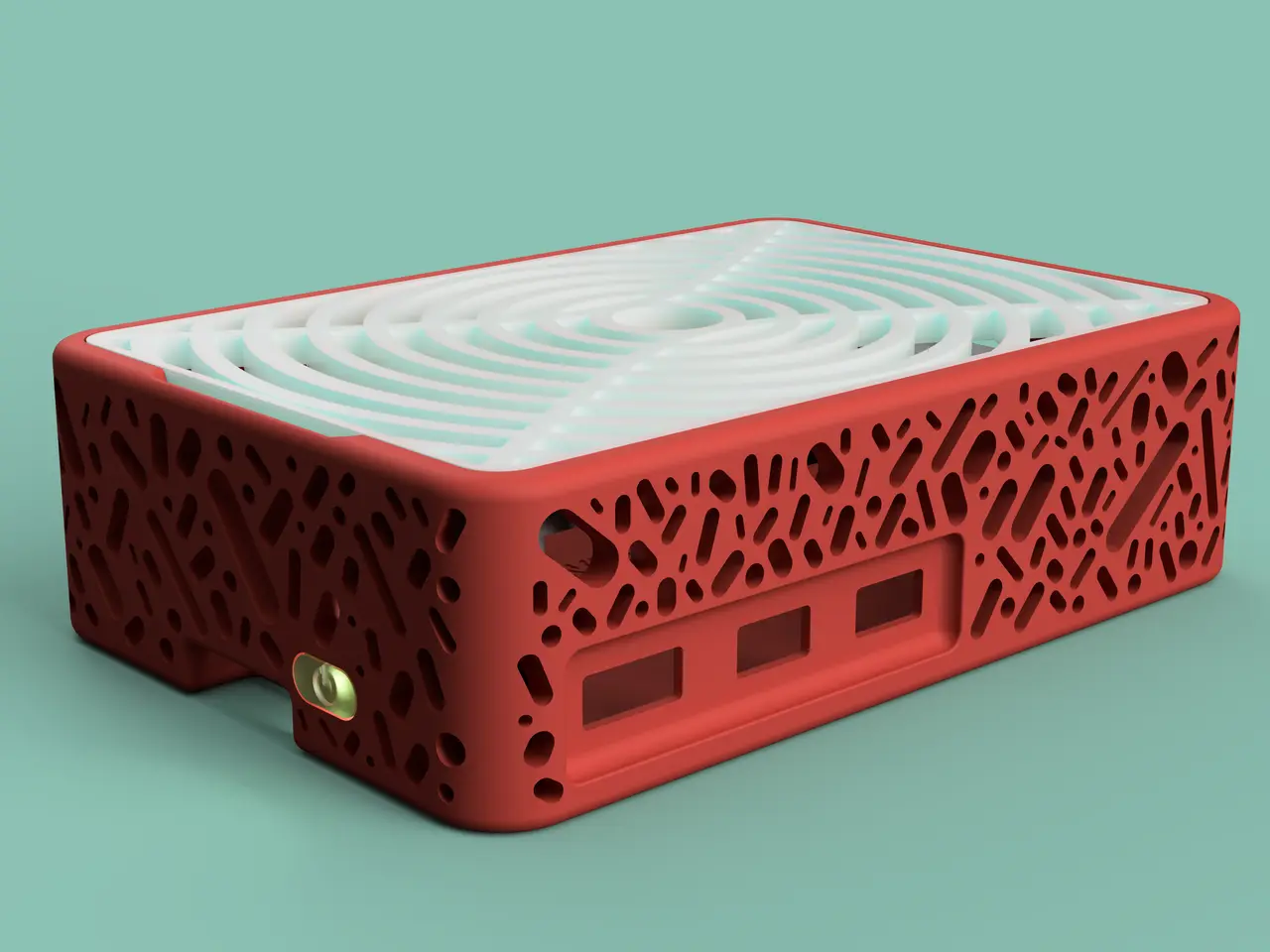
Raspberry Pi 5 case with M.2 NVME SSD HAT support, custom top and power button (UPDATED v1.3) pi5 rpi5
por Nikolica en Printables
I designed this Pi 5 case, following my Pi 4 case. The top and middle frame are unchanged. (about 4-5h print)
Licencia
Uso comercial permitidoPuedes usarlo, modificarlo y venderlo; si distribuyes versiones modificadas deben ir con la misma licencia y sus fuentes.
Al descargar aceptas respetar la licencia y dar crédito a Nikolica.
Archivos (27)
- Pi 5 Case Body With Support (Latest v1.2).3mf 3MF · 2,0 MB
- Pi 5 Case Body With No Support (Latest v1.2).3mf 3MF · 1,9 MB
- Wall Mount (Latest v1.2).3mf 3MF · 196 KB
- Pi 4 and 5 Holder Side (Latest v1.1).3mf 3MF · 72 KB
- Pi 4 and 5 Holder Side-middle (Latest v1.1).3mf 3MF · 164 KB
- Pi 4 and 5 Holder Side-middle and Fan Pins Offset (Latest v1.1).3mf 3MF · 86 KB
- Pi 4 and 5 Holder Middle (Latest v1.1).3mf 3MF · 166 KB
- Pi 4 and 5 Case Top (added in v1.1).3mf 3MF · 211 KB
- Pi 4 and 5 Case Top (added in v1.3).3mf 3MF · 211 KB
- Pi5 Top for SSD HAT with holes (added in v1.2).3mf 3MF · 3,3 MB
- Pi5 Top for SSD HAT Blank (added in v1.2).3mf 3MF · 246 KB
- Pi 4 and 5 Case Top Custom Blank (added in v1.1).step STEP · 101 KB
- Pi 4 and 5 Case Top Custom Blank (added in v1.1).f3d F3D · 125 KB
- Pi5 Top for SSD HAT Blank (added in v1.2).f3d F3D · 538 KB
- Pi 4 and 5 Case Top (added in v1.3).f3d F3D · 403 KB
- Pi 5 Case Button (Latest v1.1).3mf 3MF · 28 KB
- Case +5mm rpi5 (Latest v1.3).3mf 3MF · 2,5 MB
- Top +5mm waveshare (GPIO Exposed) rpi5 (Latest v1.3).3mf 3MF · 202 KB
- Top +5mm waveshare (GPIO SNAPED OFF) rpi5 (Latest v1.3).3mf 3MF · 214 KB
- Support Case +5mm (Latest v1.3).f3d F3D · 23,6 MB
- Pi 5 Case Body With No Support (V1).3mf 3MF · 1,8 MB
- Pi 5 Case Button Blank (V1).3mf 3MF · 20 KB
- Pi 5 Case Button Blank Big Tolerance (V1).3mf 3MF · 21 KB
- Pi 5 Case Button (V1).3mf 3MF · 32 KB
- Pi 5 Case Body With Support (V1).3mf 3MF · 1,8 MB
- Pi 5 Case Body With No Support v1.1 (legacy).3mf 3MF · 1,9 MB
- Pi 5 Case Body With Support v1.1 (legacy).3mf 3MF · 1,9 MB
- Categoría
- Tecnología
- Formatos
- 3MF, STEP, F3D
- Descargas
- 3,664
- Publicado
Sobre este modelo
First of all, thank you for clicking on and maybe printing my model :D
Pi 5 case, following the design of my Pi 4 case. The top and mid-frame remain unchanged. For FDM printing i recommend PLA or some other stiff fillament.
!!! Official M.2 HAT+ wont fit standard case because of long standoffs and big screws… Official M.2 HAT+ will maybe fit +5mm, you will need to design your own topper or screw in pi from the bottom as i made screws a possibility with +5mm case. Official Active Cooler fits both models. I bought my waveshare m.2 nvme hat from here (AliExpress) and this is official site.
What you need to print: - Case body - Case Top - Mid Frame (No mid-frame if you use M.2 NVME HAT) - Button (you can choose to not print it)
With or without support? - If you have SLA/RESIN printer print no support case. - If you have FDM/FILLAMENT printer use case with support.
Which mid-frame to choose: - Side: - full fan clearance - GPIO or camera ports covered
- Middle: - fan partially covered
- Side-middle: - i think nothing should be covered (only PCIe port will be)
- Side-middle and Fan Pins Offset (RECOMMENDED): - all clear (looks like octopus)
- No mid-frame if you use M.2 HAT (if you want you can print this GPIO cover for the pins to leave your fingers unscarred :D)
What you need to finish print: - Pliers/side cutters to pop out supports (if you printed case with supports)
RPI5 doesn't want to boot with SSD? - Did you set boot order? (follow this tutorial from Jeff Geerling if you didn't)- Edit the EEPROM on the Raspberry Pi 5. sudo rpi-eeprom-config --edit - Change the BOOT_ORDER line to the following: BOOT_ORDER=0xf416 - Add the following line if using a non-HAT+ adapter (If you are using waveshare M.2 NVME HAT+ you don't do this): PCIE_PROBE=1 - Press Ctrl-O, then enter, to write the change to the file. Press Ctrl-X to exit nano (the editor).
- If it still doesn't want to boot try re-seating the PCIe connector. - In the end if it doesn't work try updating bios/firmware on your PI5 (i had that problem)- Boot into OS with sd card - Run sudo apt update followed by sudo apt install rpi-update to get utility. - Run sudo rpi-update to run the utility, and follow the onscreen instructions. - Reboot and that's it (this is the tutorial i used for reference)
Custom topper dimensions: - This one contains poles for Waveshare m.2 NVMe hat and for +5mm case other dimensions are the same as original.
Print settings: - Speed: any - Infill: 10-100% - Number of walls: 2-4 - Retraction: Tune it <3 (you can do it with this)
How to change case (v1.1 and lower) to fit waveshare M.2 NVME HAT+: - Get phillips (+) screwdriver (i used PH2) - Rotate the screwdriver into the two holes adjacent to the side ports of the Raspberry Pi until enough material is ground away to accommodate the screws for mounting the HAT onto the Pi.
From To
Change log: - V1- Initial release (waiting for PI5 to arrive)
- V1.1 - Holes for fan on the case body. - I got RPI5 finnaly so i could test the case, the last design fits my pi with cooler perfectly! - I put old files into folder called LEGACY (maybe faulty).
- V1.2 - SSD support (waveshare M.2 NVME HAT+) - Changes on mounting on case - New tops for SSD support (blank, with holes and fusion 360 file) - Tutorial how to change v1.1 and lower to accommodate waveshare M.2 NVME HAT+ - Added wall mount - Tutorial for SSD troubleshooting
- V1.3- added +5mm case design - new topper for waveshare hat for +5mm case - files to change case +5mm
Have fun printing! (and ask if you need any help) If you wish you can donate on my ko-fi page 💗
Descripción original del autor, publicada en Printables.



