
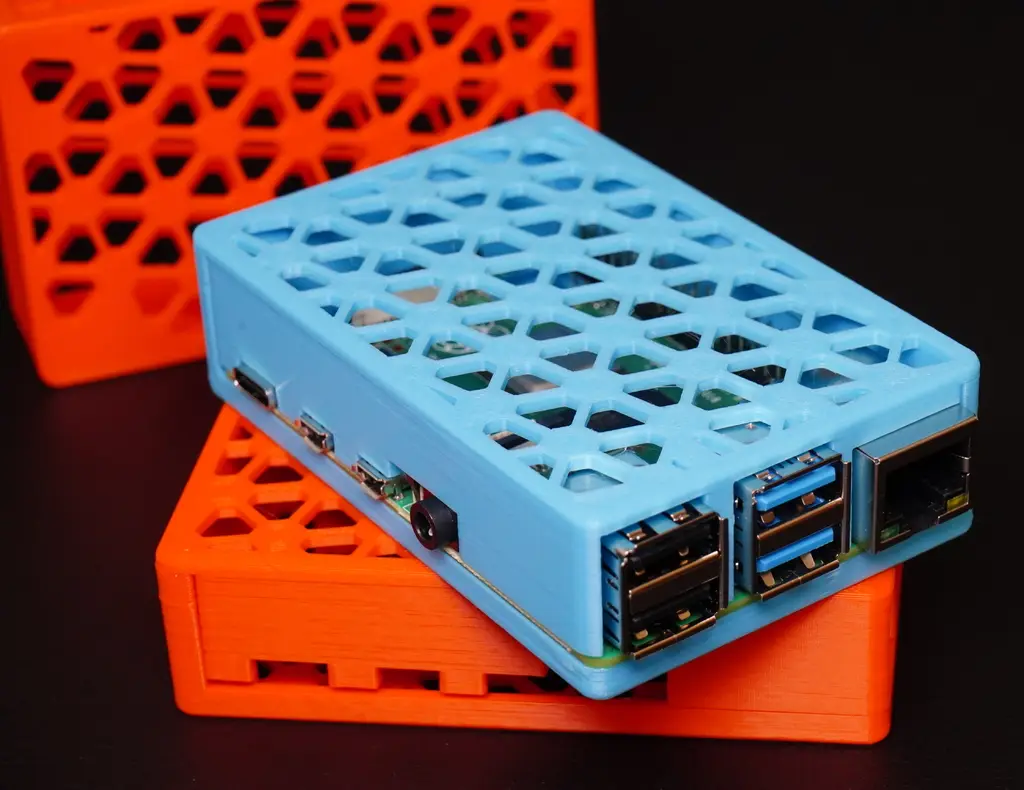
Raspberry Pi 4 Case – PiMesh4
por FlyAttack en Printables
PiMesh4 is a Raspberry Pi 4 case with a geometric mesh pattern that is easy to print. This is a mostly toolless design…
Licencia
Solo uso personalCC BY-NC 4.0 — Atribución, no comercial
Puedes imprimirlo y modificarlo para uso personal dando crédito. No se permite vender las impresiones.
Al descargar aceptas respetar la licencia y dar crédito a FlyAttack.
Archivos (9)
- Raspberry_Pi_4_Case_Toolless__Bottom_PiMesh_Case.stl STL · 209 KB
- pi-mesh-din-rail.stl STL · 129 KB
- Raspberry_Pi_4_Case_M2_Screw_Top_PiMesh_Case.stl STL · 235 KB
- Raspberry_Pi_4_Case_M2_Screw_Combined_PiMesh_Case.stl STL · 448 KB
- Raspberry_Pi_4_Case_Toolless__Top_PiMesh_Case.stl STL · 223 KB
- Raspberry_Pi_4_Case_Tooless_and_SD_Card_Slot_Bottom_PiMesh_Case.stl STL · 216 KB
- Raspberry_Pi_4_Case_M2_Screw_Bottom_PiMesh_Case.stl STL · 214 KB
- Raspberry_Pi_4_Case_Toolless__Combined_PiMesh_Case.stl STL · 432 KB
- Raspberry_Pi_4_Case_M2_Screw_and_SD_Card_Slot_Bottom_PiMesh_Case.stl STL · 214 KB
- Categoría
- Tecnología
- Formatos
- STL
- Descargas
- 2,761
- Publicado
Sobre este modelo
PiMesh4 is a Raspberry Pi 4 case with a geometric mesh pattern that is easy to print.
This is a mostly toolless design with a friction fit. There are two versions of the model – one totally toolless – one that utilizes a single m2 countersunk screw 10-16mm in length (recommended).
Update: added a dinn mount.
This is designed for 3d printing and utilizes no supports and utilizes only 25 grams of filament.
To assemble the case:
1) First, insert the Raspberry Pi 4, insert the corner with the ethernet port first, then set the Pi PCB into the remaining posts.
2) Next, affix the lid starting with the side nearest the ethernet port.
3) Finally, screw in an m2 countersunk screw 10-16mm in length on the underside.
Update:
Added a version of each (tool-less and m2 screw versions) that allow access to micro SD card.
Category: Electronics
Descripción original del autor, publicada en Printables.



