
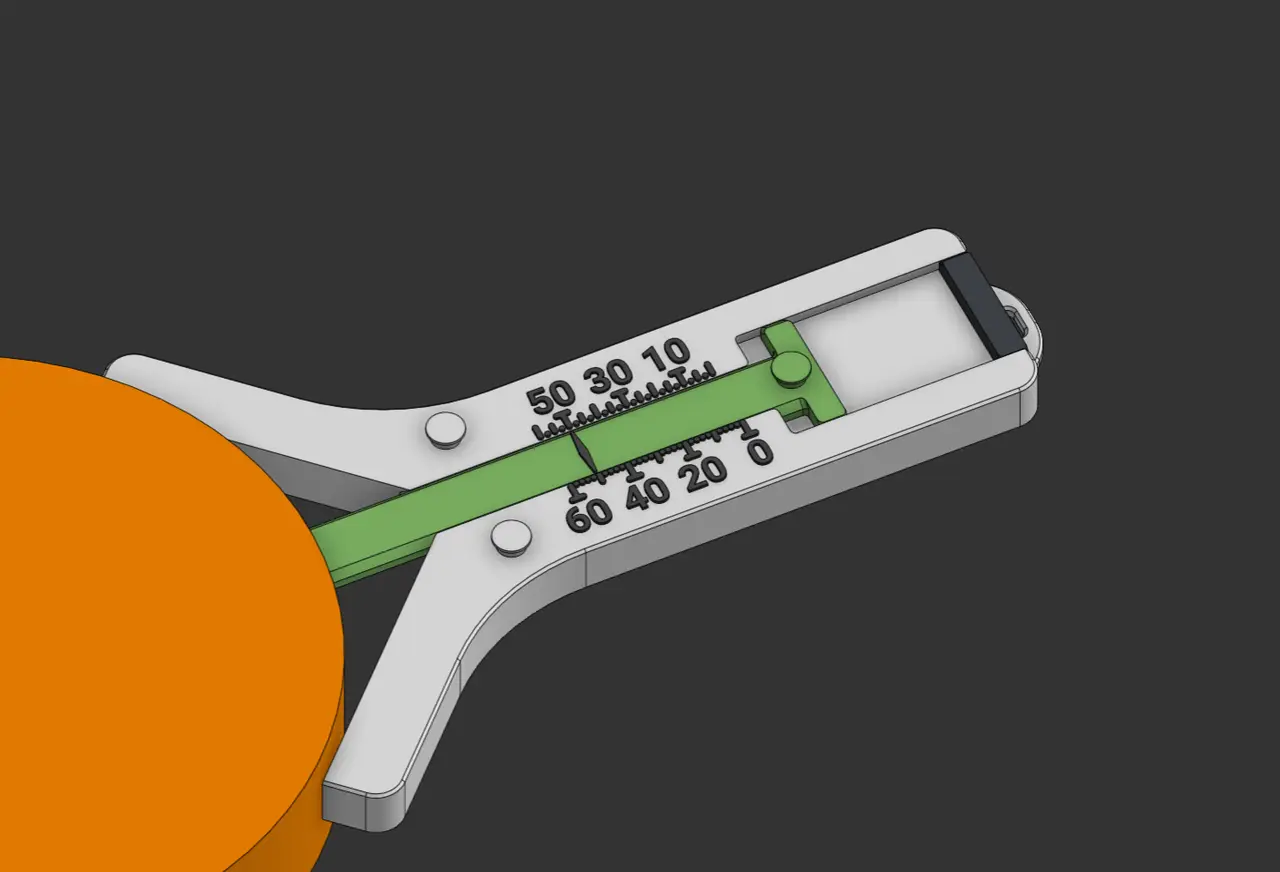
Radius Gauge
por Alex en Printables
An analog tool to measure the radius of corners. Unfortunately only works on 90 degree corners.
Licencia
Uso comercial permitidoPuedes imprimirlo, modificarlo y venderlo sin pedir permiso ni dar crédito.
Al descargar aceptas respetar la licencia y dar crédito a Alex.
Archivos (18)
- Base.stl STL · 1,6 MB
- End Cap.stl STL · 58 KB
- Slider.stl STL · 220 KB
- Base.step STEP · 439 KB
- End Cap.step STEP · 28 KB
- Slider.step STEP · 71 KB
- Base.obj OBJ · 795 KB
- End Cap.obj OBJ · 34 KB
- Slider.obj OBJ · 107 KB
- Base.obj OBJ · 3,3 MB
- End Cap.obj OBJ · 94 KB
- Slider.obj OBJ · 295 KB
- Base.stl STL · 2,7 MB
- Slider.stl STL · 220 KB
- End Cap.stl STL · 58 KB
- Base.step STEP · 1,0 MB
- End Cap.step STEP · 28 KB
- Slider.step STEP · 71 KB
- Categoría
- Herramientas
- Formatos
- STL, STEP, OBJ
- Descargas
- 59
- Publicado
Sobre este modelo
Radius Gauge A sliding continuous tool that is helpful for measuring the radius / fillet / round over of a corner. This tool has both a metric and imperial sizing option. A radius gauge is very useful when recreating parts in cad, for purposes such as creating shadow fits in gridfinity boxes, getting optimal contact on a surface, and realistic models. Printing There are 3 file types in the page, here's a brief explanation for each one: OBJ - Maintains the color separation, useful if you don't want to manually color the legends in the slicer. STL - Similar to OBJ, ideal for smooth printing, less hassle when importing if you don't need the colors. STEP - For remixing and exact cad models.
None of the parts to print need support or anything special. They are designed to be printed with a 0.4mm nozzle, anything bigger will not create the details needed. Make sure to inspect the legends after slicing to make sure they appear as expected. If not, you may need to try "Detect Thin Walls" or "Arachne" mode for wall generation. If your parts don't fit on the first try, you may have to adjust the XY contour compensation to get the ideal clearances. Assembly When assembling, simply slide the slider into the base. Then if you would like, add the end-stop in, it should be a tight fit to not fall out. Optional Items A rubber band on the hooks to keep the slider in tension when in use. A keychain leash to keep the tool at a quick use position.
Descripción original del autor, publicada en Printables.



