
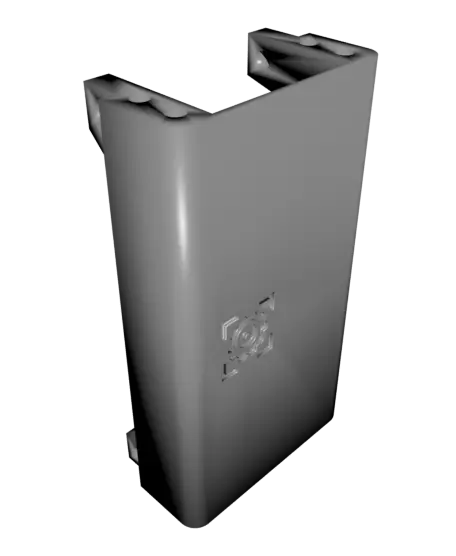
Quadruped I
A quadruped robot with the capability of computer-vision-based tracking and following. This project was created for a university capstone project. The model is based on an existing open-source project (Diy quadruped robot (https://grabcad.com/library/diy-quadruped-robot-1)).
Thangs entrega los archivos a usuarios con cuenta gratuita
Licencia
Solo uso personalSin licencia indicada
El autor no indicó una licencia: todos los derechos le pertenecen. Úsalo solo para imprimir en casa y consulta al autor para cualquier otro uso.
Al descargar aceptas respetar la licencia y dar crédito a Tom K.
Archivos (24)
- 0002-0103 RearServo_Bracket.STL STL · 66 KB
- 0002-0104 FrontServo_Bracket.STL STL · 72 KB
- 0002-0105 LeftHipServo_Bracket.STL STL · 66 KB
- 0002-0106 RightHipServo_Bracket.STL STL · 68 KB
- 0002-0107 Camera_Bracket.STL STL · 106 KB
- 0002-0108 Belly.STL STL · 30 KB
- 0002-0109 Tail.STL STL · 45 KB
- 0002-0201 Femur.STL STL · 55 KB
- 0002-0202 Foot.STL STL · 79 KB
- 0002-0203 Link 100mm.STL STL · 29 KB
- 0002-0204 Link 28mm.STL STL · 29 KB
- 0002-0205 MotorExtension.STL STL · 42 KB
- 0002-0206 InnerRight_Tibia.STL STL · 100 KB
- 0002-0207 OuterRight_Tibia.STL STL · 116 KB
- 0002-0208 Right_Shoulder.STL STL · 75 KB
- 0002-0301 InnerLeft_Tibia.STL STL · 100 KB
- 0002-0302 OuterLeft_Tibia.STL STL · 116 KB
- 0002-0303 Left_Shoulder.STL STL · 75 KB
- 0002-0401 BellyBracket.STL STL · 291 KB
- 0002-0101 Side_Cover.STL STL · 1,2 MB
- 0002-0102 Top_Cover.STL STL · 194 KB
- 0002-1000_Quadruped_BOM_v0.6.pdf PDF
- Installation Guide - First Draft.pdf PDF
- 0002-1000 Quadruped v0.6 Assembly Guide.pdf PDF
- Categoría
- Tecnología
- Formatos
- STL, PDF
- Descargas
- 38
- Publicado
Sobre este modelo
A quadruped robot with the capability of computer-vision-based tracking and following. This project was created for a university capstone project. The model is based on an existing open-source project (Diy quadruped robot (https://grabcad.com/library/diy-quadruped-robot-1)).
You can support my work and buy me a coffee here: Buy me a Coffee! (https://ko-fi.com/tomknox) It helps a lot and enables me to continue this hobby! Print Instructions
Use organic supports where it's needed. 15% infill. Use PETG, ASA, ABS or any other more stiff material. The Feet can be printed in any material, but something softer like TPU is nice.
Necessary/Good to have tools needed before starting the project:
Proper wire cutters, wire strippers a precisions screwdriver set are necessary. You will also need a soldering iron to solder wires and to press heat inserts.
| Crimping Tool | AliExpress Link (https://s.click.aliexpress.com/e/_c4VtpJeL) | Amazon Link (https://geni.us/RH6Ac9) | | --- | --- | --- | | Hex Key set | AliExpress Link (https://s.click.aliexpress.com/e/_c3rvP1lh) | Amazon Link (https://geni.us/BufZGm) | | Wire cutter | AliExpress Link (https://s.click.aliexpress.com/e/_c2yogYf1) | Amazon Link (https://geni.us/Drzhe7o) | | Wire stripper | AliExpress Link (https://s.click.aliexpress.com/e/_c3FGIlNv) | Amazon Link (https://geni.us/SvNtLpP) | | Precision Screwdriver Set | AliExpress Link (https://s.click.aliexpress.com/e/_c4sOxkox) | Amazon Link (https://geni.us/Kk4tgSV) | | Heat insert set | AliExpress Link (https://s.click.aliexpress.com/e/_c3bHpwH9) | Amazon Link (https://geni.us/v1c6n) | | Heat insert tip - set | AliExpress Link (https://s.click.aliexpress.com/e/_c4V88eu7) | Amazon Link (https://geni.us/AiMMC) | | | | | | Soldering Iron - Generic (Budget) | [AliExpress Link]( https://s.click.aliexpress.com/e/_c4sOxkox ) | Amazon Link (https://geni.us/Drzhe7o) | | Soldering Iron - TS101 (Premium) | AliExpress Link (https://s.click.aliexpress.com/e/_c2QmV6QP) | Amazon Link (https://geni.us/3MyKGv) | | General soldering starting kit | AliExpress Link (https://s.click.aliexpress.com/e/_c3FGIlNv) | Amazon Link (https://geni.us/ijQb8dN) | Installation
To use this code simply download the repository onto the raspberry pi, install the requirements, set up the pi for camera and the servo library usage, and run python3 control-quadruped. This will start the walking motion and print out the pi's IP and port. Run the controller on your computer, setting the IP and port given by the pi and the robot will start taking momentum data from the controller.
1. Connect the motors to raspberry pi and run the calibrate command, this will center all of the motors. 2. Cut the would to shape and print out the front and side of the body 3. Install hip motors 4. Print the legs 5. Set up each leg without mounting to the motors 6. Continue building from the hip by placing the motor mount plates 7. Mount the shoulder and elbow motors, attach the leg (make sure to calibrate before) 8. Mount components by screwing them into the wood board. For the electrical 9. Add a camera if you want
For the electrical just hook everything to the PWM (https://www.youtube.com/watch?v=9jcEwn7GzNs&ab_channel=MakerTutor) and camera with camera ribbon or USB. For battery power go from battery to a buck to the pi/motors. We struggled with voltage surge and Pi cycling so consider isolating the batteries or using a capacitor to handle the load. Computer vision controller
The computer vision controller has a few extra steps that can seen here. Specific to the computer-vision controller you will also need to run python3 image-sender/rpi_send_video.py to pass camera data to you computer, in this case make sure to change the IP and Port to the ones used by the controller. Intro
This project was created with the intention of developing a robot that can follow users as a proof of concept for a larger assistant quadruped. The associated code allows for keyboard based control or computer-vision-based control and was structured such that new controllers can easily be implemented by sending momentum packets to the raspberry pi. Robot Control
The robot uses an inverse kinematic model to determine how to position the foot in the requested location. Some of the math for this can be seen in the model directory with the jupyter notebook
Bill of Material
Download the BOM in the download section.
Descripción original del autor, publicada en Thangs.



