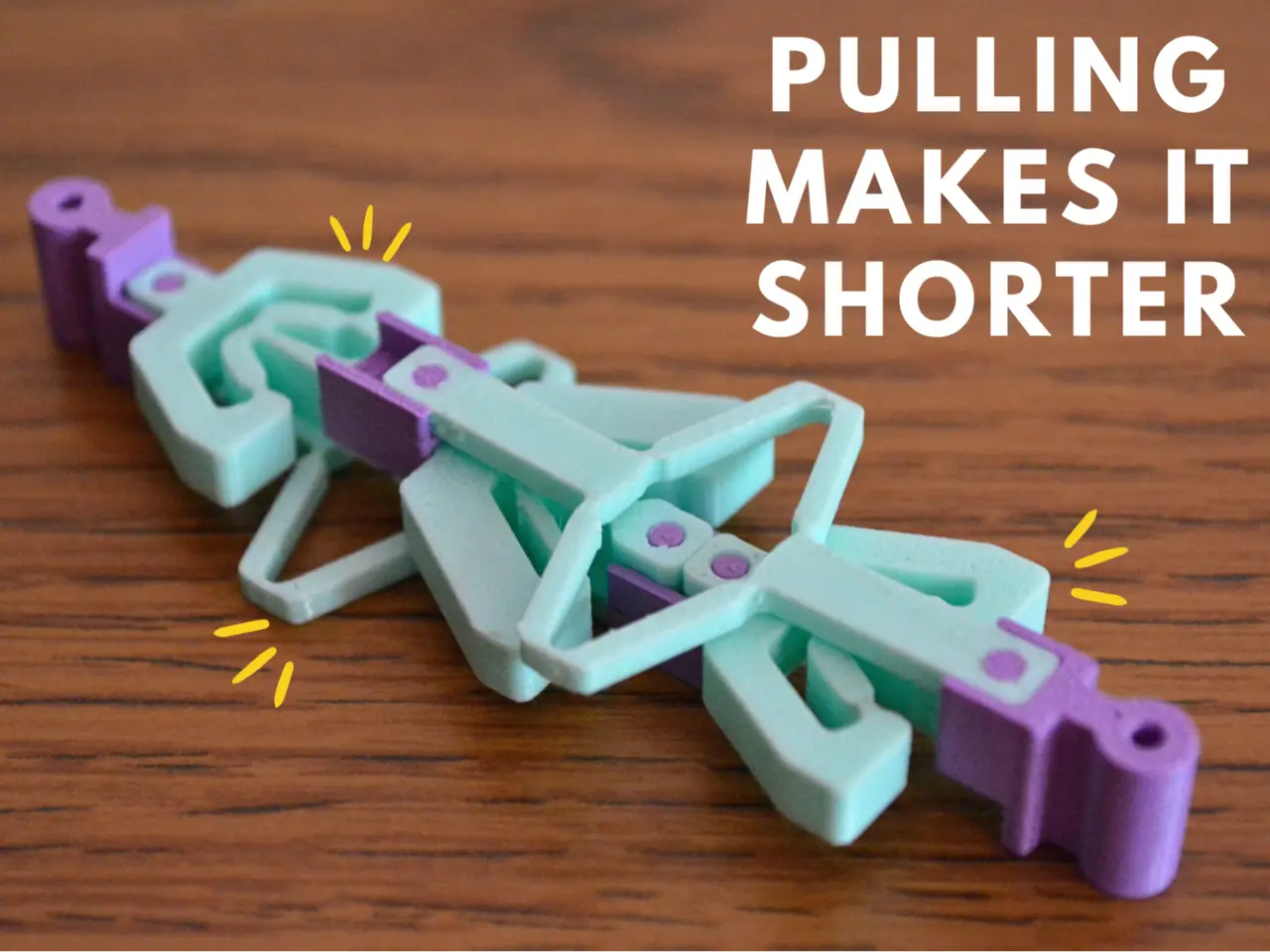
Pull-to-Shrink Snap Mechanism
por Bogdy en MakerWorld
Pull-to-Shrink Snap Mechanism (Braess’s Paradox). After watching the Veritasium's video about this mechanism, I printed several of them, but none of them worked. So I decided to make my own version.
MakerWorld entrega los archivos a usuarios con cuenta gratuita
Licencia
Solo uso personalStandard Digital File License
Licencia estándar de archivos digitales: solo uso personal. No se permite compartir, revender ni subir el archivo a otros sitios, ni vender las impresiones.
Al descargar aceptas respetar la licencia y dar crédito a Bogdy.
Archivos (9)
- Inner Connector.stl(1).stl STL · 73 KB
- Inner Connector.stl.stl STL · 73 KB
- Long_Part.stl(1).stl STL · 151 KB
- Long_Part.stl.stl STL · 151 KB
- Middle_Part.stl.stl STL · 148 KB
- Outer Connector.stl(1).stl STL · 92 KB
- Outer Connector.stl.stl STL · 92 KB
- Short_Part.stl(1).stl STL · 166 KB
- Short_Part.stl.stl STL · 166 KB
- Categoría
- Educación
- Formatos
- STL
- Descargas
- 3,189
- Publicado
Sobre este modelo
Pull-to-Shrink Snap Mechanism (Braess’s Paradox) After watching the Veritasium's video about this mechanism, I printed several of them, but none of them worked. So I decided to make my own version.
After many prototypes, I created some parts that work, a custom print profile and adapted the printing settings for TPU 85A. I created this mechanism for TPU 85A, I don't know if it works with other types of TPU (someone also printed with TPU 95A and said it works perfectly, so it should print with any kind of TPU between 85A and 95A), but this is the filament from Bambu Lab with the best flexibility, and it works flawlessly with it. The parts that connect the flexible parts are printed in PLA. If anyone tries with other types of filaments, I'm waiting for opinions and possible new print profiles.
To print as efficiently as possible with TPU 85A, I suggest you insert the filament directly into the extruder, not through the tube, this being a big problem that I faced at the beginning, also use the Textured PEI Plate. I calibrated the rest of the settings for you :))).
If the mechanism does not shrink at a moment, try to change the printing temperature of the Short_Part parts (from 235C to 240C or to 230C), because I noticed that the temperature influences their hardness.
Here is the assembly mode:
Here is the video that inspired me: https://www.youtube.com/watch?v=-QTkPfq7w1A&t=1143s Boost MeIt's free for you, but it would greatly assist me, thank you!MembershipIf you want too support me or sell my 3D models
Descripción original del autor, publicada en MakerWorld.