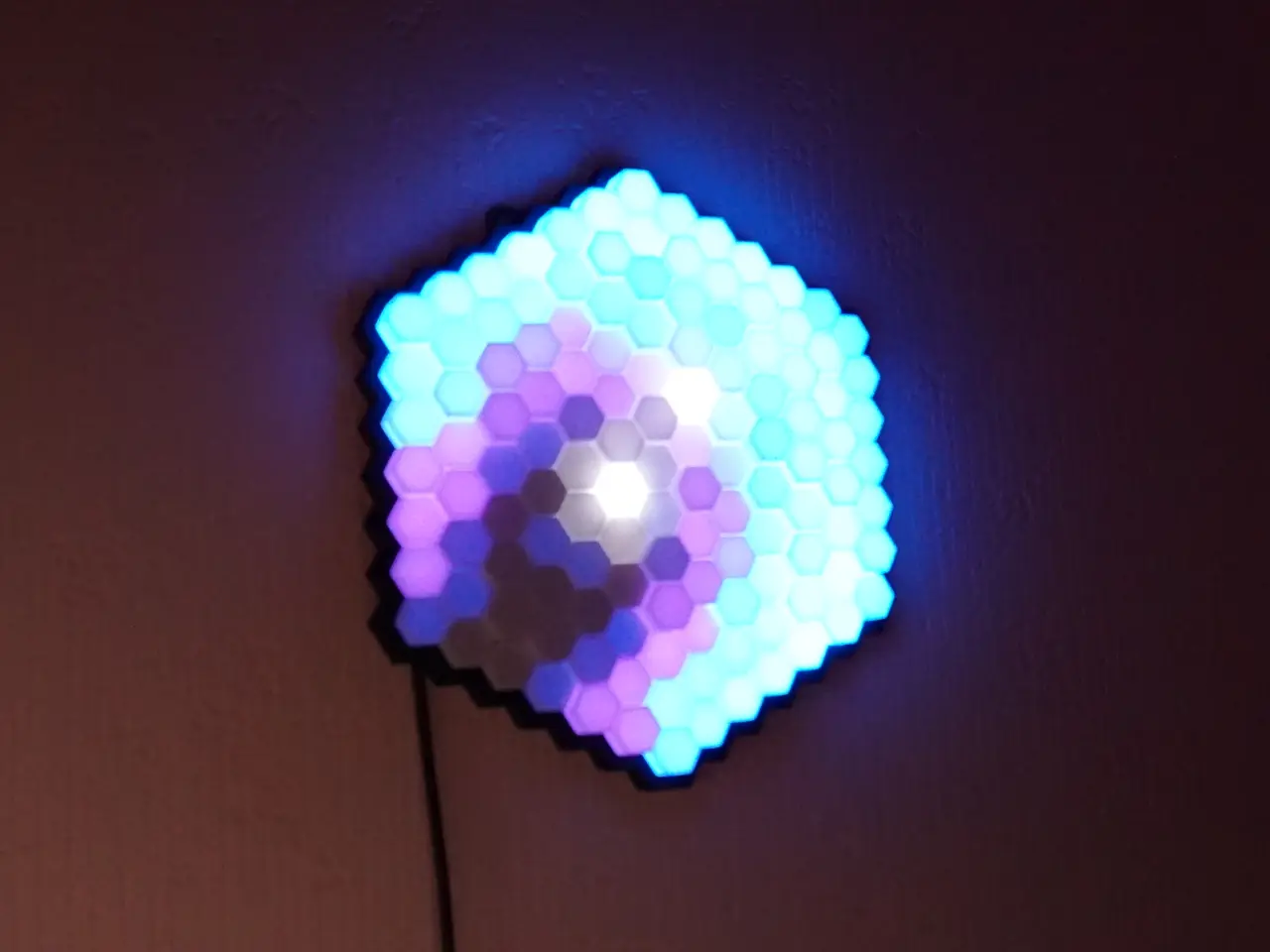
PrismLume | Hexagon WLED Ambient Light Panel
por How To Homemade en Printables
The next generation hexa ambient light! now on version: 1.1
Licencia
Solo uso personalCC BY-NC-SA 4.0 — Atribución, no comercial, compartir igual
Uso personal dando crédito; sin fines comerciales y las modificaciones con la misma licencia.
Al descargar aceptas respetar la licencia y dar crédito a How To Homemade.
Archivos (10)
- Categoría
- Figuras y arte
- Formatos
- STL, ZIP
- Descargas
- 1,461
- Publicado
Sobre este modelo
Things you wanted to know before: Be aware of the effort involved in this project, you can't just put everything together in 10 minutes. You should also be good at soldering and know how to handle cables. It took me about 3 hours to solder all the strips together correctly. I would also set up the software first and connect the ESP to the first LED segment. After soldering on a new segment, you can now always check whether all connections are working.
Required Parts:
3D Printed: - 1x Base
- 1x Grid
- 1x Cover
- 127x Prism Cap (you can vary between small, medium, large and extra large)
Used Filament: - Black: Redline Filament
- White: Sunlu
Extra Components: - 127 Leds (2,12m 60leds/m WS2812b [DE, US], SK6812 [DE], etc.)
- LED Controller (ESP32 [DE, US], ESP8266, etc.)
- 5V power supply (or phone charger)
- Old USB Cable [DE]
- 14x M2x4mm countersink screw [DE]
- 14x M2x2.5x3.2 heat nut insert [DE]
Versions:
1.0: - Here we go: The next generation hexa ambient light!
1.1: easier to assemble - the holes for the heat insert nuts are now centered
- there is more space for the cables at the corners between the strips
Assembly:
Step 1: Cut the LED strip to pieces of the correct length. Amount Length (Leds)
2 7
2 8
2 9
2 10
2 11
2 12
1 13
Step 2: Press the 14 heat nut inserts into the holes in the base with your soldering iron.
Step 3: Insert the USB cable through the hole provided and solder it to the beginning of the first LED strip. Then all LED strips must be soldered together one after the other. I used cables with lengths of 21, 26 and 31mm. Make sure to always connect GND to GND, data to data and 5V to 5V.
Make sure the arrows on the LED strip are aligned correctly:
Descripción original del autor, publicada en Printables.