
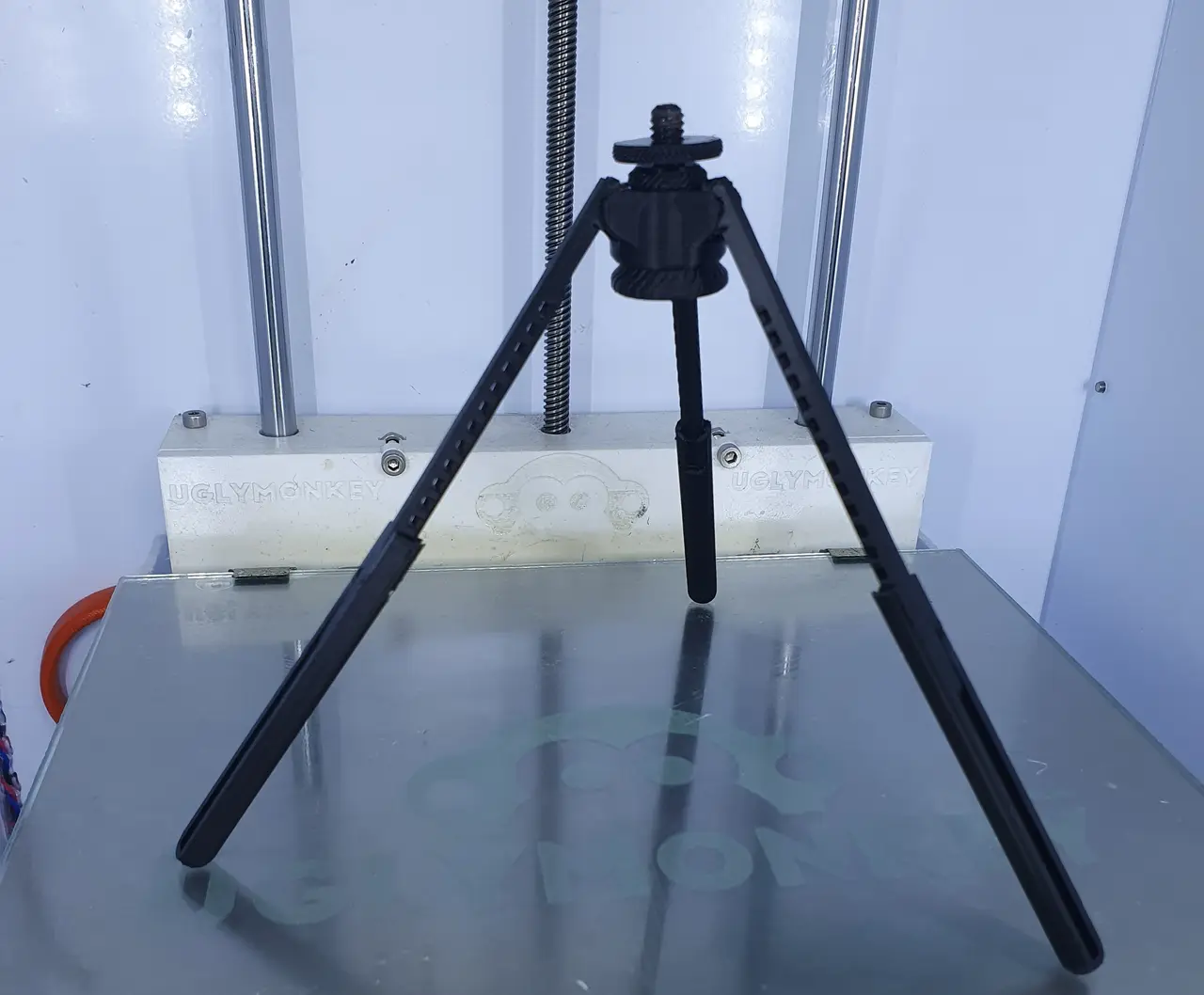
Print In Place Tripod V0.9
por Reallyrapid en Printables
This is an adjustable Print In Place Tripod with all 3 legs moving simultaneously. GoPro mount & Camera mount included.
Licencia
Uso comercial permitidoCC BY-SA 4.0 — Atribución, compartir igual
Puedes usarlo y modificarlo dando crédito; las versiones modificadas deben compartirse con la misma licencia.
Al descargar aceptas respetar la licencia y dar crédito a Reallyrapid.
Archivos (8)
- PIP_Tripod_V0.9.stl STL · 5,1 MB
- PIP_Tripod_V1.0.1_UNTESTED.stl STL · 6,3 MB
- Gopro_To_PIP.stl STL · 524 KB
- Camera_Mount_To_PIP.stl STL · 9,5 MB
- Camera_Mount_Adjuster.stl STL · 1,3 MB
- PIP_Tripod__V0.9_MMU_Printable.3mf 3MF · 1,2 MB
- PIP_Tripod_V1.0.1_MMU_Printable_UNTESTED.3mf 3MF · 1,5 MB
- PIP_Tripod_V1.0.0_custom_layerheight_PLA_MK3S_4h2m.gcode GCODE · 6,4 MB
- Categoría
- Tecnología
- Formatos
- STL, 3MF, GCODE
- Descargas
- 468
- Publicado
Sobre este modelo
This model is still V0.9 because I'm still doing some improvements, as soon as you see V1.0.0 in the title then that means I'm happy with it.
This print requires a well calibrated 3D printer as it relies on tight tolerances to be printed in place.
Choose between the GoPro mount and Camera mount and click print or check out @Jackal3D 's page for an extention of this tripod to mount your phone with his universal phone mount.
After you remove it from the bed, twist the adjusting knob to unlock the worm gear (in case it got stuck) and adjust the knob until the tripod looks like the title picture.
Printer settings: - 100% Infill (Advance users can use the MMU file and select 100% infill only for the tripod legs) - 0.1mm layer height (or use variable layer height close to 0.1mm for the worm gear) Example Gcode uploaded
Update: V1.0.0 is now uploaded, but still untested. Updates in V1.0.0 Untested: - Indication where to stop extending the legs (Next version will have stoppers) - Small improvements in terms of the print-ability of the model - Thicker legs
Busy designing V2.0.0
Descripción original del autor, publicada en Printables.



