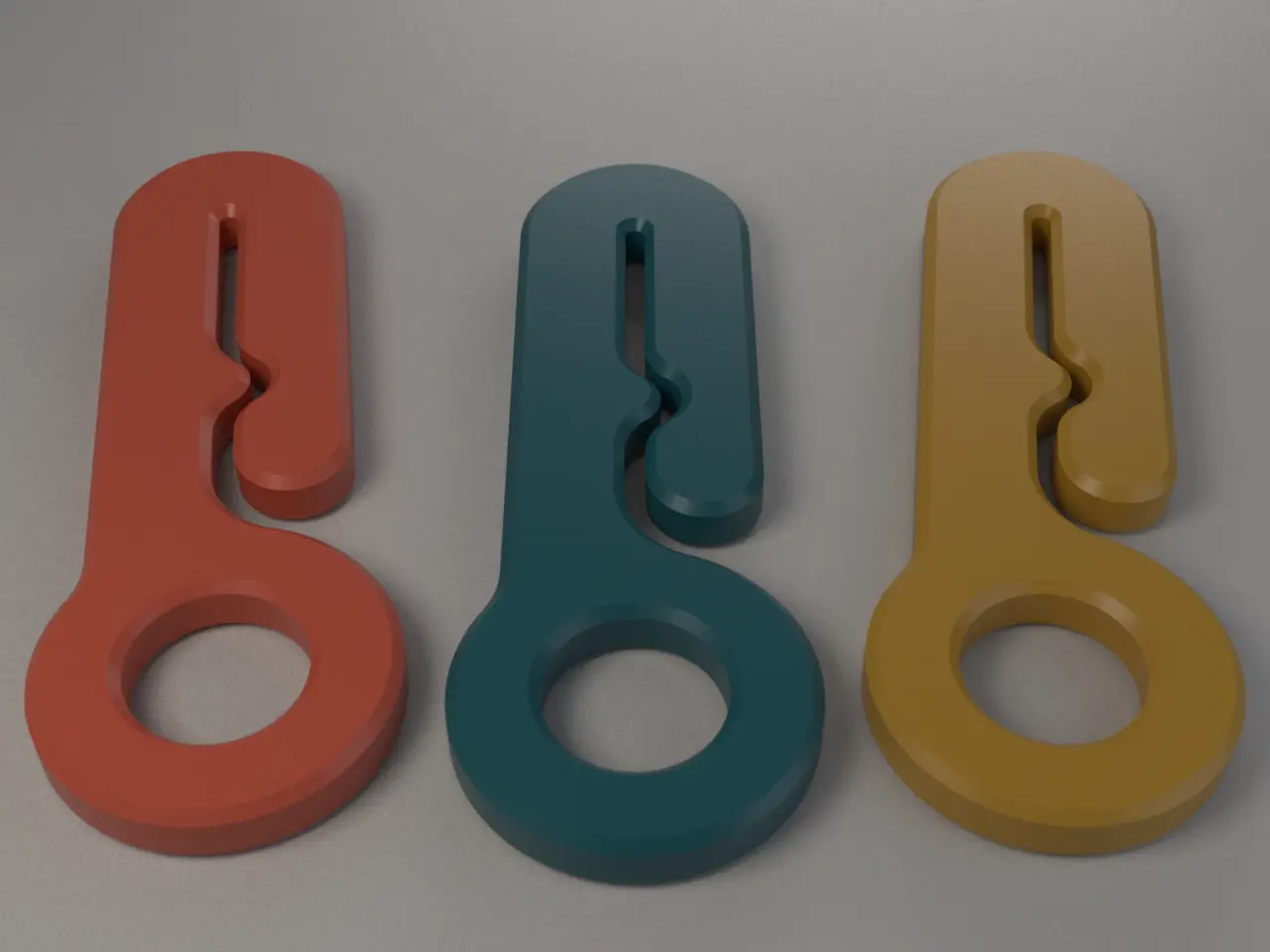
Poop-Bag Holder Remix
por Paul Brouwers en Printables
A 3d printable dog poop bag holder inspired by https://www.printables.com/model/1379256-dog-poop-bag-holder.
Licencia
Solo uso personalCC BY-NC 4.0 — Atribución, no comercial
Puedes imprimirlo y modificarlo para uso personal dando crédito. No se permite vender las impresiones.
Al descargar aceptas respetar la licencia y dar crédito a Paul Brouwers.
Archivos (2)
- Categoría
- Hogar
- Formatos
- SCAD, STL
- Descargas
- 0
- Publicado
Sobre este modelo
Poop-Bag Holder Remix This is a 3d printable dog poop bag holder inspired by the Poop Bag Holder. Thank you @jmizzle for such a useful accessory. Attach it to your lead using a carabiner and hang your dog poop bag, so your hands are free on the walk home. Remodelled to be parametric. The slot is designed to hold the tied neck of a bag securely, but still allow you to pull it free when you reach a bin. How it works - The ring goes onto your lead, a carabiner, a belt loop or a bag strap.
- The slot takes the tied neck of a bag. Push the neck in from the open end under the arm and slide it up the slot.
- The kink halfway along the slot is the clever bit. The bag neck has to wiggle past it, so it can't slip out on its own, but you can still pull it free when you reach a bin.
The model is a single 6 mm plate with a 1 mm, 45° chamfer on every top and bottom edge. The chamfer makes it comfortable to handle and stops the slot edges snagging the bag. Files File What it is
poop-bag-holder_parametric.scad The model. Every dimension is adjustable. Start here.
poop-bag-holder_6mm_chamfered_parametric.stl Ready-to-print STL with the default settings.
Opening the model Open poop-bag-holder_parametric.scad in OpenSCAD and change values in the Customizer panel (Window → Customizer). Press F6 to render, then F7 to export an STL. Choosing a chamfer method OpenSCAD has no built-in chamfer, so the model offers two ways to make one. Both give the same shape.
roof (default) minkowski
OpenSCAD version Development snapshot 2025 or newer Any version
Extra setting needed Turn on Preferences → Features → roof None
Speed A few seconds Slow. It can take several minutes at fine quality.
How it works Builds a 45° "roof" up from the outline and trims the plate with it Shrinks the outline, then sweeps a double cone around it
If you're on a stable OpenSCAD release, choose minkowski. Use quality = draft while you experiment, then switch to fine for the final export. Tip: in a development snapshot, set Preferences → Advanced → 3D Rendering Backend to Manifold. It makes everything much faster.
Options All sizes are in millimetres. "From the ring centre" means measured along the length of the holder from the centre of the ring hole. Plate Option Default What it does
height 6 Thickness of the holder.
chamfer 1 Size of the 45° bevel on the top and bottom edges. Use 0 for square edges. Must be less than half the height.
chamfer_method roof roof or minkowski; see above.
Ring Option Default What it does
ring_r 16 Outer radius of the ring end (32 mm across).
hole_r 8 Radius of the hole (16 mm across). Make it bigger for chunky leads or carabiners.
ring_fillet 8 Radius of the curves where the stem joins the ring.
Stem Option Default What it does
stem_w 24 Width of the stem. The rounded top is a half-circle of the same width.
stem_len 59 Ring centre to the centre of the rounded top. Sets the overall length.
Slot Option Default What it does
slot_w 2 Width of the slot. Increase it for thicker bags; decrease it for a tighter grip.
arm_end 25.25 From the ring centre to the rounded end of the slotted arm. Controls the size of the entry gap.
kink_y 35 From the ring centre to the kink.
kink_r 3.5 How far the kink bulges. Bigger means a stronger hold.
kink_fillet 5 Radius of the curves either side of the kink.
Descripción original del autor, publicada en Printables.