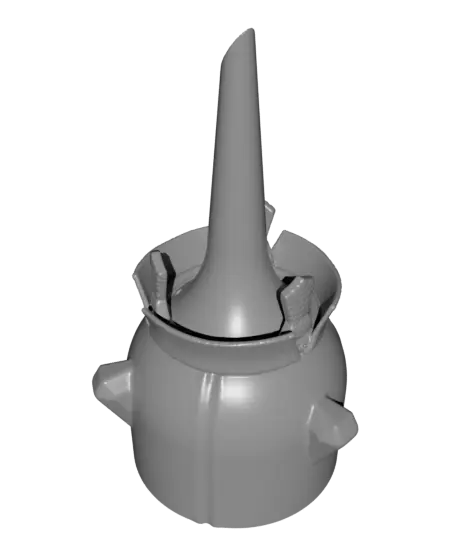
Planter “Extra”
por Gazzaladra en Thangs
A planter for your home or garden that elevates your favorite plant.
Thangs entrega los archivos a usuarios con cuenta gratuita
Licencia
Revisa las condicionesStandardDigitalFileLicense
El autor usa su propia licencia. Revisa sus condiciones en la página original antes de compartir, modificar o vender.
Al descargar aceptas respetar la licencia y dar crédito a Gazzaladra.
Archivos (4)
- Planter_V1.stl STL · 13,8 MB
- Planter_V2_multi_basic.stl STL · 4,1 MB
- Planter_V2_multi_details.stl STL · 105,9 MB
- Planter_V2_single_basic.stl STL · 2,8 MB
- Categoría
- Figuras y arte
- Formatos
- STL
- Descargas
- 339
- Publicado
Sobre este modelo
A planter for your home or garden that elevates your favorite plant. It has holes for water drainage and keeps your plant saver then on the ground or serves as additional space in a larger pot.
Versions included - V2_multi_details: three faces and fine details - V2_multi_basic: three faces and smooth surfaces - V2_single_basic: one face and smooth surfaces - V1: The older version one
Scaling / size - Upscaling (100% +): as big as you want - Regular size (100%): 115 x 115 x 200 mm - Downscaling (99% – 61%): works great - Minimum size (60%): 69 x 69 x 120 mm Everything smaller than that may cause issues
Print settings Material usage (100% scale): 120g Print time: (100% scale): 10h
Material usage (60% scale): 35g Print time: (60% scale): 4,5h
Material: PLA Print direction: stl is rotated correctly, check images Support: none Nozzle size: 0,4 mm Line width: 0,4 mm Layer height 0,2 mm Outer walls: 3 Infill: 15% Build plate adhesion type: A brim is recommended but not necessary
Watertight printing: If you have a well set up machine it comes automatically - Otherwise here are some tips: Increase your wall count (at least 3), level your bed nicely, decrease print speed, increase layer height (at least 0.2mm), increase print temperature, check your seam quality, calibrate your e-steps and fine tune your retraction settings to make sure no holes appear after a layer change.
Descripción original del autor, publicada en Thangs.