
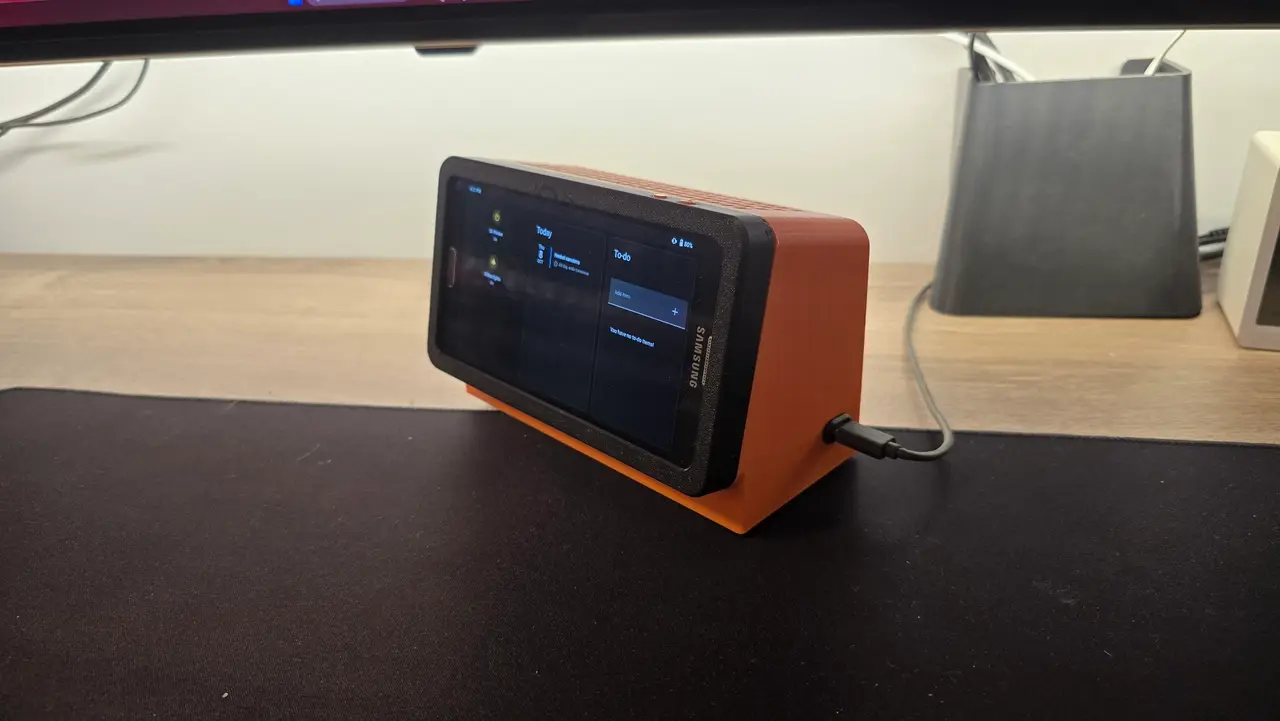
Phone Dock
por Vladimír Wlad en Printables
Dock that turns an old phone into a powered Home Assistant panel. Galaxy Note 3 + parametric version.
Licencia
Solo uso personalCC BY-NC 4.0 — Atribución, no comercial
Puedes imprimirlo y modificarlo para uso personal dando crédito. No se permite vender las impresiones.
Al descargar aceptas respetar la licencia y dar crédito a Vladimír Wlad.
Archivos (6)
- Categoría
- Tecnología
- Formatos
- 3MF, F3D
- Descargas
- 0
- Publicado
Sobre este modelo
Instead of letting an old phone gather dust in a drawer, I turned it into an always-on smart home control panel. The phone runs LineageOS with the Home Assistant dashboard and sits in a printed dock that also takes care of power delivery. Inspiration: This design was inspired by The Stock Pot’s video and Echo Show 5 enclosure: https://www.youtube.com/watch?v=6p5wvVl957c and https://www.printables.com/model/1769972-amazon-echo-show-enclosure (thanks, @TheStockPot!) Two versions included: - Original: designed specifically for the Samsung Galaxy Note 3.
- Parametric: based on version 1, with adjustable dimensions so you can fit your own phone. Source file included.
If you have a different phone, start with the parametric version. If you happen to have a Note 3, just print version 1 and go.
Print Settings Printer Voron 2.4
Layer height 0.2 mm
Nozzle 0.4 mm
Material Any
Supports [no]
Infill [10 %]
Parts Needed - Old Android phone (Galaxy Note 3 for version 1)
- MP1584 buck converter module
- USB-C power inlet
- Resistor: 10 kΩ (used to trick the phone’s battery check)
- Capacitor: 1000-4700 µF (to suppress voltage spikes), rated [voltage, e.g. 10 V or higher]
- Wire, plus [screws/inserts, if used]
Software - LineageOS on the phone
- Home Assistant as the dashboard
Assembly Notes - Print the parts.
- Wire the USB-C inlet to the MP1584 input.
- Set the MP1584 output to the correct voltage before connecting the phone (check with a multimeter).
- Solder the capacitor (1000-4700 µF) across the MP1584 output to prevent voltage spikes. Observe polarity. Note: I’m not sure how necessary it is, but it’s cheap insurance.
- Fit the 10 kΩ resistor [between which pins, e.g. battery ID/thermistor pin and ground] so the phone’s battery check is satisfied without a battery connected.
- Connect the output to the phone’s power pins, with correct polarity.
- Mount the electronics in the dock and route the wires.
- Place the phone in the dock.
Tips - Always verify the MP1584 output voltage before connecting the phone, ideally under load.
- Check capacitor and power-pin polarity before powering on.
- [Battery handling: e.g. whether you removed the battery or limit charging in software]
- [Mounting: wall/desk]
Feel free to post a make or ask questions in the comments! You can support me here: https://ko-fi.com/wladt602 Thanks! :)
Descripción original del autor, publicada en Printables.



