
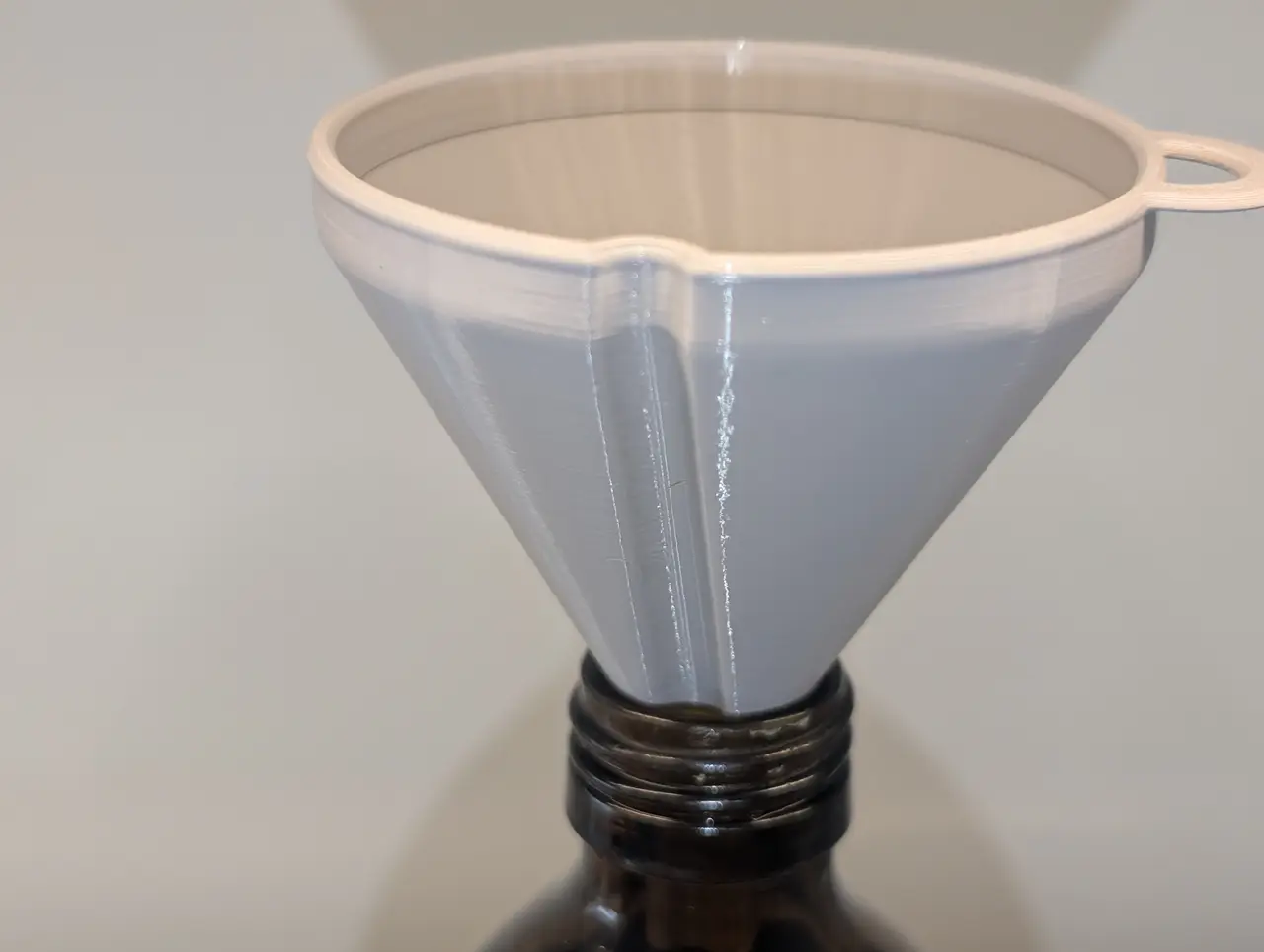
Parametric Ventilated Funnel (OpenSCAD remix)
por rixx en Printables
Remix of the excellent "BETTER VENTILATED FUNNEL - PARAMETRIC", migrating it from Onshape to OpenSCAD
Licencia
Solo uso personalCC BY-NC-SA 4.0 — Atribución, no comercial, compartir igual
Uso personal dando crédito; sin fines comerciales y las modificaciones con la misma licencia.
Al descargar aceptas respetar la licencia y dar crédito a rixx.
Archivos (2)
- Categoría
- Herramientas
- Formatos
- SCAD, STL
- Descargas
- 1,186
- Publicado
Sobre este modelo
Note: This is a parametrized model using OpenSCAD. The STL is only provided as example/reference. See below on how to use the OpenSCAD file. I hadn't seen ventilated funnels until I came across the excellent "BETTER VENTILATED FUNNEL" by Peter H:
I had never used Onshape before, and because I have been meaning to spend more time with OpenSCAD, and the design seemed more straightforward than my usual harebrained ideas, I decided to rebuild it as faithfully as possible. You can set pretty much every variable, including choosing to omit the ventilation or the handle. The model contains some improvements over the original that I picked up from ex-nerd's excellent remix. I'm crediting both as source because I alternated between the two when building my version, and I don't think I ended up with all of ex-nerd's changes.
I successfully printed funnels from both versions that came out well, but I'm still pretty new to this, so let me know if you run into problems. OpenSCAD You need OpenSCAD installed. Open the .scad file with it, and then play with the values in the Customizer panel on the right hand side. If it isn't visible, enable it via Window -> Hide Customizer. The funnel will look a bit rough at first because the render quality is set lower on purpose to make changes fast even on slow PCs. You can change this in the "Quality" section in the Customizer. The default quality, "auto", makes the preview fast and rough, but the export to STL fully detailed. Set to "Final" to see a more detailed preview. All parameters have descriptions, and invalid parameter combinations should raise an error message (at least in the cases I thought of). Once you are happy with the values, render (F6) and export to STL (F7).
This is my first model on printables (and my first model in general if you don't count trivial quasi-cubes), so I hope everything here is alright. Let me know otherwise, and happy printing.
Descripción original del autor, publicada en Printables.



