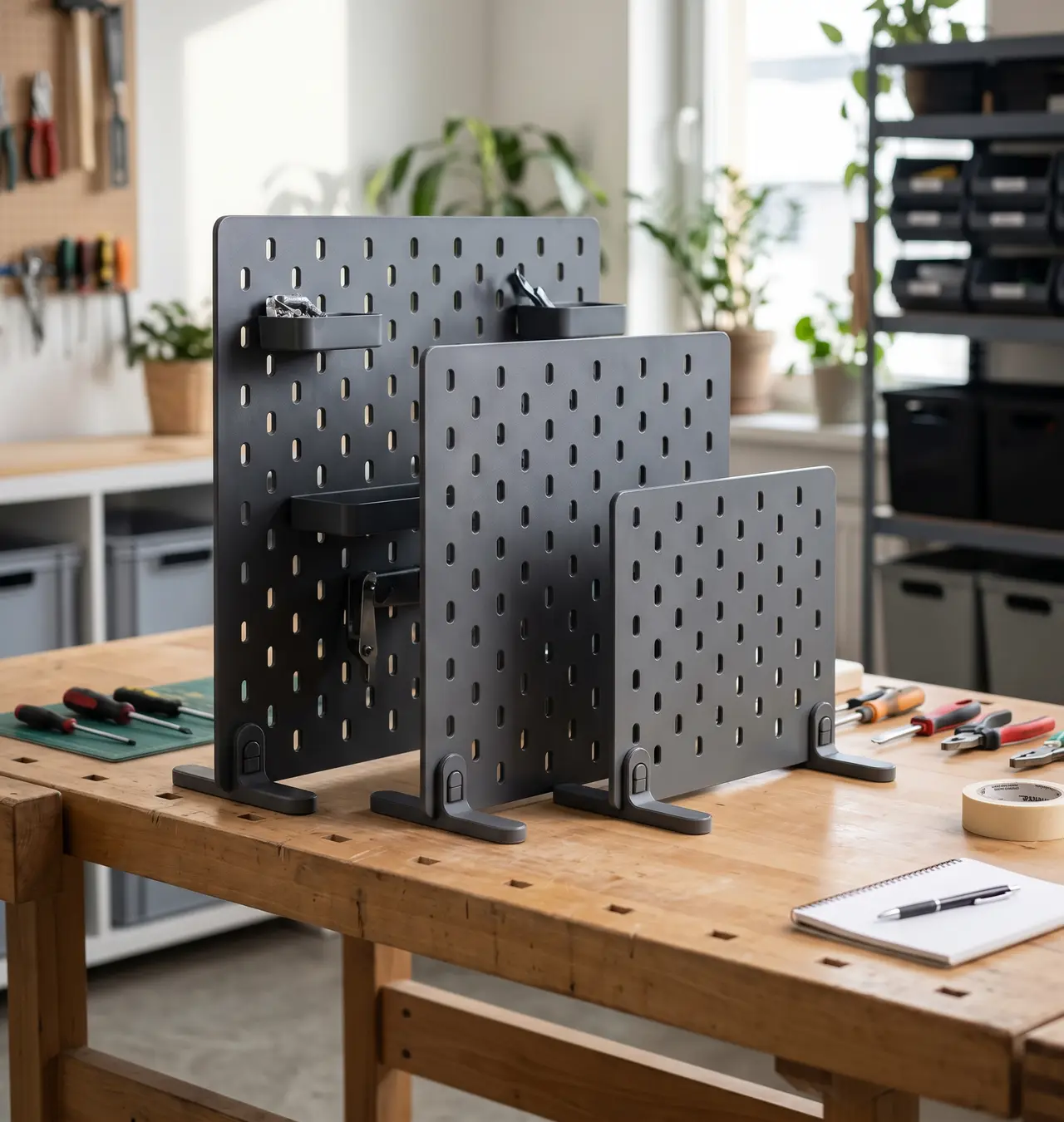
Parametric Standing Pegboard with Desk Stands
por 3icad en Printables
Parametric desktop pegboard with custom stands and tool-free two-part locking pegs. Fits SKÅDIS accessories
Licencia
Solo uso personalCC BY-NC-SA 4.0 — Atribución, no comercial, compartir igual
Uso personal dando crédito; sin fines comerciales y las modificaciones con la misma licencia.
Al descargar aceptas respetar la licencia y dar crédito a 3icad.
Archivos (10)
- 4x4 Pegboard.stl STL · 640 KB
- 5x5 Pegboard.stl STL · 998 KB
- 6x6 Pegboard.stl STL · 1,4 MB
- 7x7 Pegboard.stl STL · 2,0 MB
- 8x8 Pegboard.stl STL · 2,7 MB
- ShortStand.stl STL · 61 KB
- LockingPegLower.stl STL · 12 KB
- LockingPegUpper.stl STL · 32 KB
- TallStand.stl STL · 53 KB
- Pegboard Generator with Stands.f3d F3D · 813 KB
- Categoría
- Hogar
- Formatos
- STL, F3D
- Descargas
- 727
- Publicado
Sobre este modelo
A customizable, freestanding desktop pegboard designed to organize your workspace, electronics bench, or hobby table without drilling holes into your walls. Compatible with standard slotted pegboard accessories (such as IKEA SKÅDIS hooks, shelves, and bins), this model allows you to generate any board size and stand depth using the included CAD file (Fusion 360 / parametric model). Key Features - Freestanding Design: Sturdy clip-in base feet keep the board upright and stable on any flat surface.
- Tool-Free Locking Pins: Uses dedicated 3D-printable locking pins that push directly through the stand and slot to lock the assembly firmly together without bolts, nuts, or glue.
- Standard Compatibility: Slot spacing and sizing match Ikea Skadis pegboard ecosystems.
- Parametric: Easily resize the board dimensions and stand footprint to fit your exact desk setup.
Need accessories? Pair this board with my Customizable IKEA SKÅDIS Organizers & Tool Holster Generator here:
and Customizable Hook Generator here:
Customizable Parameters Open the parametric file, navigate to Modify > Change Parameters, and adjust the following user values: Parameter Default Description / Rules
unitWidth 5 Number of 40 mm units wide (Minimum: 2, increments of 0.5)
unitHeight 5 Number of 40 mm units high (Minimum: 2, increments of 0.5)
pegBoardStandFront 80 mm Length of the foot extending from the front of the board
pegBoardStandRear 20 mm Length of the foot extending from the back of the board
Tip: If you plan to load heavier tools on the front slots, increase pegBoardStandFront to maintain balance and prevent tipping. If your board sits flush against a wall, keep pegBoardStandRear minimal.
Recommended Print Settings - Material: PLA, PETG, or ABS
- Orientation: - Pegboard: Flat on the print bed
- Stands: Print upright on their base/feet. The mounting holes and clips are modeled to print cleanly without any supports.
- Locking Pegs: Lay both the upper and lower peg halves flat on their sides. This aligns the layer lines along the length of the peg, ensuring maximum shear strength so the hook won't snap under tension.
- Infill: 15–20% Gyroid or Grid (use 40%+ or 4+ perimeters for the stands for maximum rigidity)
- Walls/Perimeters: 3 to 4
- Supports: None required
Assembly Instructions - Seat the Board: Slide the bottom edge of the pegboard into the upright channels of the two stands, aligning the mounting holes with the bottom pegboard slots.
- Insert Upper Hook Peg: Slide the upper peg (with the retaining hook) through the aligned slot until the hook clears the back and catches against the outer face, holding the board and stand together.
- Engage Lower Locking Peg: Slide the lower peg directly into the remaining space beneath the upper hook. This wedges the assembly tightly, preventing the hook from lifting or disengaging and creating a rigid, tool-free lock.
⭐ If you enjoy this model and script, please leave a like, share your makes, and post your feedback! Happy organizing!
Descripción original del autor, publicada en Printables.