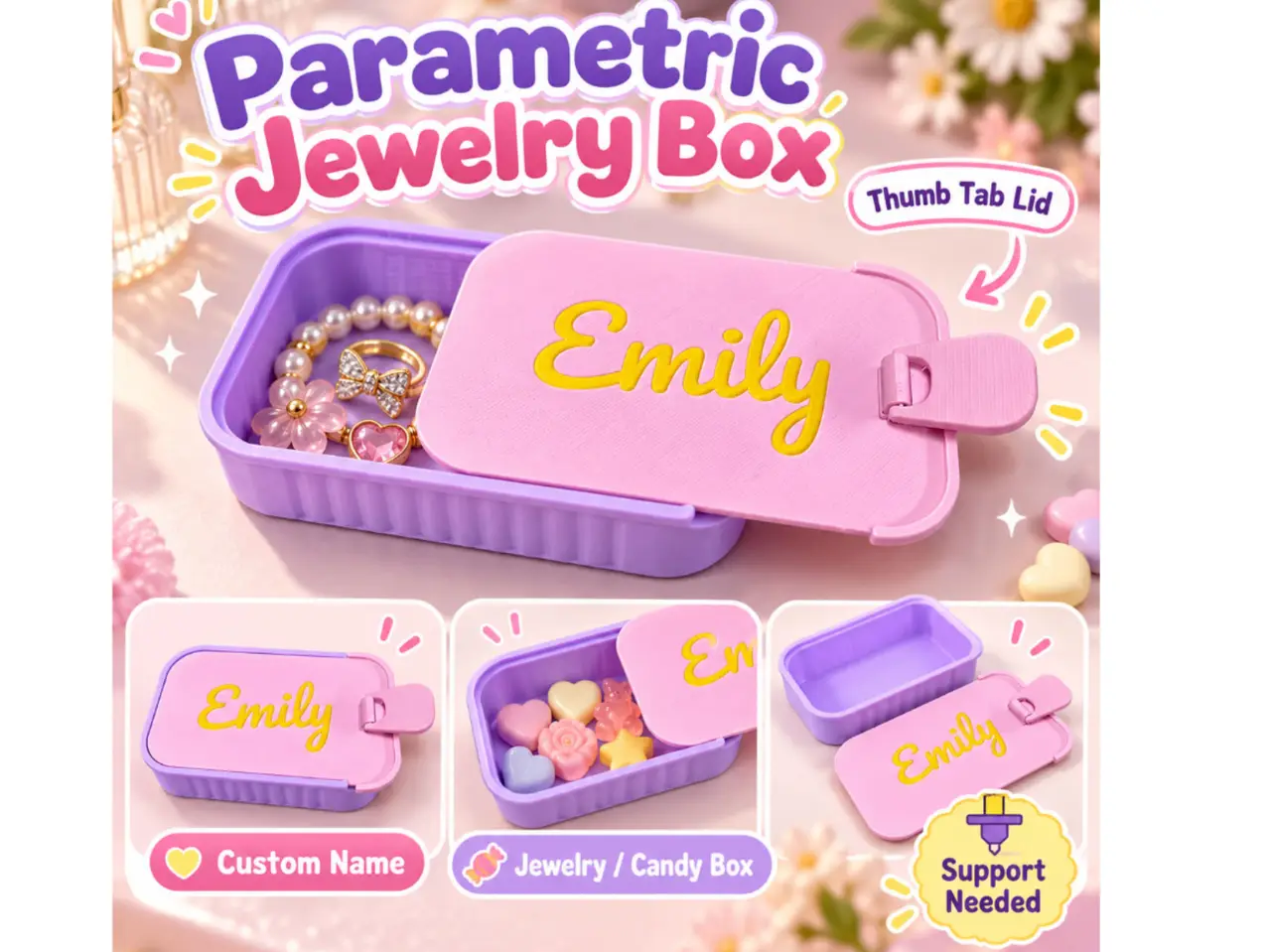
Parametric Jewelry Box Sliding Lid Tab Custom Name
por GreedyDog en MakerWorld
💜 Parametric Jewelry Box – Sliding Lid with Flexible Thumb Tab. Create your own personalized 3D printed jewelry box with a sliding lid and movable thumb tab!
MakerWorld entrega los archivos a usuarios con cuenta gratuita
Licencia
Solo uso personalStandard Digital File License
Licencia estándar de archivos digitales: solo uso personal. No se permite compartir, revender ni subir el archivo a otros sitios, ni vender las impresiones.
Al descargar aceptas respetar la licencia y dar crédito a GreedyDog.
Archivos (1)
- 138 box with can opener lid.scad SCAD · 496 KB
- Categoría
- Hogar
- Formatos
- SCAD
- Descargas
- 313
- Publicado
Sobre este modelo
💜 Parametric Jewelry Box – Sliding Lid with Flexible Thumb Tab Create your own personalized 3D printed jewelry box with a sliding lid and movable thumb tab! This cute, compact storage box features a customizable name on the lid. Perfect for storing small treasures, jewellery, candies and creating thoughtful personalized gifts. ✨ Features:
- 💕 Parametric Custom Name – Personalize the lid with your own name or text.
- 🎨 Customizable Colours – Mix and match your favourite filament colours.
- 👍 Flexible Thumb Tab – A movable thumb tab to help slide the lid open and closed.
- 📦 Sliding Lid – Convenient storage with a removable cover.
- 💍 Multipurpose Storage – Great for rings, earrings, necklaces, bracelets, beads, charms, hair accessories, candy and small accessories.
- 🎁 Personalized Gift – Create a unique keepsake for someone special.
🎉 Perfect For: Christmas gifts, Xmas stocking stuffers, birthday presents, Valentine's Day, Mother's Day, anniversary gifts, wedding favours, bridesmaid gifts, kids' birthday parties, goodie bags, baby showers, teacher appreciation, friendship gifts and personalized keepsakes. 🖨️ Important Printing Instructions – Support Required! ⚠️ The thumb tab is a flexible, movable part and requires support during printing.
- Enable support under the thumb tab in your slicer.
- After printing, carefully remove the support material around and underneath the thumb tab.
- Gently free the hinge before moving it.
- Once the support is removed, the thumb tab should move freely to help slide the lid.
Please remove supports carefully to avoid damaging the flexible hinge. 💡 Refer to the additional images for the support removal guide. 💼 Want to Sell Your 3D Prints? You can sell eligible physical prints of my original designs on Etsy, Shopify, Shopee, eBay, TikTok Shop, Instagram, at craft fairs, local markets or through your own small business with an active GreedyDog Commercial License subscription. 👉 GreedyDog Patreon: https://www.patreon.com/greedydog Digital file redistribution or resale is not permitted. ❤️ Thank you for supporting GreedyDog! Happy printing!
Descripción original del autor, publicada en MakerWorld.