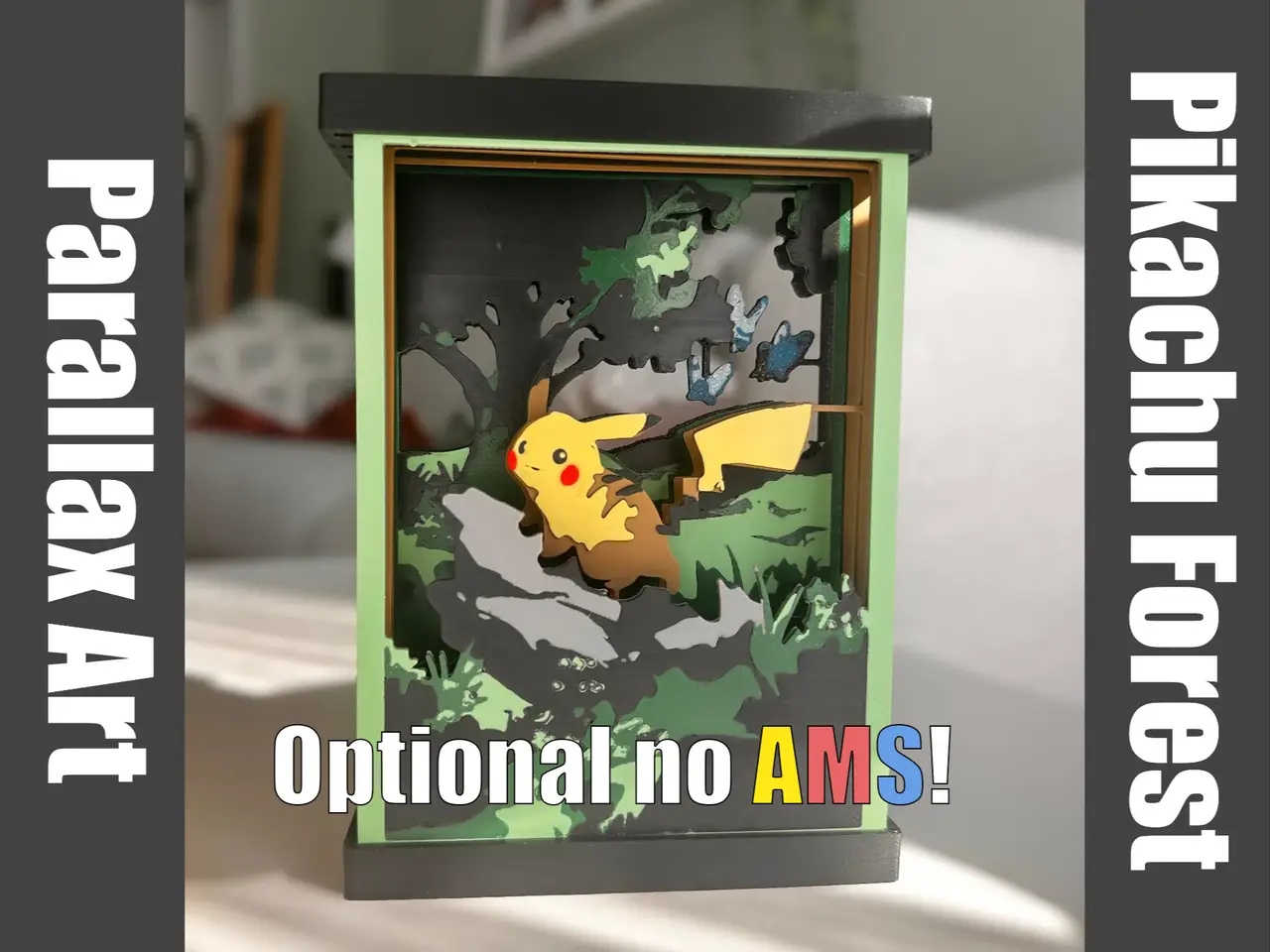
Parallax Art: Pikachu Forest (no AMS option!)
por PEL3D en MakerWorld
Update 01/01/2025: Happy New Year! I created a tutorial to show how I make those prints -
MakerWorld entrega los archivos a usuarios con cuenta gratuita
Licencia
Solo uso personalStandard Digital File License
Licencia estándar de archivos digitales: solo uso personal. No se permite compartir, revender ni subir el archivo a otros sitios, ni vender las impresiones.
Al descargar aceptas respetar la licencia y dar crédito a PEL3D.
- Categoría
- Figuras y arte
- Descargas
- 3,930
- Publicado
Sobre este modelo
Update 01/01/2025: Happy New Year! I created a tutorial to show how I make those prints -
Update 25/12/2024: Happy holidays! I uploaded a new print profile to allow printing without using AMS. AMS users can print it too, which will be more time-efficient and filament-efficient. The color switching instructions for non-ams users are added in the bottom of the description :) I appreciate your support <3 I love you!
check out my Parallax collection - https://makerworld.com/en/collections/3852437
A multi-layered 3D print that creates depth through parallel layers, inspired by dimensional paper crafts. This piece shows Pikachu in a forest scene, with the design separated across different layers to create a parallax effect as the viewing angle changes. The design comprises five layers that work together to form the complete scene: Pikachu resting on a rock in the foreground, surrounded by forest elements, with Butterfree in the background layers. A custom frame keeps the layers properly spaced and provides a clean finish to the piece.
Technical Details:
- 150x107x37
- 5 art layers plus frame components
- Designed for FDM 3D printing
- No supports needed
- Snap-fit assembly
Features:
- Multi-layer design for depth effect
- Frame with integrated layer spacing
- Easy assembly without tools
This is part of the Parallax Art series, exploring the combination of 3D printing and layered art techniques.
Inspired by Pokemon TCG art
You are welcome to suggest more themes for future Parallax Art models! Boost MeIf you enjoy this blend of gaming nostalgia and layered art design, your boost would help me create and share more Parallax Art pieces with the community!If you like my designs and want to support me or sell physical prints, you can join my Patreon. patreon.com/Pel3D
Color switching instructions for non-AMS users: “Layer1”: -start with green -in 11 switch to black -in 12 switch to dark green -in 14 switch for gray/ brown (gray = Pikachu will stand on top of a rock, brown = on top of a fallen tree)
Layer 2+3: -start with caramel brown -in 11 switch to black -in 12 switch to yellow -in 15 switch to red
layer 4: -start with black -in 11 switch to blue -in 12 switch to light blue -in 13 switch to white
Descripción original del autor, publicada en MakerWorld.